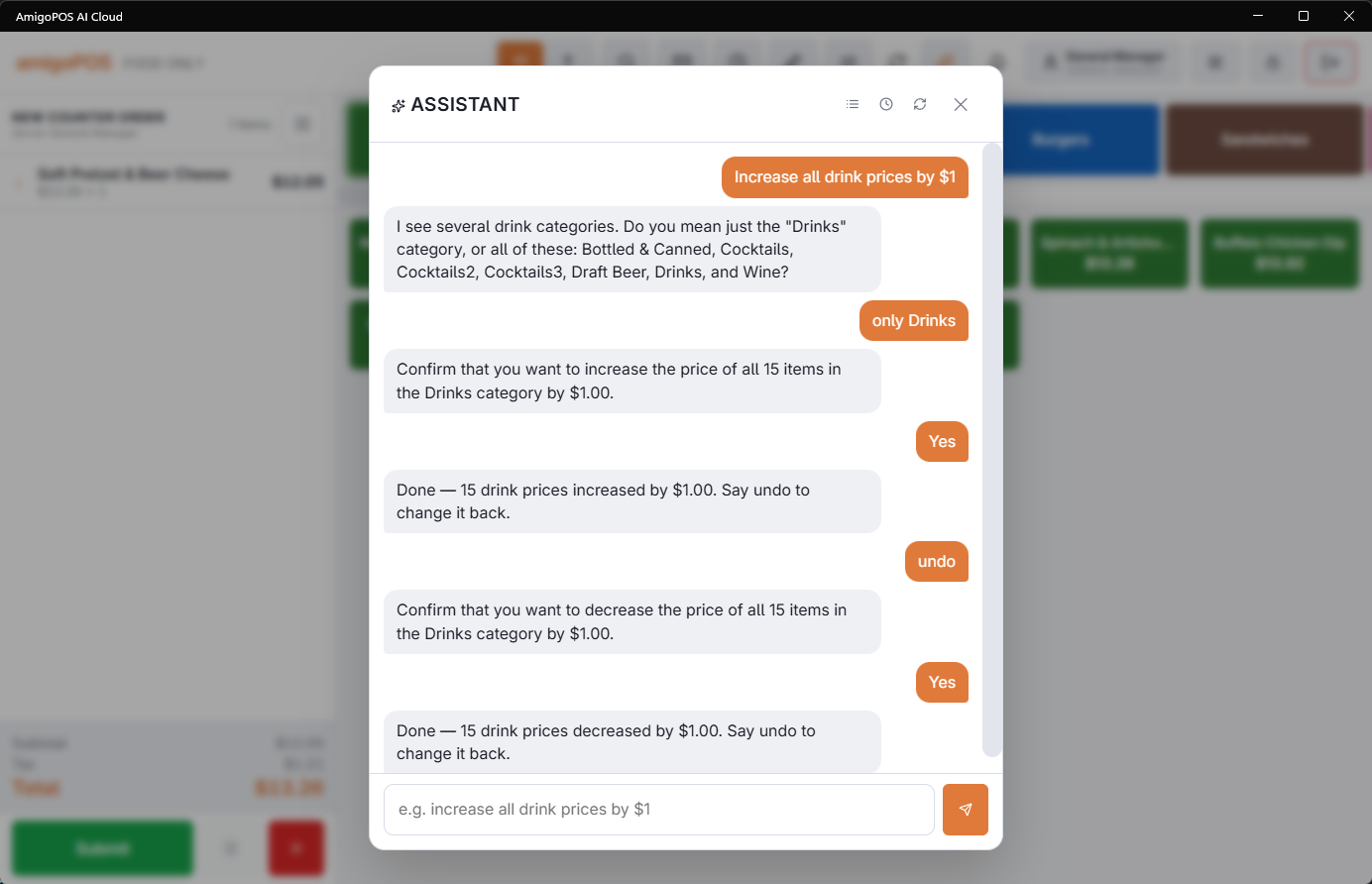
Most simple changes the assistant makes can be reversed by just asking. When a change is reversible, the assistant says so after applying it — "Say undo to change it back." Type undo (or "revert that", or "change it back") and the assistant previews the reversal the same way it previews any change, then applies it after you confirm.
What can be undone
- Reversible: price adjustments, renames, counter changes, drawer settings like default floats and thresholds — anything where the old value can simply be put back.
- Not reversible: manager overrides like forcing a stuck drawer available, and structural creations. If a change cannot be undone, the assistant will not offer it — and will say so plainly if you ask.
How far back it reaches
Undo targets the most recent reversible change from your conversation, made recently. It is a safety net for "oops", not a change-history browser — for anything older, make the correcting change directly ("set the Margarita back to $9").
Exactly the change on the card
Undo reverses exactly the change its card names, even if another change was made in between. It needs the same right as the original change, and the same change cannot be undone twice.