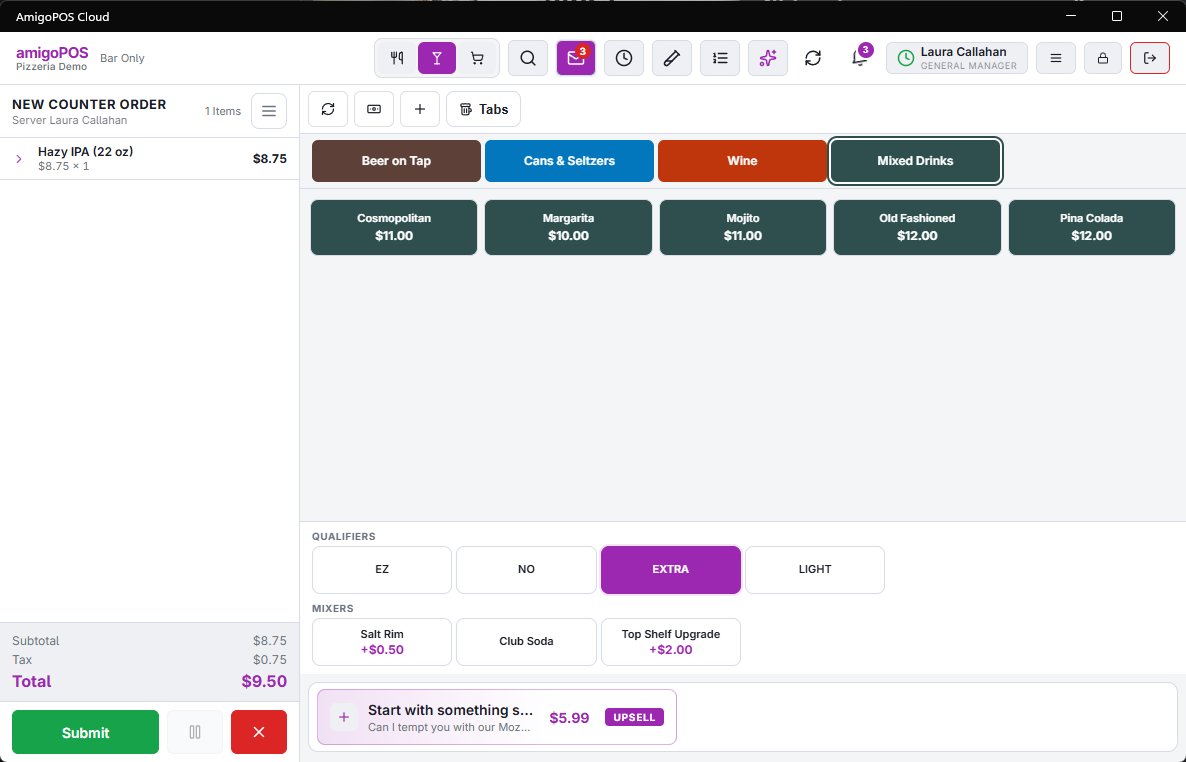
Bar lines are built from two halves. A qualifier — Extra, Light, No — and a modifier — the thing itself. Tap the qualifier, then the modifier, and the line reads "Extra Lime".
Tapping a modifier with no qualifier staged just adds it on its own.
Two texts, one line
Every bar line carries what the guest sees and what the bar sees, and they are not always the same. The check and receipt get the full names; the bar ticket gets each half’s prep text where the menu defines one, falling back to the name where it does not. That is how a receipt can read "Extra Lime Wedge" while the ticket reads the abbreviation the bar prints in.
Tapping again removes it
Tapping a modifier that is already on the line takes it off, whichever qualifier it was added with. Only real qualifier names count for that matching, so tapping "Lemon Soda" never removes a "Diet Lemon Soda" line by accident.