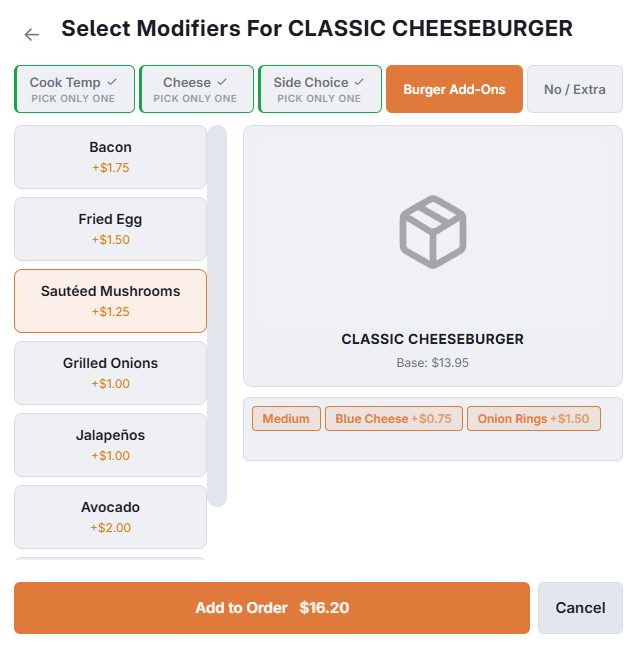
An item with modifiers opens its groups when you add it. Each group is a tab; work across them and confirm. With Display modifiers only if mandatory on (Store Setup › Order Entry Screen › Settings), an item whose groups are all optional is added straight away with its default modifiers; tap the line to add others.
Required groups
A group marked required will not let you confirm until something in it is chosen. The tab is flagged, and confirming jumps you to the group that is still empty rather than just refusing. That is how "how would you like that cooked" never reaches the kitchen unanswered.
Pick one, pick many, optional
A group either takes a single choice, takes several, or is entirely optional. Groups that take several can also carry a maximum, so a "choose up to three" group stops at three.
What gets charged
A group can include a number of modifiers in the item price — three toppings included, extras charged. The rule is worth knowing because it is not the order you tapped them in:
- The cheapest selections take the free slots. The dearest ones get charged. A guest choosing three cheap toppings and one expensive one pays for the expensive one.
- Removals — a "No" level, as in no onions — never cost anything and never use up an included slot.