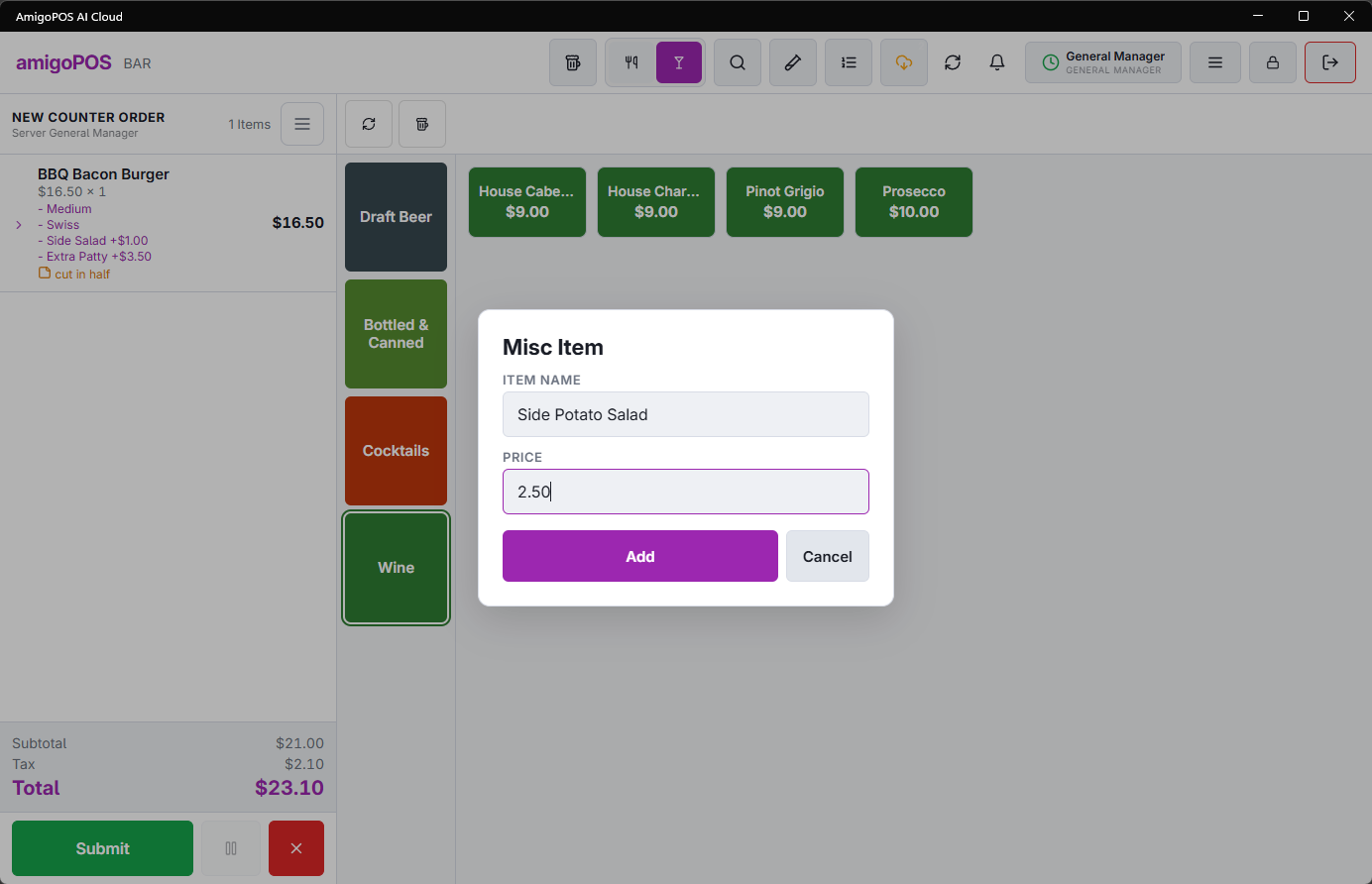
A miscellaneous item is a line you type: a name and a price, for something with no menu button. A corkage charge, a lost-key fee, a special order from the chef.
- Choose Misc Item in the More menu.
- Type the description (the store can have a default name filled in). It appears on the check and the receipt exactly as typed — and on prep printer 1 when the store sends misc items there — so write it for the guest and the kitchen, not for yourself.
- Enter the price and add it. The line joins the current guest’s check like any other.
Misc Item needs the Miscellaneous Items permission: without it, a manager approves before the item is typed. While the register is offline, it is not asked.
Descriptions pass through the store’s word filter. If a word is blocked it will not print — see Store Setup › Order Entry Screen.
The button, the default name, the tax rate misc items get, and whether they print in the kitchen are set under Store Setup › Order Entry Screen › Settings › Misc Items.
Miscellaneous items report as miscellaneous. They belong to no category, no product mix and no recipe, so anything sold often enough to matter deserves a real menu item instead. A month of "Misc — beer" is a month of missing beer sales.