Greeting a regular by name, remembering their usual or a birthday makes a visit. The register now shows what your staff should know about a known guest, where they need it.
Where it shows
- The order — under the customer line of the order panel, when a customer is on the order.
- The reservation book — under the name of each booking and each waitlist entry. Bookings without a customer and the waitlist are matched by phone number.
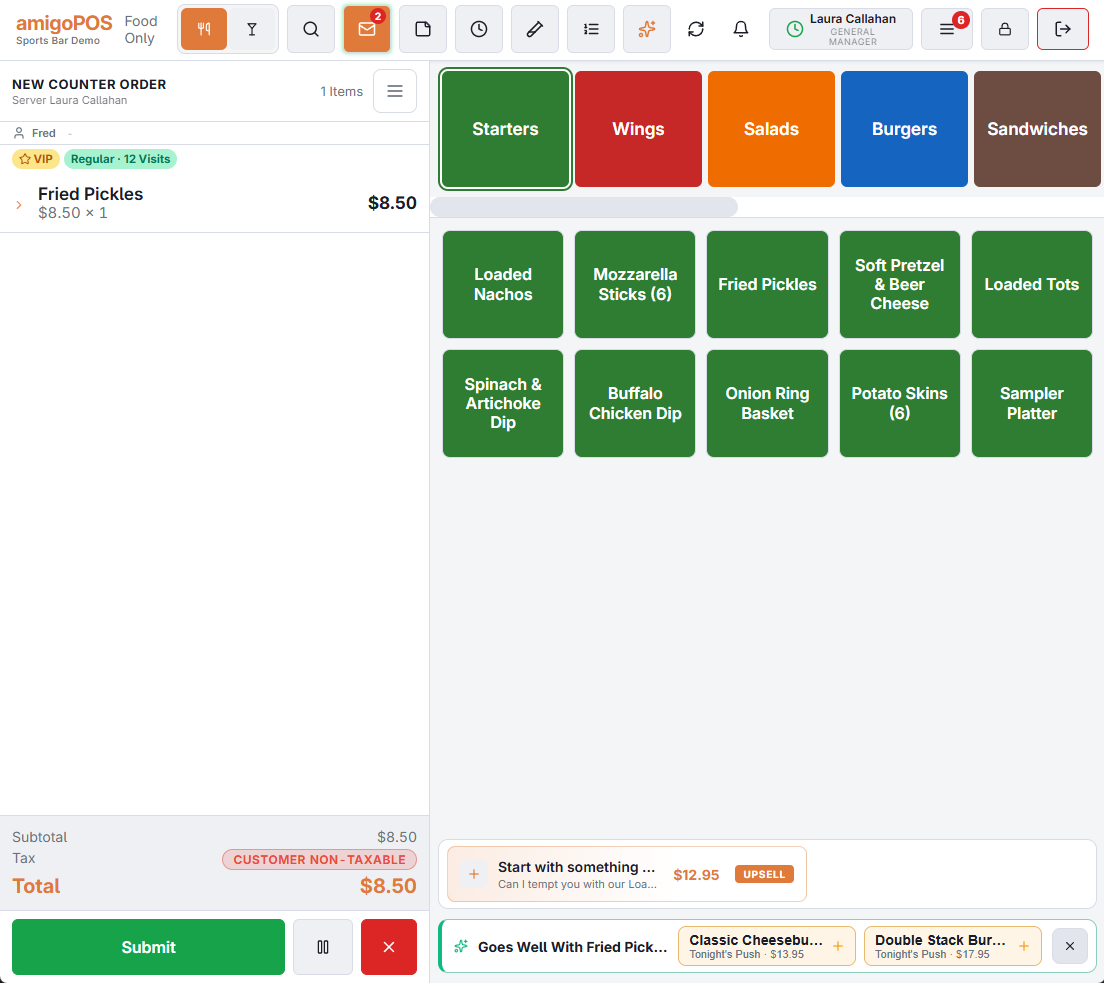
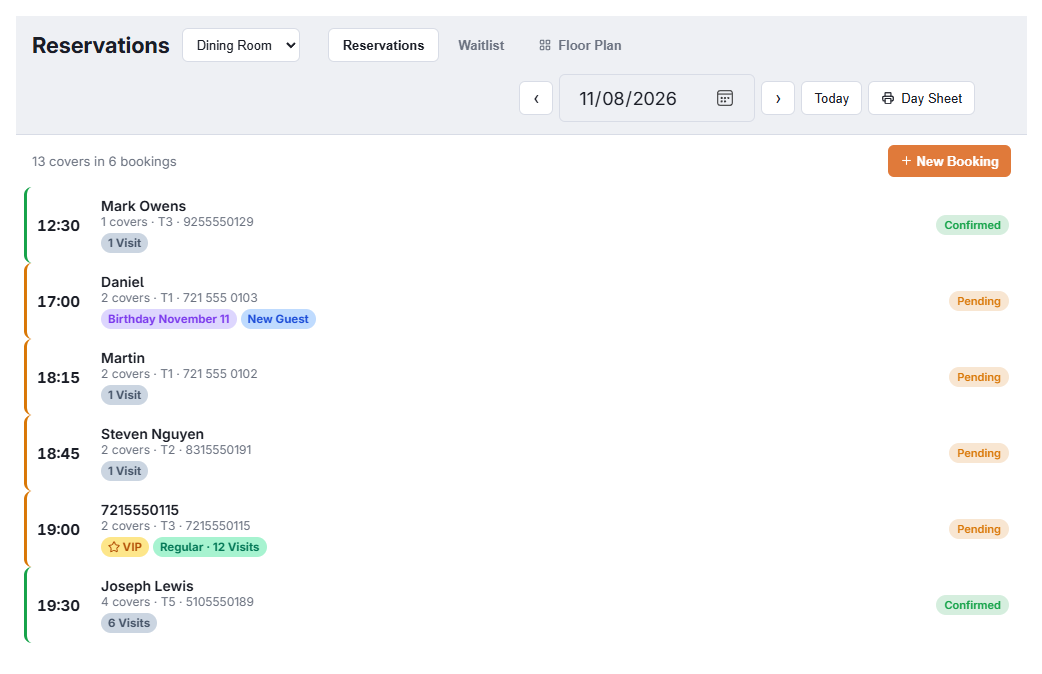
The chips
- ★ VIP — the customer is marked VIP.
- Flagged — the customer carries the Problem flag.
- ⚠ Allergies — the customer record lists allergies (tap to read them).
- Birthday — a birthday between yesterday and a week from today.
- Regular · N Visits — at least 4 paid visits in the last 90 days (setting); otherwise N Visits, or New Guest for a known customer with no paid visit yet.
Tap the chips for the details:
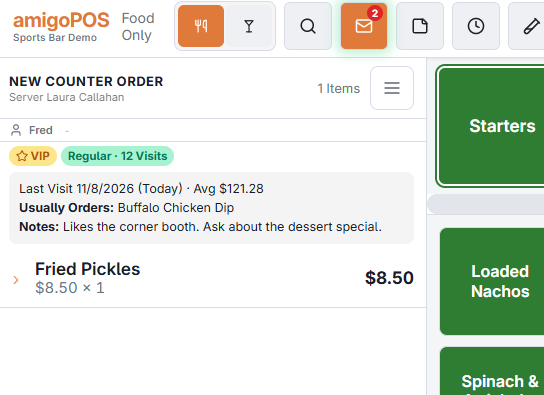
- Last Visit — date and how long ago, and the average check.
- Usually Orders — up to three items ordered on more than one visit in the last year.
- Allergies and Notes from the customer record.
Visits count paid checks at every store of your business. VIP, Problem, allergies and notes are set in the customer editor.
Settings
In Back Office › Discounts & Promotions › Guest Offers › Settings › At The Host Stand And Table:
- Show Regulars And VIPs — on by default.
- Regular After (Visits In 90 Days) — 4 by default.
Coupons waiting
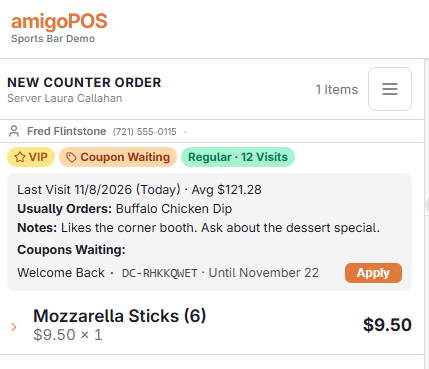
When a known guest has unused coupons made for them at this store (from the offer emails, an invite, an apology or a coupon printed for them), an orange Coupon Waiting chip shows next to the others. Tap the chips to see each coupon with its code and last day; on the order, Apply adds it to the order just like typing the code. Up to 5 show, soonest to expire first. Guest survey rewards are anonymous, so they never show here.
Regulars who stopped coming
Regulars and VIPs who haven’t been in for a while are listed for managers to call or send a personal offer (Regulars we miss), and each customer’s full history is on their Timeline tab (The guest timeline).