The driver bank report totals a driver’s shift: orders delivered, cash collected, card payments, delivery fees, tips, and the net owed to the house. Runs join the driver’s bank as they are banked on return; the report is the reconciliation of that bank.
- Open it from Reports (or the driver’s clock-out flow surfaces the same numbers as their liability — the Bank report button on the time clock prints it on demand).
- Verify the cash against the report, record the deposit in the shift banking overlay, and the driver’s liability zeroes — unblocking clock-out.
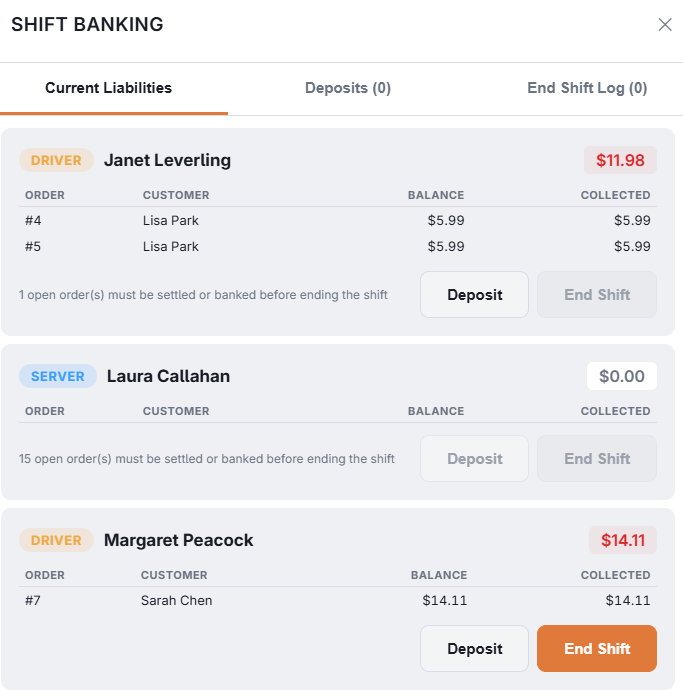
The delivery screen’s driver rail shows each driver’s live liability, tinting as it approaches the store’s warning threshold — and dispatch is blocked once a driver would exceed the liability limit, so a heavy bank is settled before the next run goes out. Limits and thresholds are set in Back Office › Cash Management › Employee Banking.
Deliveries out block clock-out
A driver cannot clock out — at the register or on the staff site — while a delivery is out, or delivered and not banked. Bank them on the delivery board, or with Back At Store on the driver’s phone. There is no manager override.