Offer emails only work when they reach the inbox. Mail providers such as Gmail, Yahoo and Outlook trust senders who make leaving easy and who stop writing to addresses that don’t work. Your offer emails do both on their own.
Unsubscribe in one tap
Every offer email (win-back, birthday, celebration, first visit, order again, Email The List, thank-you) tells the guest’s mail app how to unsubscribe. Gmail, Yahoo and Apple Mail show their own Unsubscribe link next to your name, and one tap takes the guest off your list at once. The Unsubscribe link at the bottom of the email still works too.
Every email also carries a plain-text version for mail apps that don’t show pictures and formatting.
Addresses that bounce or complain
When an offer email can’t be delivered because the address doesn’t exist, or the guest marks it as spam, the guest is taken off your list automatically: every customer of your business with that email stops getting offers. Mailboxes that are only full or busy for a while are left alone.
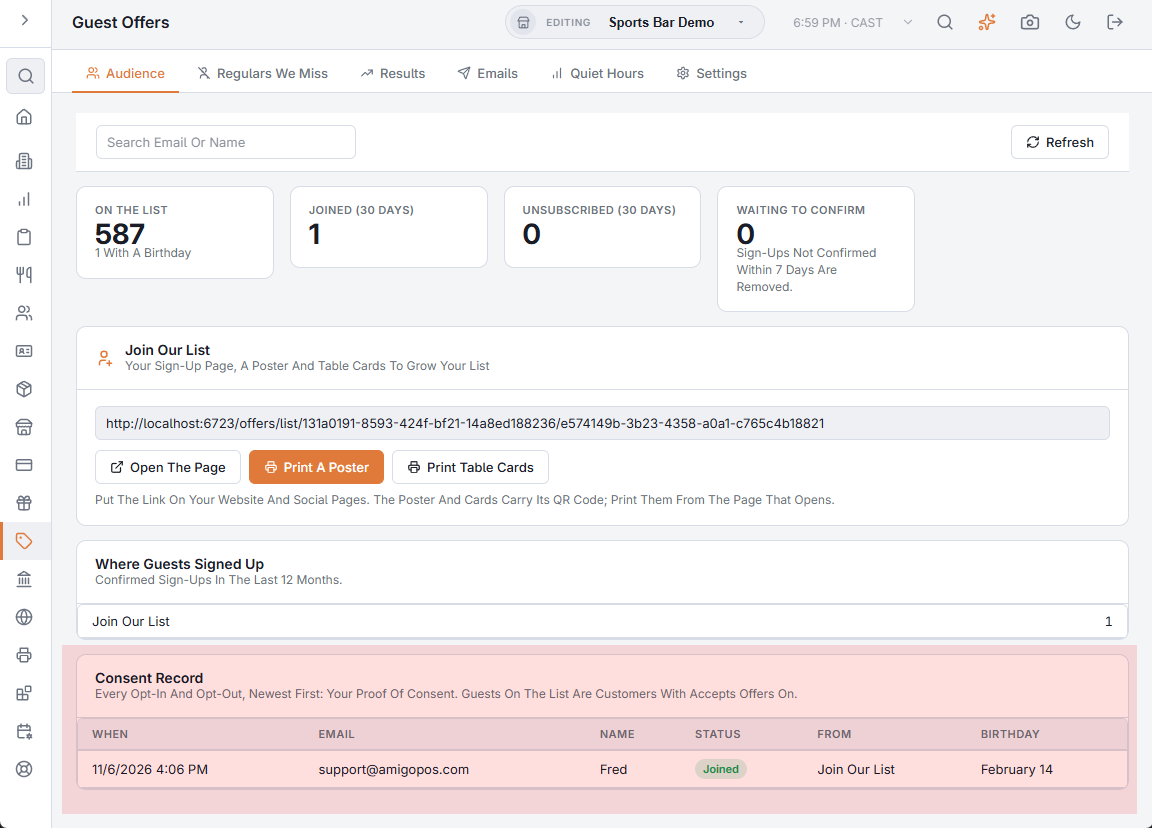
These show in the Consent Record on the Audience tab with the source Email Bounced or Marked As Spam, next to the guests who unsubscribed themselves.
The address offers come from
Offer emails go out under your store’s name from a sending address set up for offers, kept apart from receipts and gift card emails so that one never affects how the other is delivered. Replies from guests go to your gift card sender address when you have one.
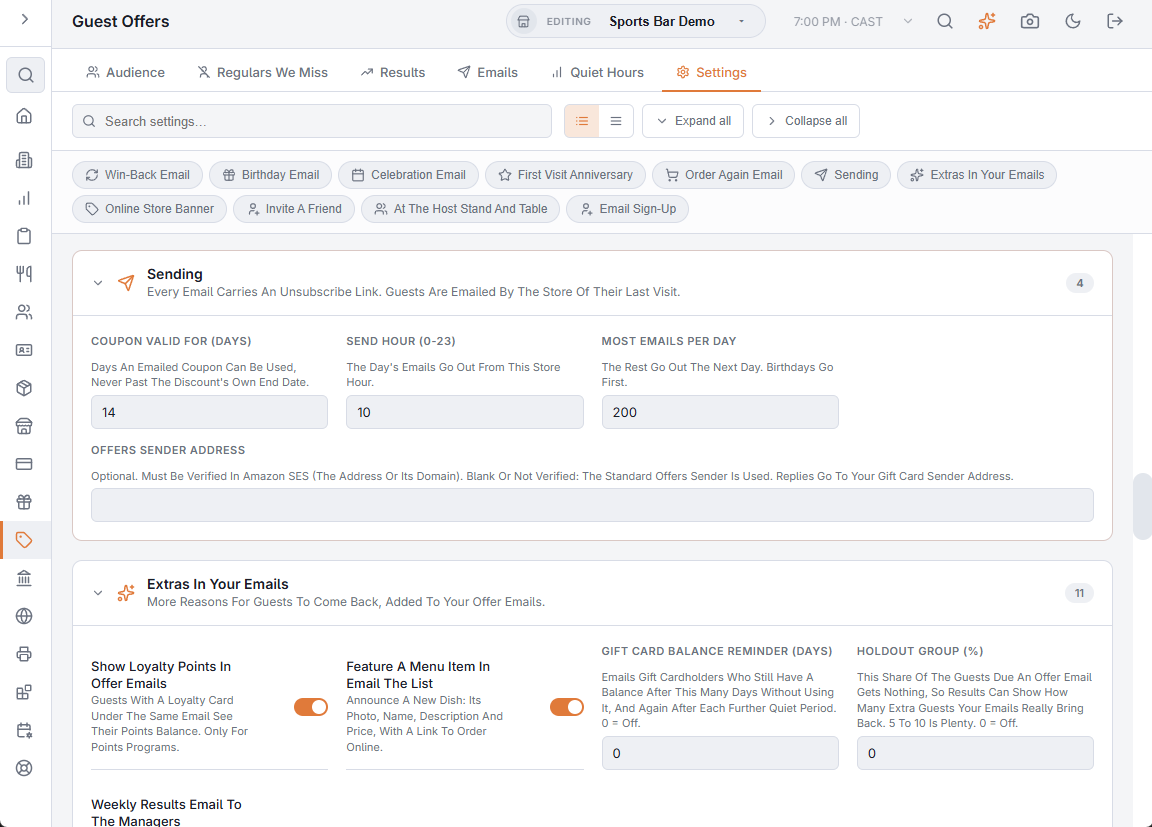
To send offers from your own address instead, go to Back Office › Discounts & Promotions › Guest Offers › Settings › Sending and fill in Offers Sender Address.
Good habits
- Send a test to yourself before turning an email on, and read it on a phone.
- Keep Most Emails Per Day in Settings › Sending sensible; a long list goes out over several days.
- Only add guests who asked for offers. See Guest offers: building your email list.
Pause or birthday only
The unsubscribe page also offers to pause offers for 3 months or keep only the birthday emails. See Guest offers: pause or birthday only instead of unsubscribing.