Two emails go out on their own, once a day, to the guests on your offers list:
- Win-back email — to guests whose last visit was a while ago (45 days by default), inviting them back.
- Birthday email — a few days before the birthday of guests who gave one (3 days by default), once a year.
Each can carry a one-time coupon for that guest, and every email has the unsubscribe link.
Turning them on
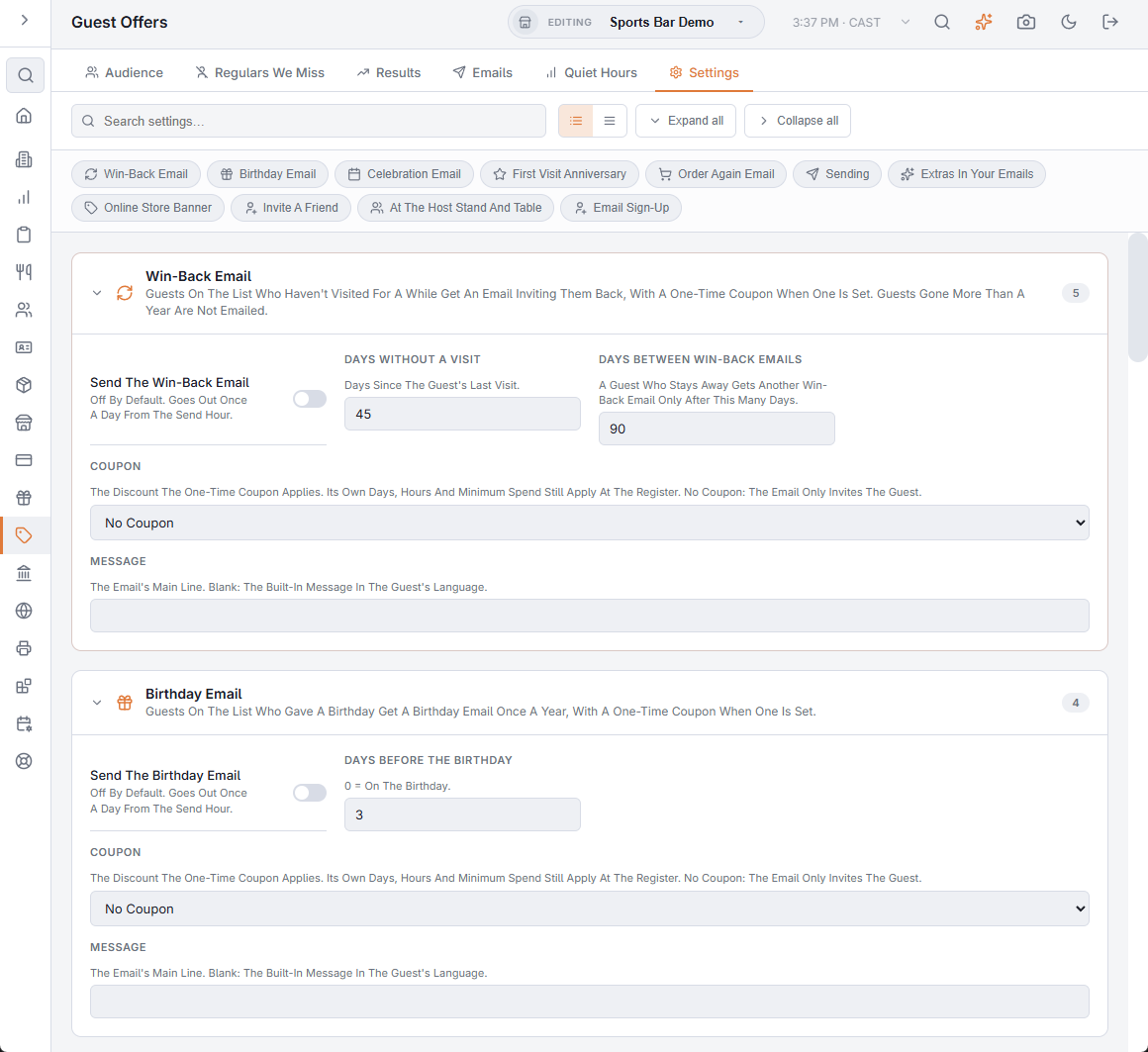
Go to Back Office › Discounts & Promotions › Guest Offers › Settings. Both emails are off until you turn them on.
Win-Back Email
- Send The Win-Back Email — the switch.
- Days Without A Visit — how long since the last visit (45 by default). Guests gone more than a year are not emailed.
- Days Between Win-Back Emails — a guest who stays away gets another one only after this many days (90 by default).
- Coupon — the discount the coupon applies, or No Coupon for a plain invitation.
- Message — your own main line; blank uses the built-in line in the guest’s language.
Birthday Email
- Send The Birthday Email, Days Before The Birthday (0 = on the day), Coupon and Message, as above. Birthdays on 29 February are celebrated on the 28th in other years.
Sending
- Coupon Valid For (Days) — 14 by default, never past the discount’s own end date.
- Send Hour (0-23) — the store hour from which the day’s emails go out (10 by default).
- Most Emails Per Day — 200 by default; the rest go the next day. Birthdays go first.
What the guest gets
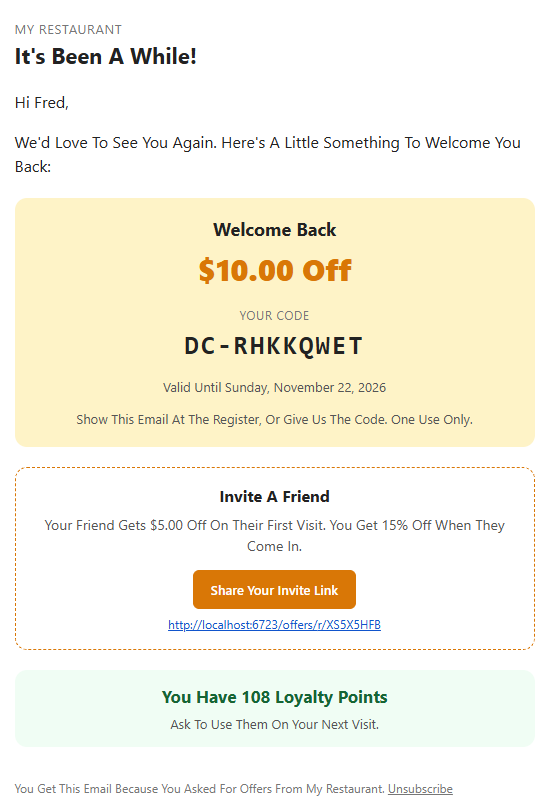
The email comes from your store’s name with your logo, in the guest’s language. The coupon box shows the amount, the code and when it expires. The guest shows the email at the register or gives the code; it works once, like any printed coupon.
The rules
- One email per address, even if the guest has two customer records.
- A guest belongs to the store of their last visit (else the store where they signed up, else your first store), so each guest hears from one store.
- No win-back email within 7 days of any other offer email.
- Guests with Do Not Contact or who unsubscribed are never emailed.
Send a test
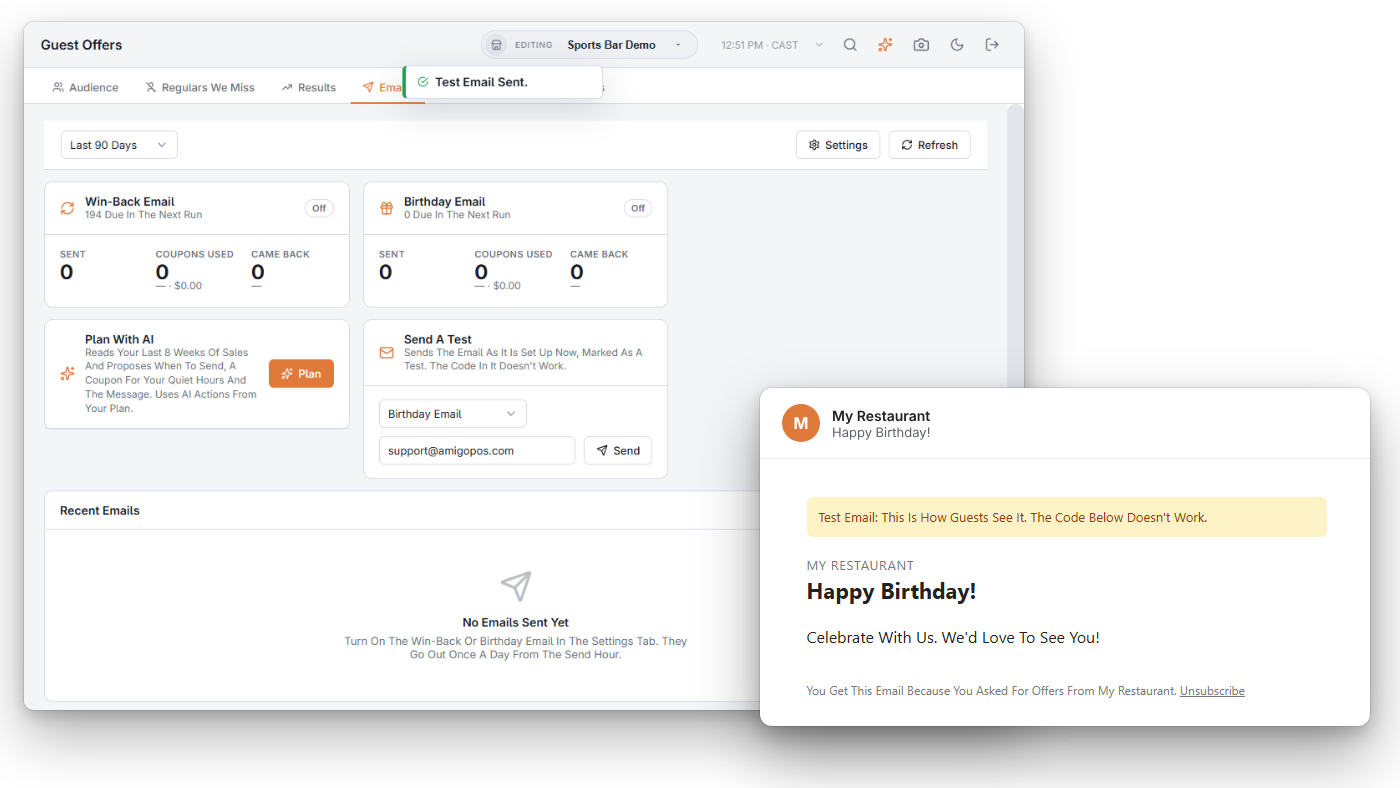
On the Emails tab, Send A Test sends either email, as it is set up now, to any address. It is marked [TEST] and its code doesn’t work.
Results
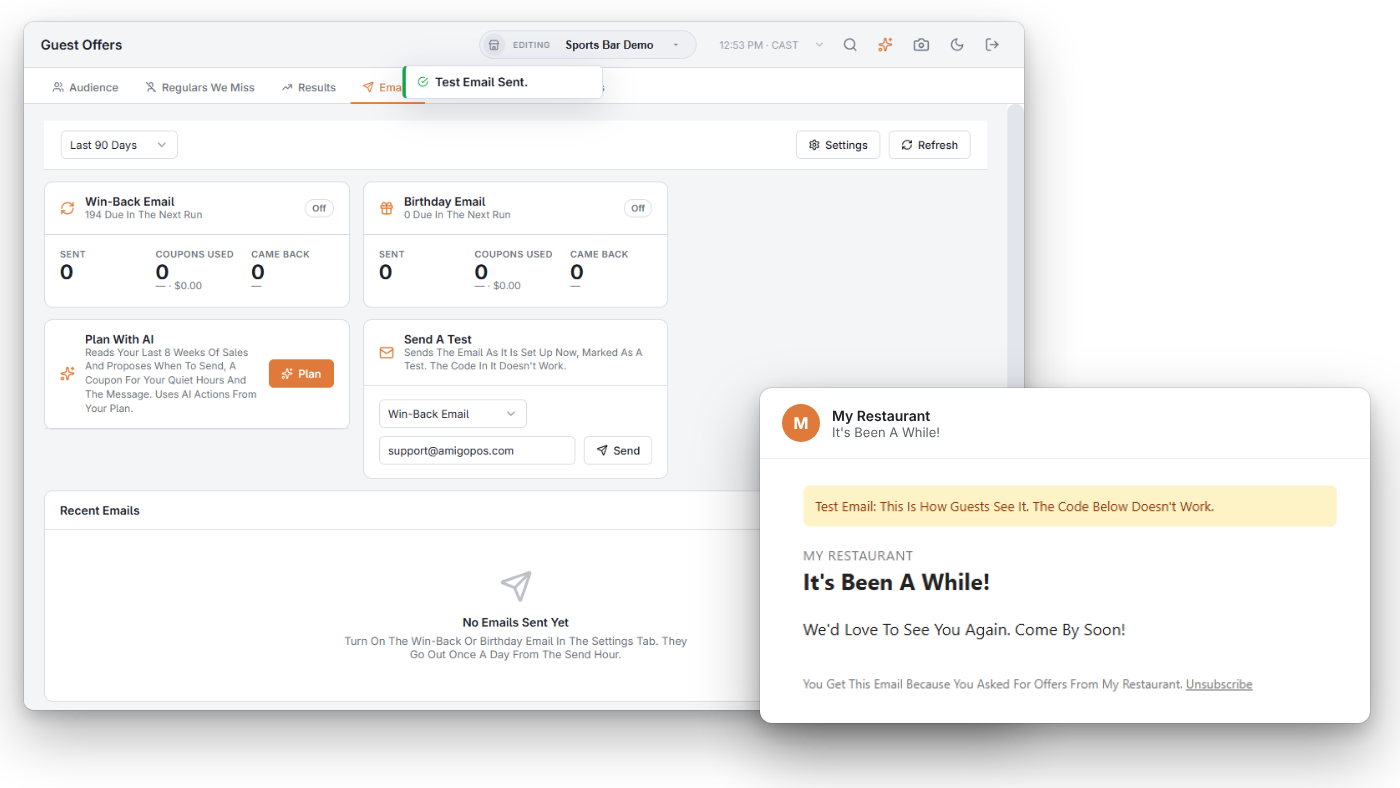
- Sent (and any that failed), Coupons Used with the sales on those checks, and Came Back — guests who ordered again after the email, with or without the coupon.
- Under each title: how many guests the next daily run would email.
- Recent Emails — the newest 100, with the coupon code and whether it was used.
Plan With AI
Not sure what to offer? Press Plan. The AI reads your last 8 weeks of paid checks by day and hour, your discounts and your list, then proposes when to send each email, a coupon for your quiet hours (one of your discounts, or a new coupon-only one limited to those days and hours) and the message.
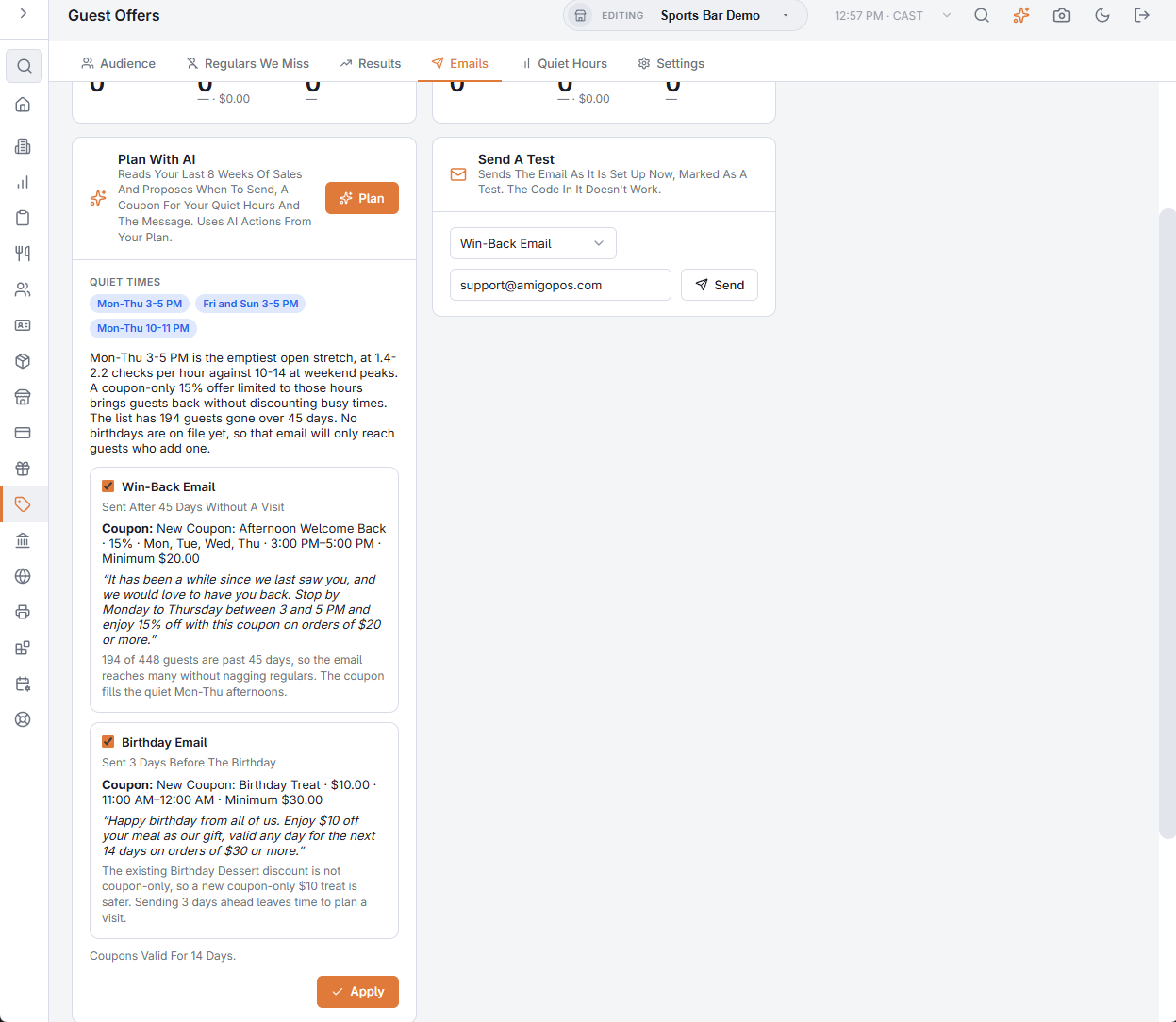
Untick what you don’t want and press Apply: new discounts are created and the settings filled in. The emails are not turned on for you — check the Settings tab and switch them on when ready. Each plan uses AI actions from your plan and runs only when you press the button.
More automatic emails
Besides win-back and birthday, you can turn on the celebration and first visit anniversary emails and the order again email for online guests. Each gets its own card here once it is on, and Send A Test can send any of them. To compare every promotion, open the Results tab.