An unhappy guest who hears back from the manager often becomes a loyal one. The guest survey gives you that chance without giving up the survey’s anonymity.
What the guest sees
When a guest rates the visit at or below Alert Managers At Or Below (Stars), the thank-you page asks whether the manager may get in touch. The guest can leave a name, an email or a phone number, and a note.
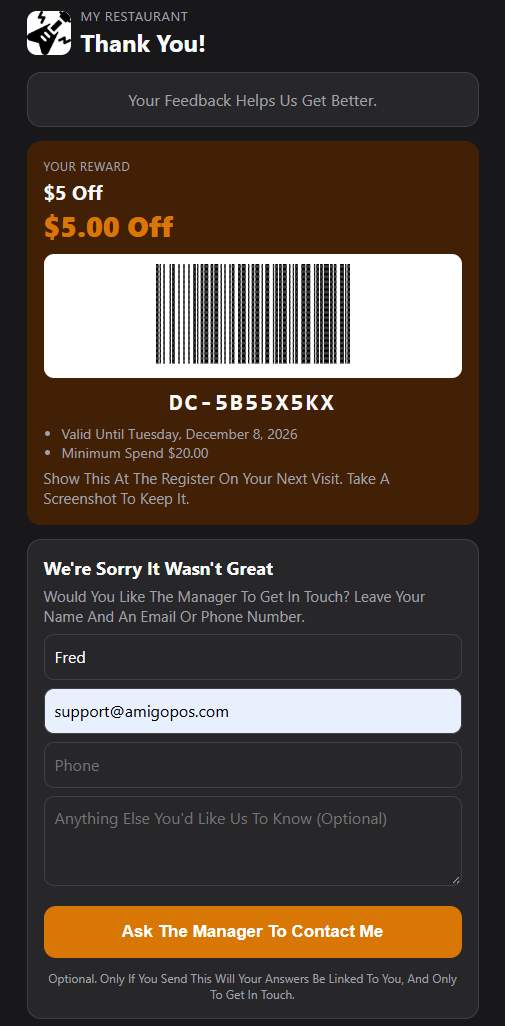
- It is optional. Answers stay anonymous unless the guest sends this card, and then only so you can get in touch.
- The card shows only right after answering, and works for 24 hours.
- When the guest sends it, the managers get an alert in the register’s messages.
Guests to contact
In Back Office › Discounts & Promotions › Guest Survey › Results, the Guests To Contact card lists the guests who asked, newest first: their rating, when they asked, their email or phone, their comment and their note. The card only shows when someone has asked.
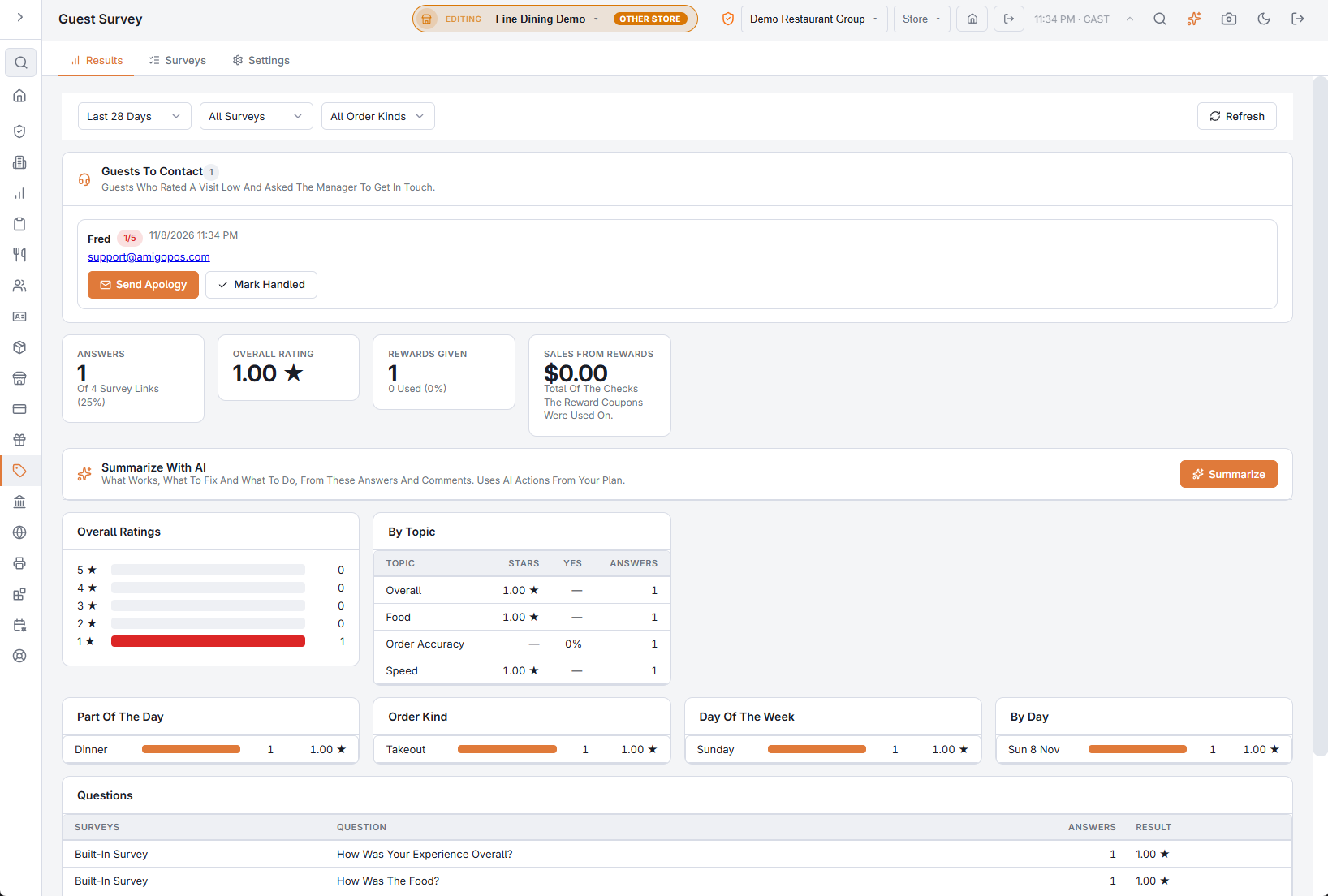
For each guest:
- Send Apology — emails the guest. Choose a Coupon (or No Coupon) and write a Message; left blank, a short apology goes out in the guest’s language (English, Spanish or Arabic). The coupon is a one-time code valid for the survey’s Reward Valid For (Days); when the email belongs to one of your customers, the register shows it as a coupon waiting for that guest.
- Mark Handled — for a phone call or any other follow-up.
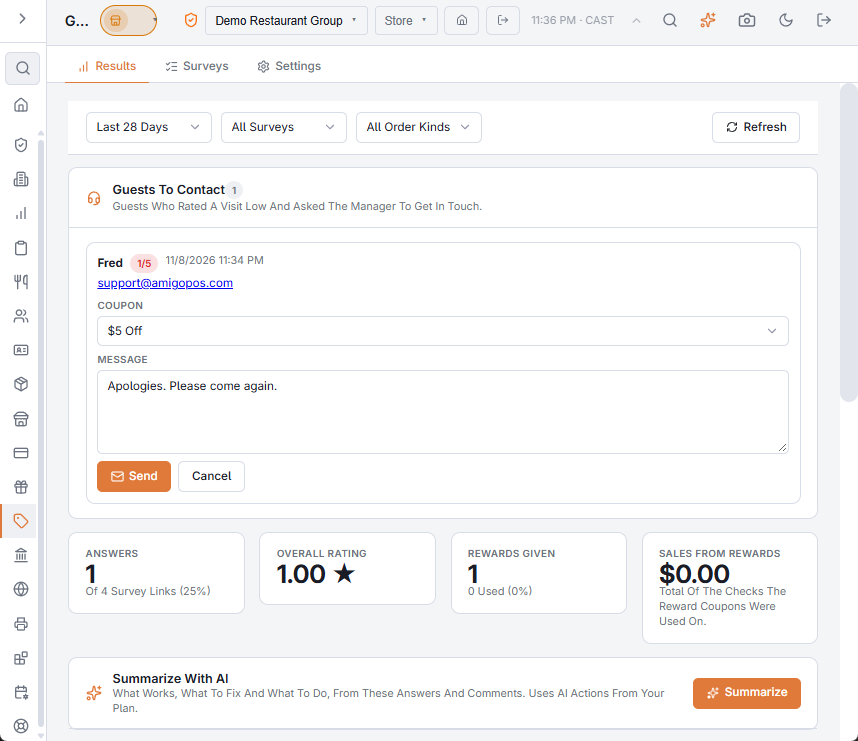
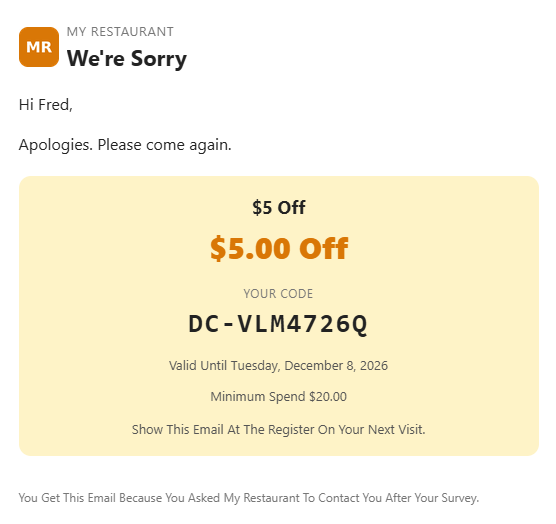
Handled guests stay on the card, greyed out, for 30 days. Apology coupons are counted as Apology Coupon on the Guest Offers Results tab.
Turning it off
In Discounts & Promotions › Guest Survey › Settings, switch off Offer To Contact Unhappy Guests. It is on by default.
Related: Guest survey · Survey results and AI summary