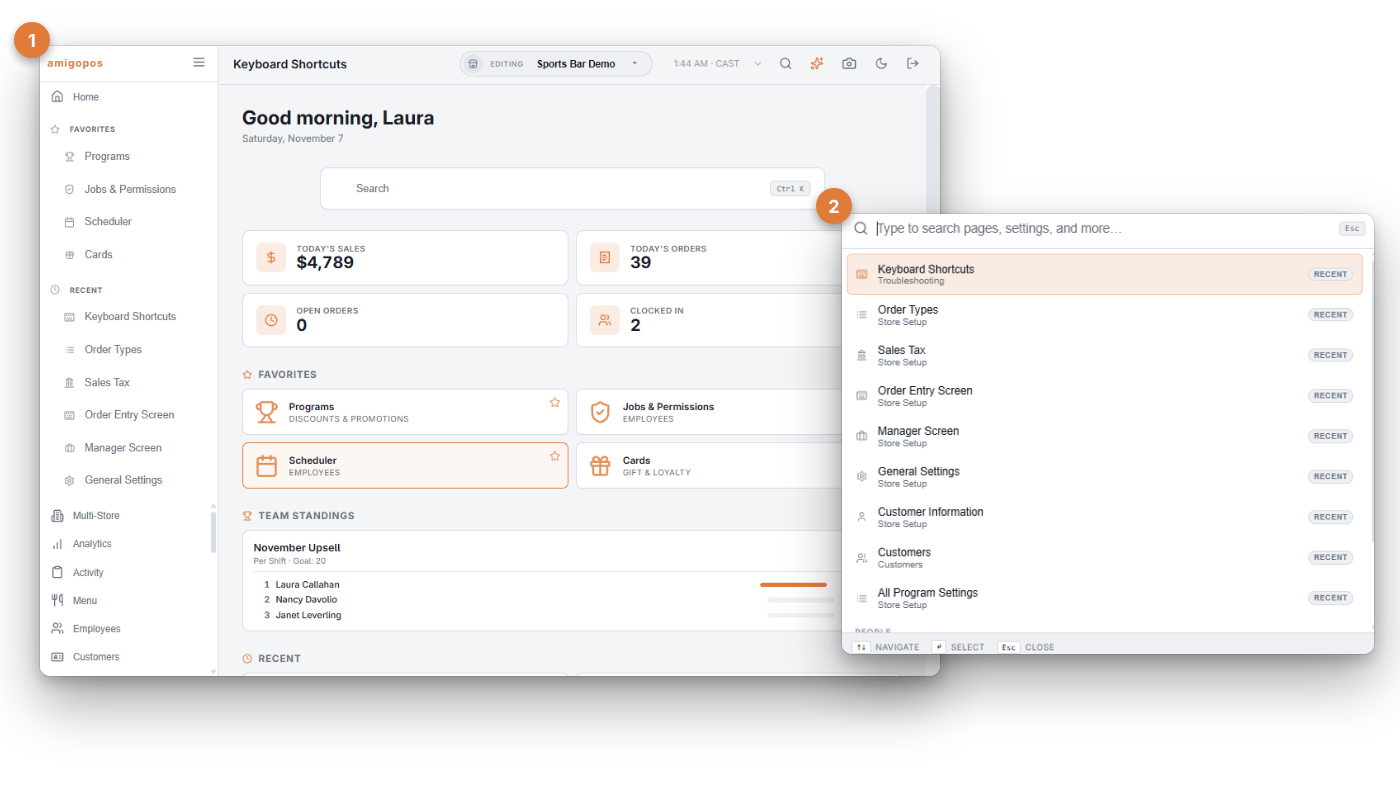
The command palette is the back office’s search-to-navigate box: open it (the search field at the top, Ctrl K on a keyboard), type a few letters, and jump to any page — no menu digging.
Using it
- Matching is forgiving — “disc” finds Discounts, “print rout” finds Print Routing. Arrow keys move the selection, Enter navigates, Escape closes.
- Recent pages appear before you type, so bouncing between the two pages you’re working on is two keystrokes.
- The palette also reaches individual settings — searching a setting’s name lands you on it directly (the same index behind All program settings).
Favorites
Every back-office page has a star — tap it to pin the page to your Favorites section in the navigation. Favorites are per user: a kitchen manager’s list (Inventory, Recipes, Receiving) and an owner’s (Analytics, Payment Methods) coexist on the same store. Tap the star again to unpin.
Train new back-office users on the palette first — it makes the size of the settings surface irrelevant, and it’s the fastest answer to “where is…?”