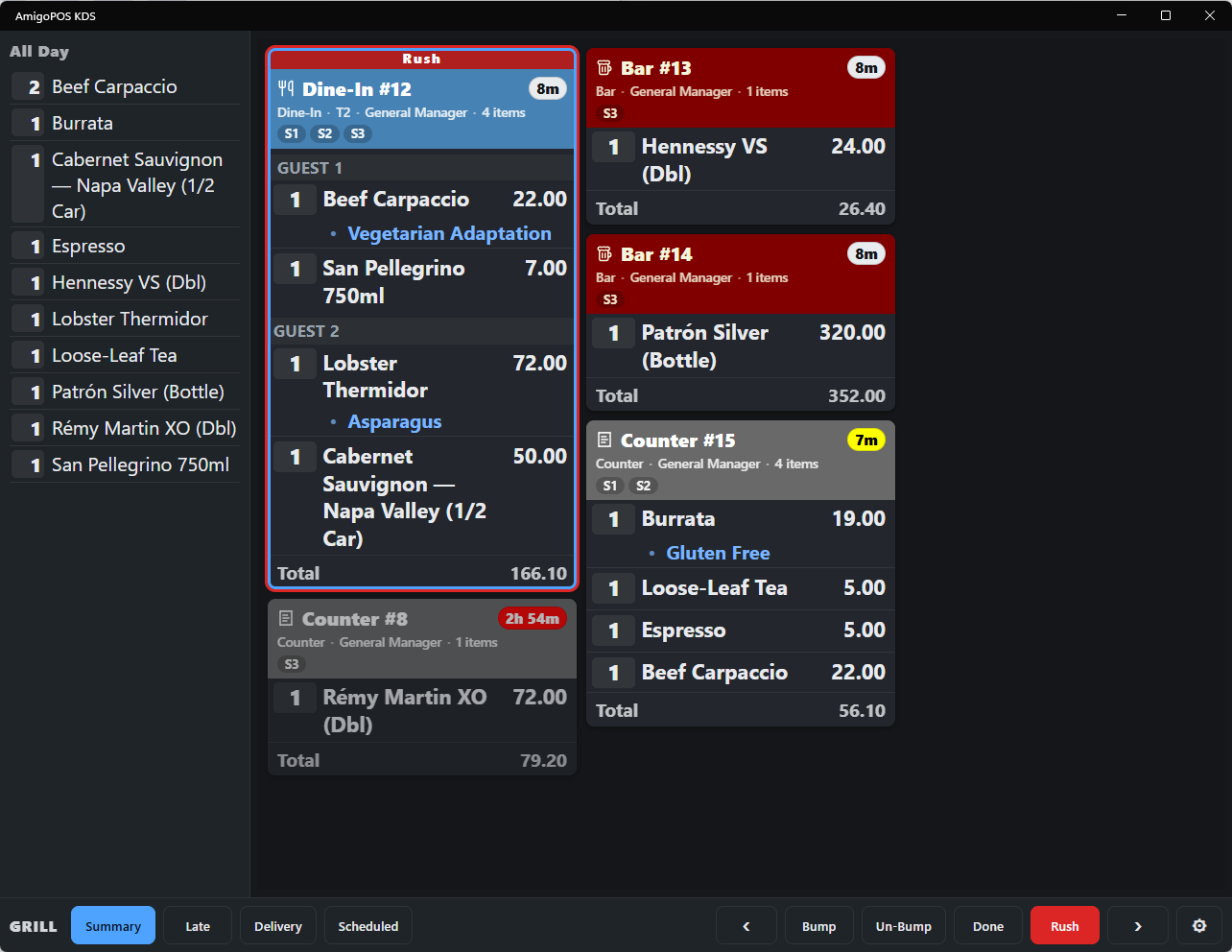
Rush marks one order as more urgent than everything else on the board — a complaint being made good, a VIP, a delivery driver waiting at the door.
Rushing
Select the card and use the Rush button on the toolbar, or press !. The card gets a red RUSH band and moves to the front of the board. The flag is on the order, not the screen: every display showing any part of that order re-sorts it to the front at the same moment, so the grill and the fryer both see it jump.
Un-rushing
Rush the same card again to clear the flag. Bumping the order clears it as well; a rushed order that comes back after a change comes back rushed.
What rush does not do
- It does not change the order’s timer or its late colour — the pill keeps counting from when the order was sent.
- It does not notify the POS or the customer. It is a kitchen signal only.
Two rushed orders sort between themselves by age, oldest first. If everything is rushed, nothing is — keep it for the one or two tickets that need it.