Back Office › Employees › People › Merge Duplicates combines employees, or jobs, that exist twice. Employees and jobs belong to the account rather than to one store, so the same person hired separately in two stores, or the same job created in each store, can be listed twice. The page appears for accounts with more than one store, to jobs that have the Edit Employees permission.
What it finds
Choose Employees or Jobs & Permissions at the top. The page groups records whose names match once spaces, case and punctuation are ignored — first and last name for employees, the job name for jobs — and shows how many groups it found. Refresh looks again.
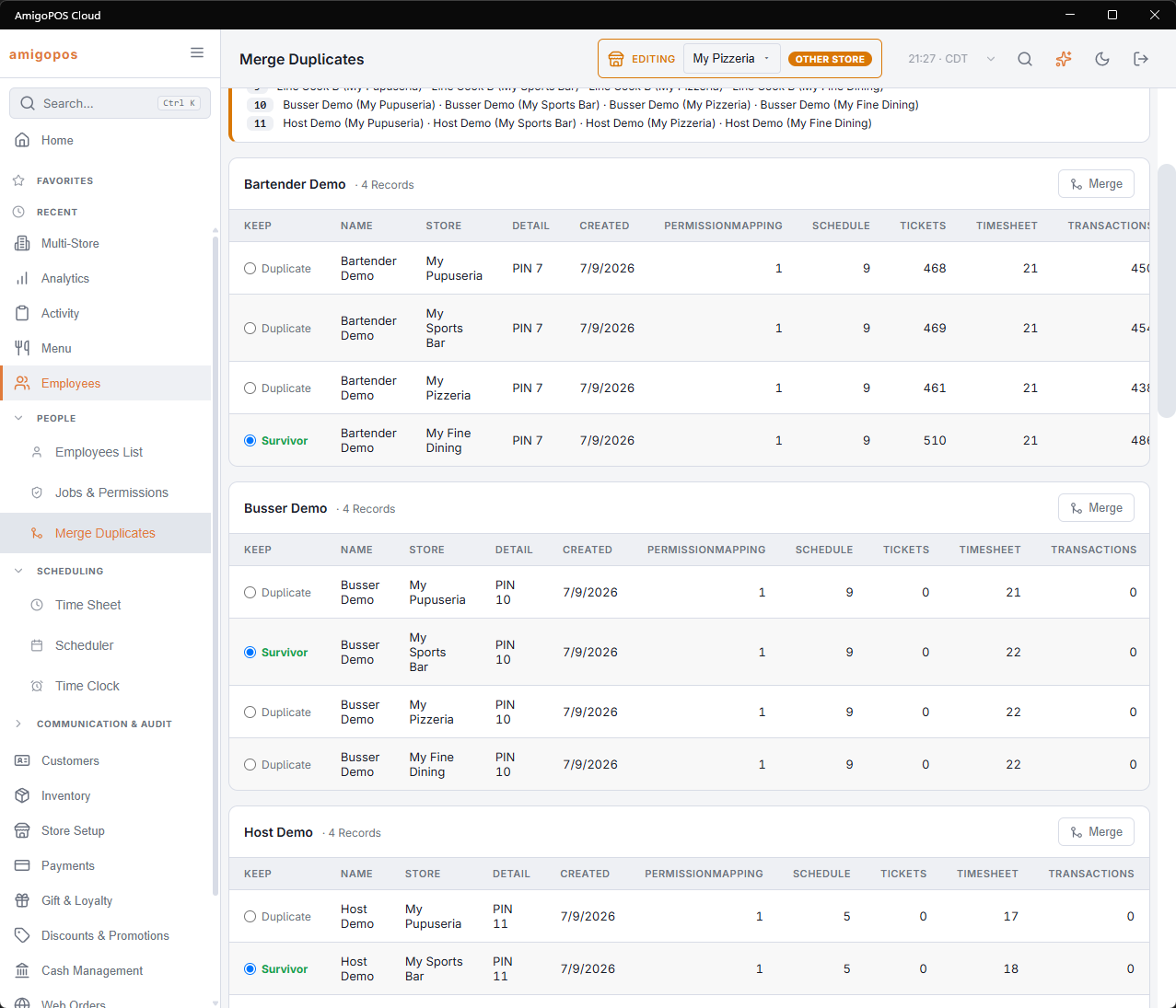
Each group is a card with the name and the number of records. Its table shows, per record:
- Keep — Survivor for the record that stays, Duplicate for the others. Pick another survivor with its button.
- Name, with Disabled for an inactive record, and the Store it was created in.
- Detail — jobs only: whether the job has All Stores or Manager access. The column appears only when a job in the group has one of them.
- Created, and a count for each kind of record that points at it: Orders, Punches, Payments, Job Assignments and Scheduled Shifts for an employee; Job Assignments, Punches and Scheduled Shifts for a job.
The record with the most history, the oldest first, is suggested as the survivor.
Merging
Press Merge on a group. The card asks Merge {n} Record(s) Into {name}?; press Confirm Merge, or Cancel. Then:
- Every reference to a duplicate is moved to the survivor, so shifts, sales and approvals stay with the person or the job.
- Job assignments that would now be doubled are combined into one.
- The duplicates are deleted and their PINs are released for reuse. They do not appear under Show Deleted on the Employees List and cannot be restored.
A line at the top reports the result: how many duplicates were removed, how many references were moved and how many job assignments were combined. If the merge fails, it reads Merge failed and nothing is changed.
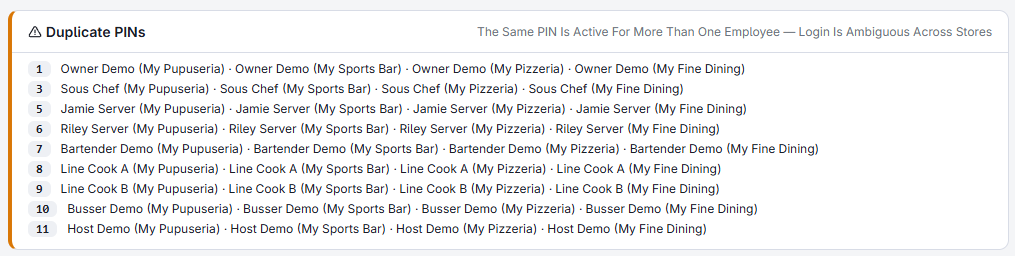
Duplicate PINs
A PIN signs a person in at every store of the account, so two active employees cannot share one. In the Employees view, a Duplicate PINs card lists any PIN active for more than one employee, with their names and stores — usually the same duplicate pair, solved by the merge itself. Otherwise change one of the PINs on the employee’s profile.