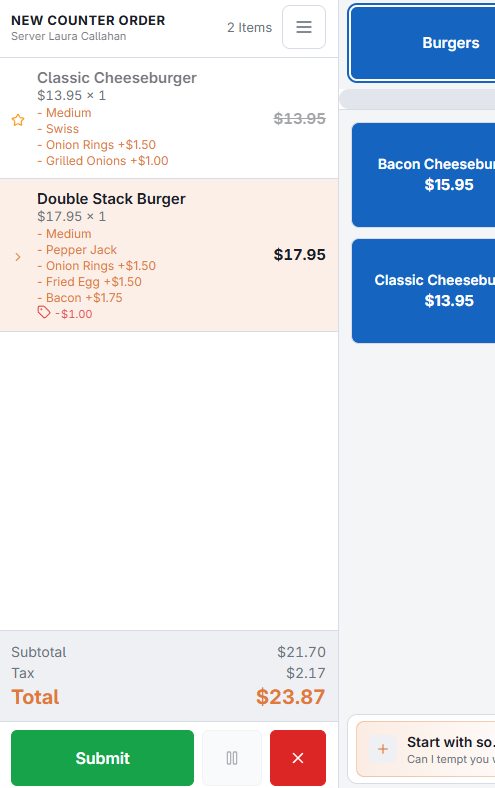
Three tools, three meanings. Choosing the right one is what makes the reports worth reading afterwards.
Comp a line
Comping zeroes the price of a line and every modifier on it, and records which user comped it. It is for something given away — a dish sent back, a drink for a regular. The item still shows on the check and still counts as sold; it just is not charged for.
Undo restores the line to what it was, whether it was newly rung or recalled from an existing order.
Comp the order
Comps every line on the check at once, apart from items already removed. Ask before doing this — a comped order is a full check with nothing owed, and it is exactly what an audit looks at.
Discount a line
A line discount takes off either a fixed amount or a percentage of that line, and records who applied it. Clear it to put the line back to full price. Unlike a comp, the line keeps a price — it is simply lower. The store can cap line discounts and require whole percentages (Store Setup › Order Entry Screen › Settings › Discounts).
Discount the order
An order discount applies to the whole check and appears as its own line in the totals, above tax. The discounts available are configured for the store, so what you can pick and how far it goes is a setting rather than a decision at the till.