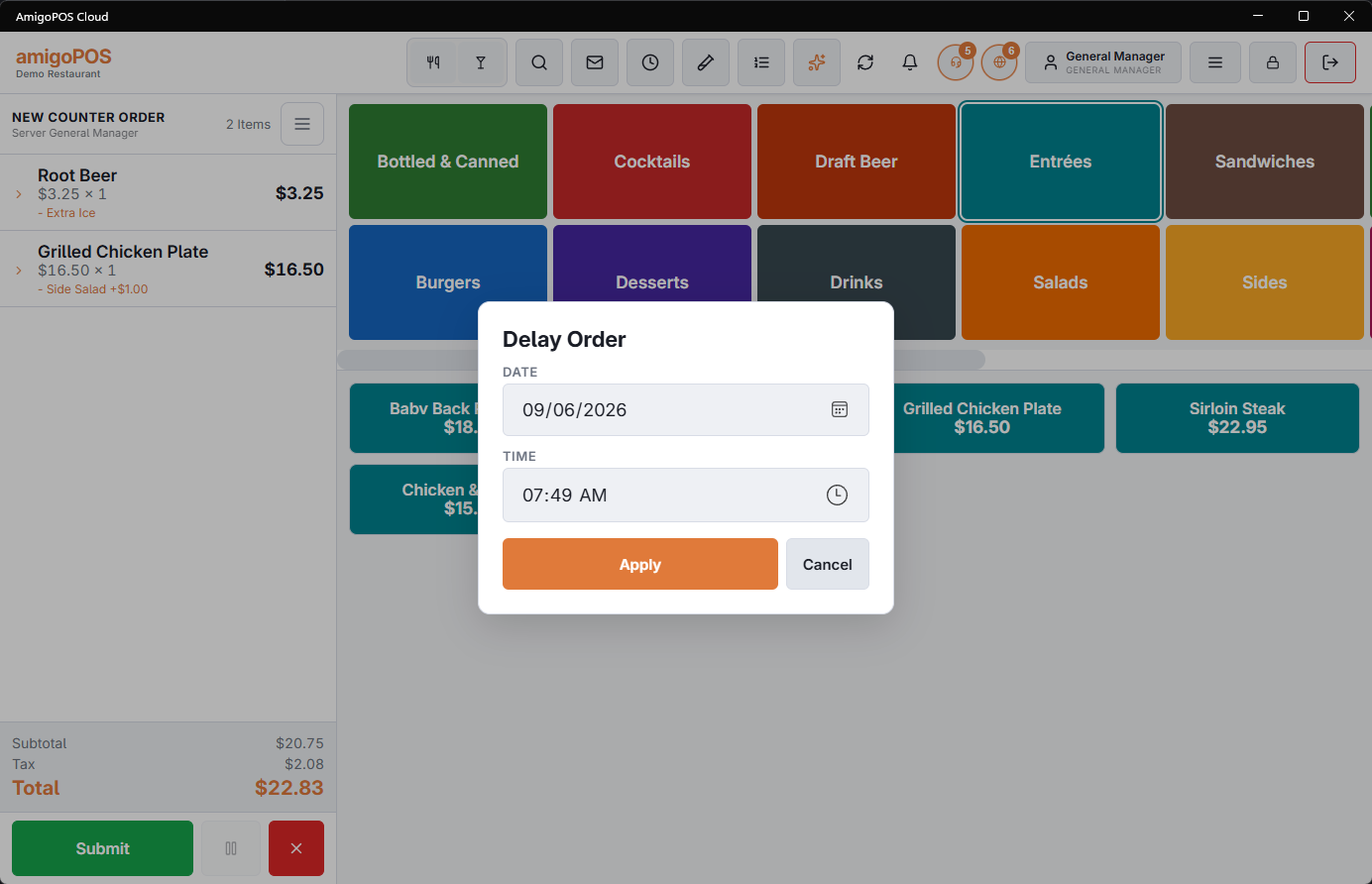
A delayed order is taken now and wanted later — the 6:30 collection phoned in at two o’clock, tomorrow’s catering drop. Build the order as normal, choose delay, set the date and time, and send.
Where it goes
- It drops out of the working orders list until its time arrives, so it does not sit in the middle of service being read as a live order. There is a separate view for delayed orders when you want to see them.
- On the KDS the ticket is flagged as scheduled and shows the time it is for, so the kitchen can see what is coming without treating it as due now.
- The order shows its target time — a time on its own for today, a date and time for anything further out.
When it reaches the kitchen
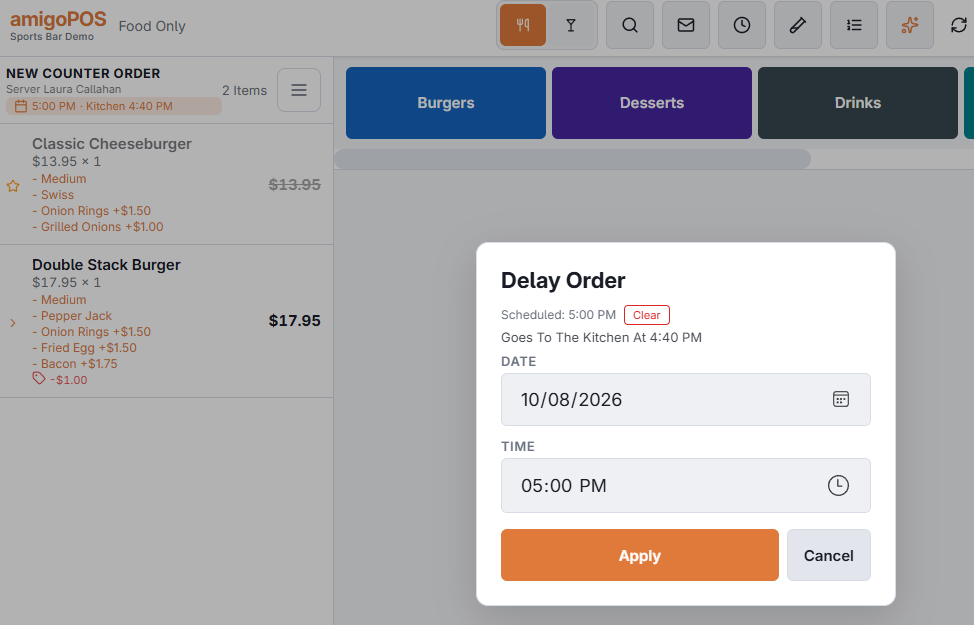
A delayed order goes to the kitchen at its kitchen time: the scheduled time minus the store’s lead time. The order chip shows it — 7:00 PM · Kitchen 6:40 PM — and the Delay Order window shows Goes To The Kitchen At 6:40 PM until that time passes. Prep tickets and labels print then, and the KDS card goes live then; a receipt you print for the customer prints at once. See Scheduled orders on the KDS.
From the call-center submit screen
On a call-center station the submit screen has For Later chips: Now, +30 Min, +60 Min and At… (today at that time, or tomorrow when it has already passed). They set the same scheduled time as Delay Order, and the screen then shows the scheduled time and the time the kitchen will get the order. Now puts it back to an order for right away.