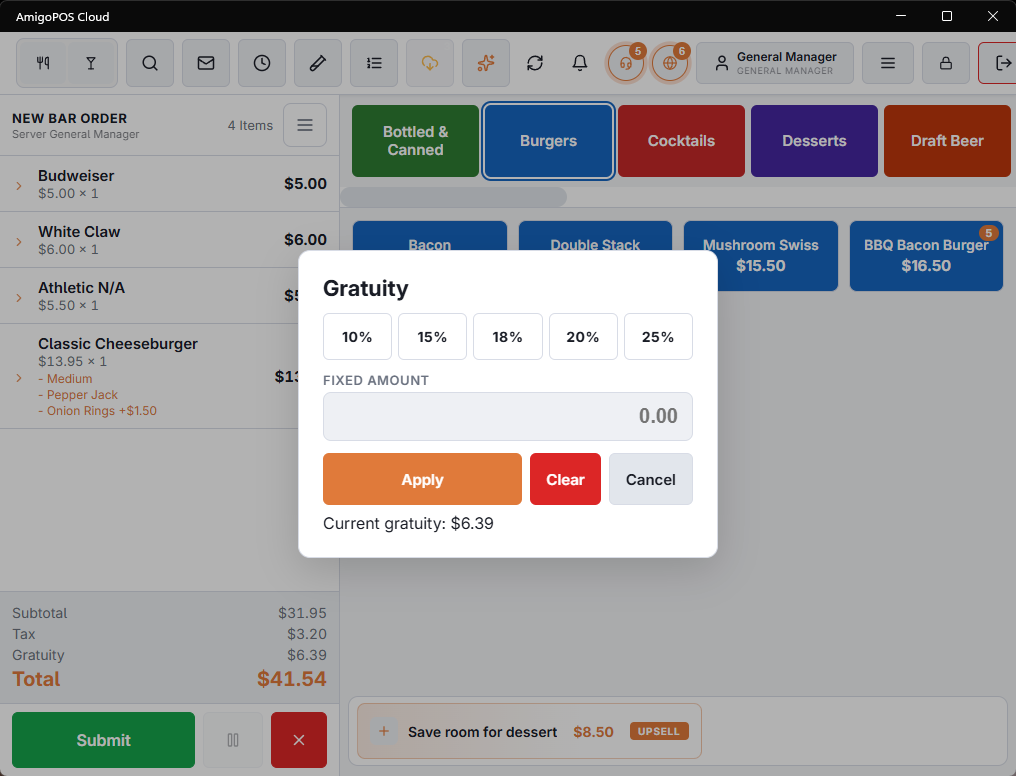
Gratuity
Gratuity can be added to the check as a percentage of the subtotal or as a fixed amount. A percentage follows the check: add or remove items and the gratuity is worked out again. The percentage buttons are the store’s four Fixed gratuity values under Store Setup › Order Entry Screen › Settings › Gratuities.
It appears as its own line in the totals and can be cleared. Stores that add gratuity automatically for large parties have that configured on the order type.
Cover charges
Where a store charges per head, the cover charge comes from the guest count on the order, so setting the guest count correctly is what makes it right.
Individual guests can be excluded — a child, a member of staff, someone who is only having coffee. Excluding a guest needs the cover-charge permission; without it the POS asks for a manager override rather than refusing, so a server can still deal with the table in front of them. The whole order can also be marked as not carrying a cover charge.