When a guest calls about a coupon or a complaint, the Timeline tab of the customer shows everything at a glance.
Open Back Office › Customers › Customers, pick the customer and open Timeline. The guest’s email and whether they are on the offers list show at the top; below, newest first:
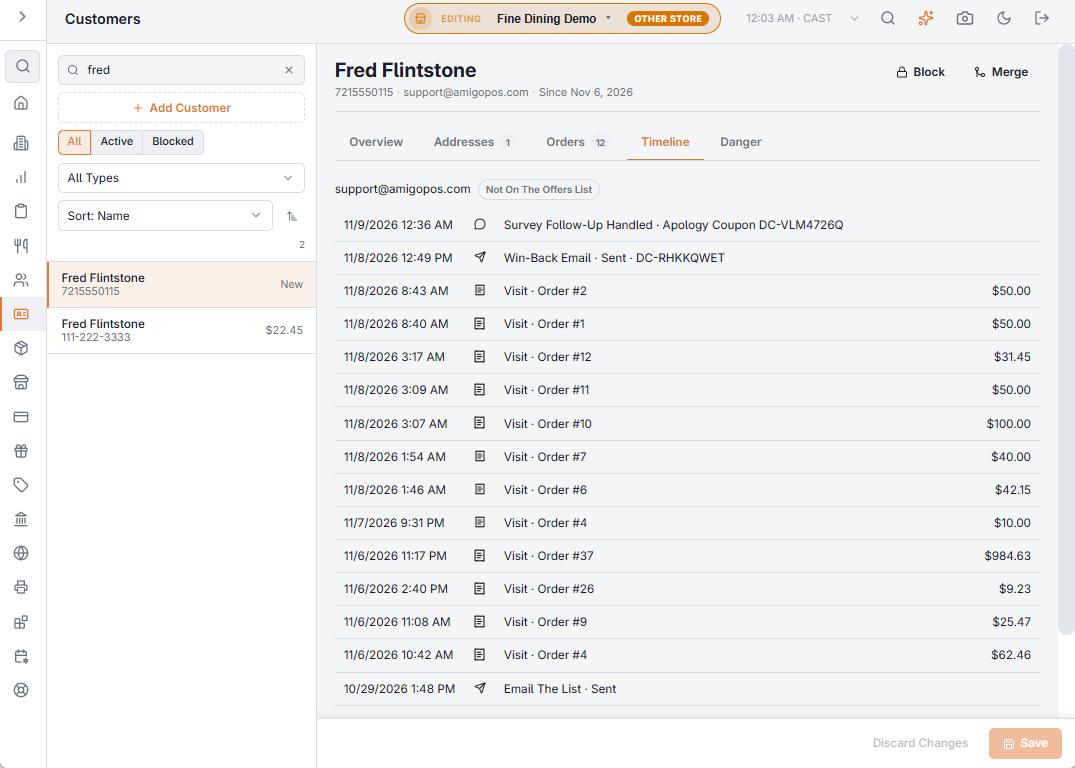
- Their last 30 visits, with the order number and total.
- Offers list changes: joined (and where), left, paused, birthday only, back to all offers.
- Every offer email: which one, sent, not delivered or held out, with its coupon code.
- Coupons used, with the order and the check.
- Survey contact requests and how they were handled, with the apology coupon.
- Regulars We Miss calls, personal offers and dismissals.
- Birthdays and anniversaries recorded from reservations.
The tab can be hidden with Show The Guest Timeline in Discounts & Promotions › Guest Offers › Settings › At The Host Stand And Table.