Until you add your own surveys, every receipt gets the built-in survey: five short questions about the visit, the food, the service (or, for takeout and delivery, whether the order was right and the wait), whether they would come back, and a comment. The Surveys tab lets you add surveys for particular kinds of visits — and have the AI write them for you.
Generate With AI
On Back Office › Discounts & Promotions › Guest Survey › Surveys, press Generate With AI.
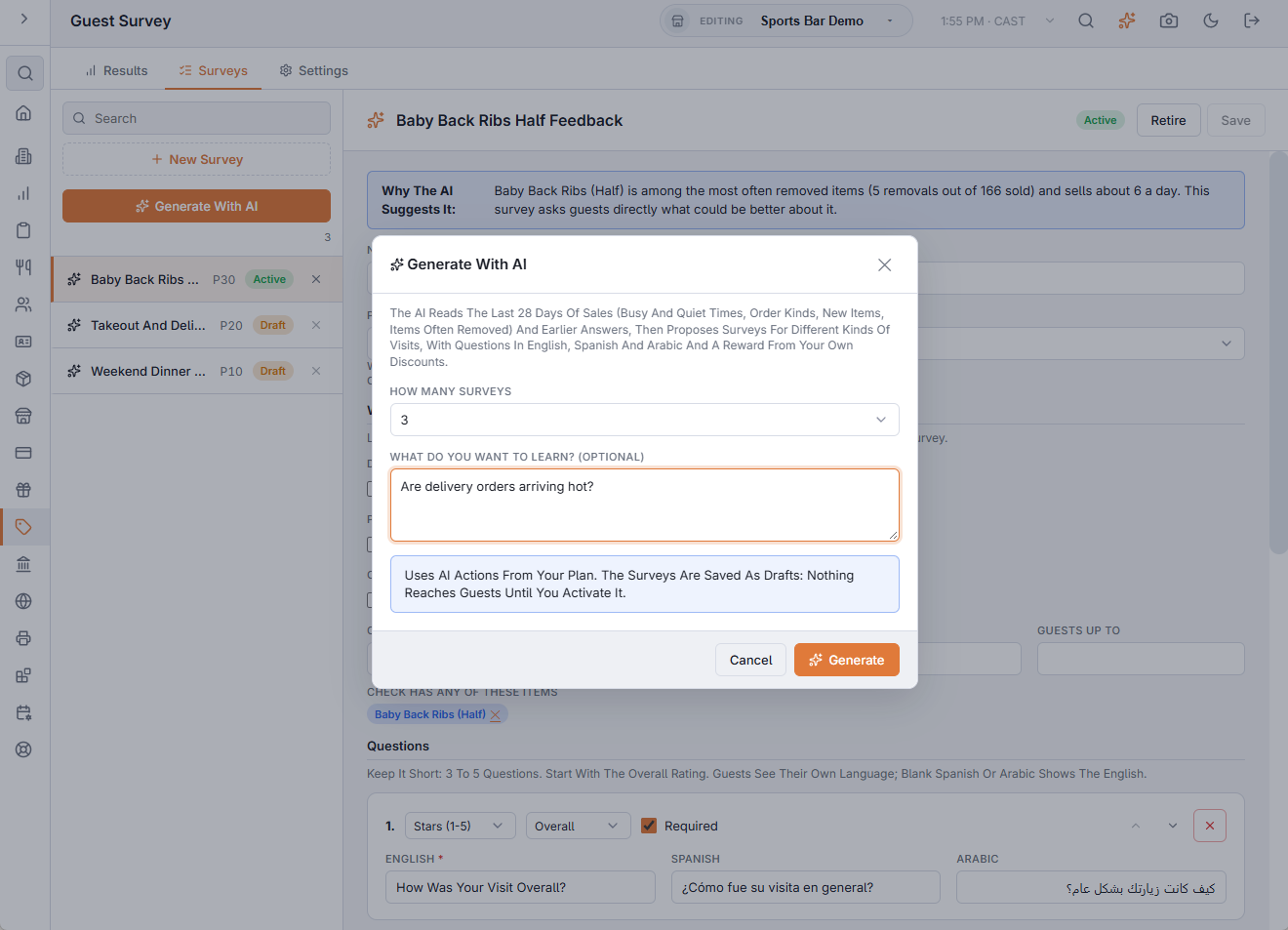
- How Many Surveys — one to four.
- What Do You Want To Learn? — optional, for example “Are delivery orders arriving hot?” The AI puts your question first.
The AI reads the last 28 days of sales — busy and quiet days and times, the mix of dine-in, takeout and delivery, your top items, new items and items often removed from orders — plus earlier survey answers and comments. It proposes surveys for different kinds of visits, writes the questions in English, Spanish and Arabic, and picks a reward from your own discounts, preferring Coupon Only discounts valid at your quiet times.
It needs at least 20 paid checks in the last 28 days. Each run uses AI actions from your plan; it only runs when you press the button.
Drafts and activating
Everything the AI writes is saved as a Draft, with a note explaining why it suggests it. Drafts never reach guests. Read the questions and the rules, change anything you like, then press Activate.
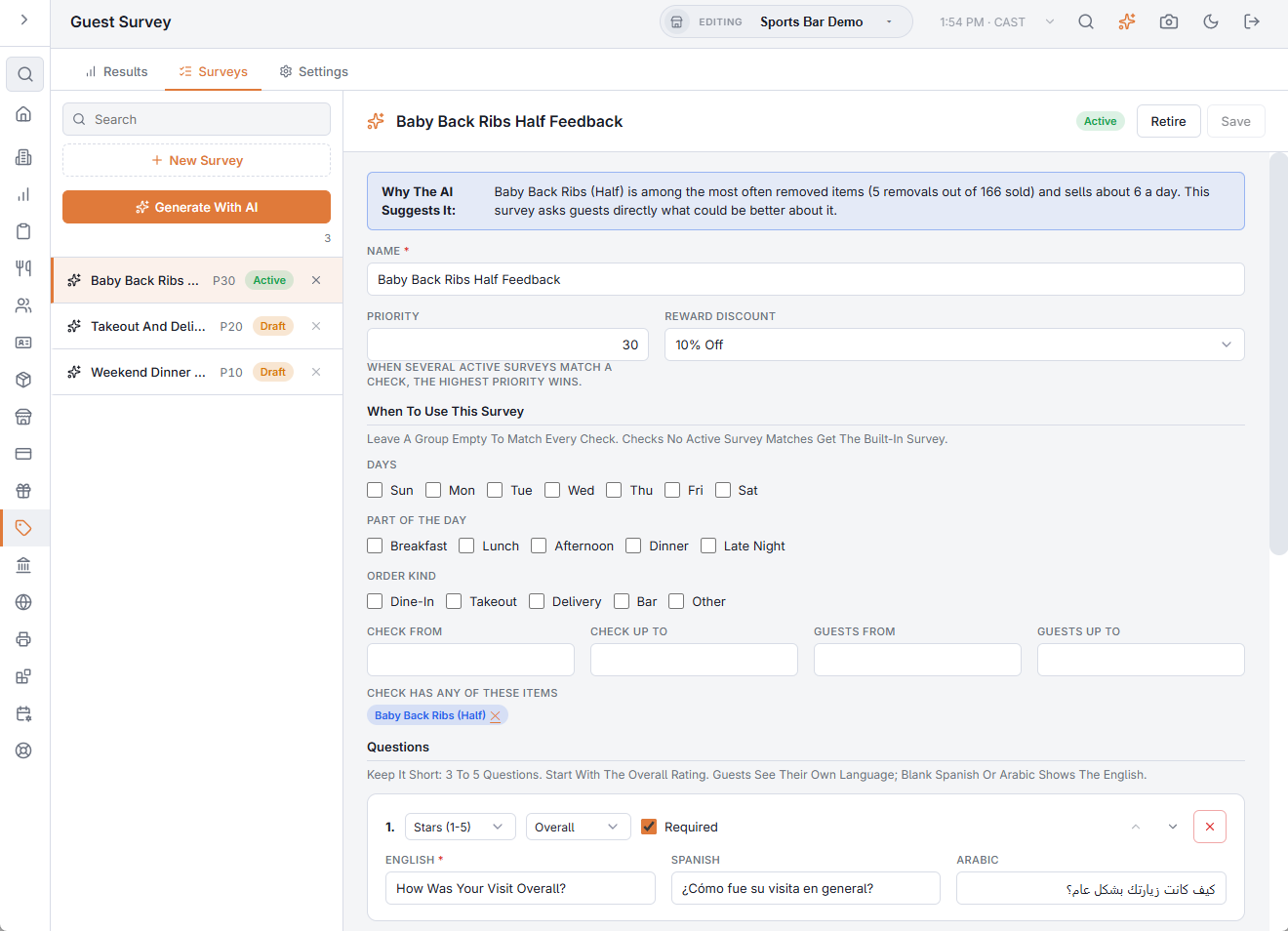
- Activate — the survey goes live from the next receipt.
- Retire — stops it; it stays in the list.
- The × on a row deletes it. Receipts already printed with it show the built-in survey.
Press New Survey to write one yourself; it starts from the built-in questions.
When a survey is used
Under When To Use This Survey, tick the days, parts of the day and order kinds it is for, and set a check range or party size if you want. A group left empty matches every check. The AI may also tie a survey to menu items (“the check has any of these items”), shown as chips you can remove.
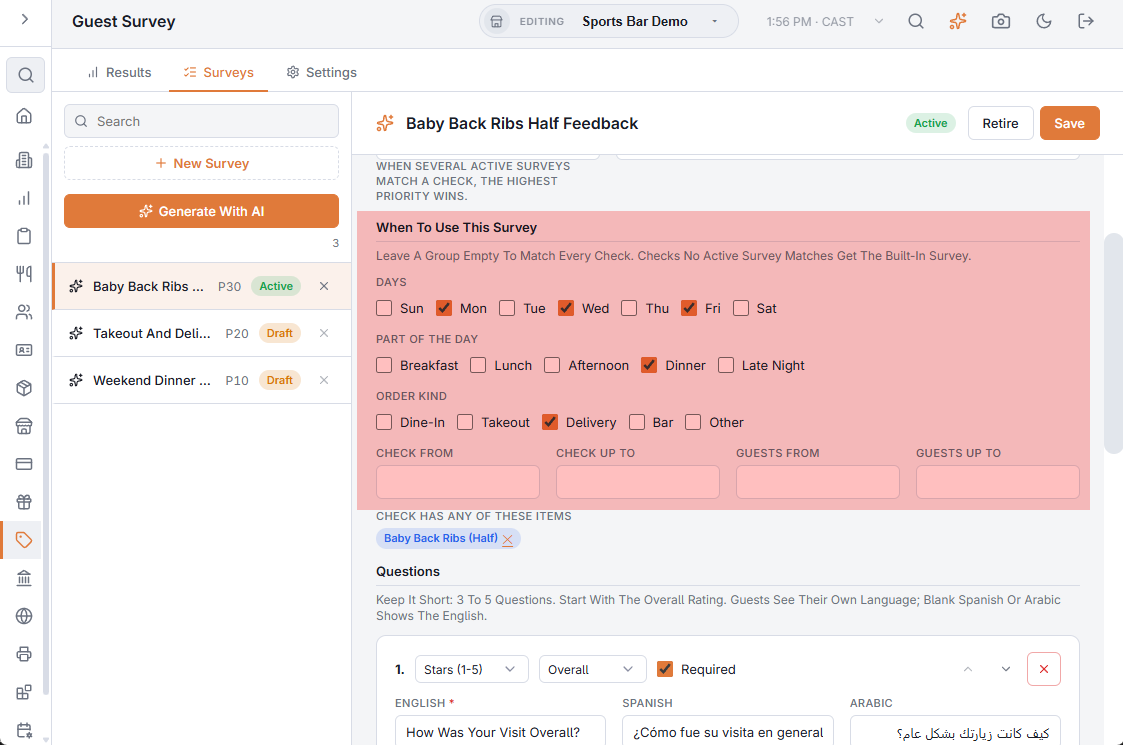
When several active surveys match a check, the one with the highest Priority wins. Checks no active survey matches get the built-in survey. Each survey can have its own Reward, or use the store default from the Settings tab.
Questions
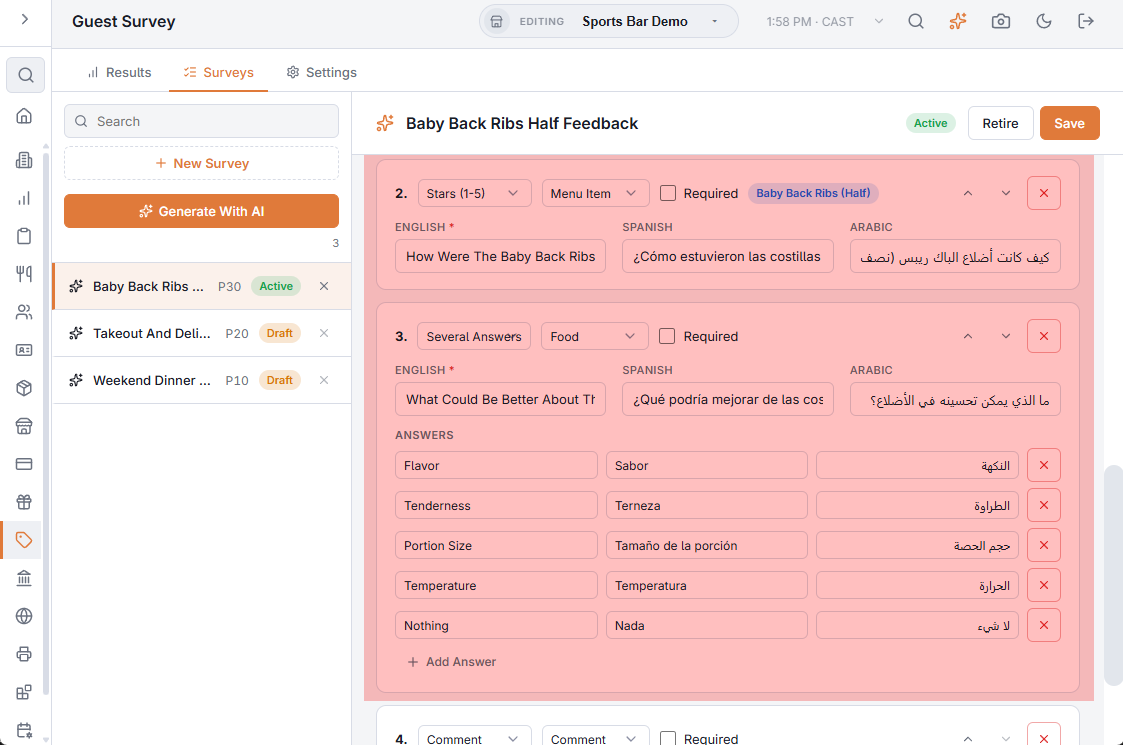
- Stars (1-5), Yes / No, One Answer, Several Answers and Comment.
- The topic (Food, Service, Speed, Order Accuracy…) groups answers in the results, whatever the wording.
- Write each question in English; Spanish and Arabic are optional — a blank one shows the English.
- Keep it short: three to five questions. Start with the overall rating, the one required question.
Related: Guest survey · Survey results and AI summary