Online promo codes are the codes guests type at checkout on your online store, such as WELCOME5 for 5 off a first order. Each store has its own codes. They work only on the online store; for codes scanned or typed at the register, use printed coupons.
Go to Back Office › Discounts & Promotions › Online Promo Codes.
Add a code
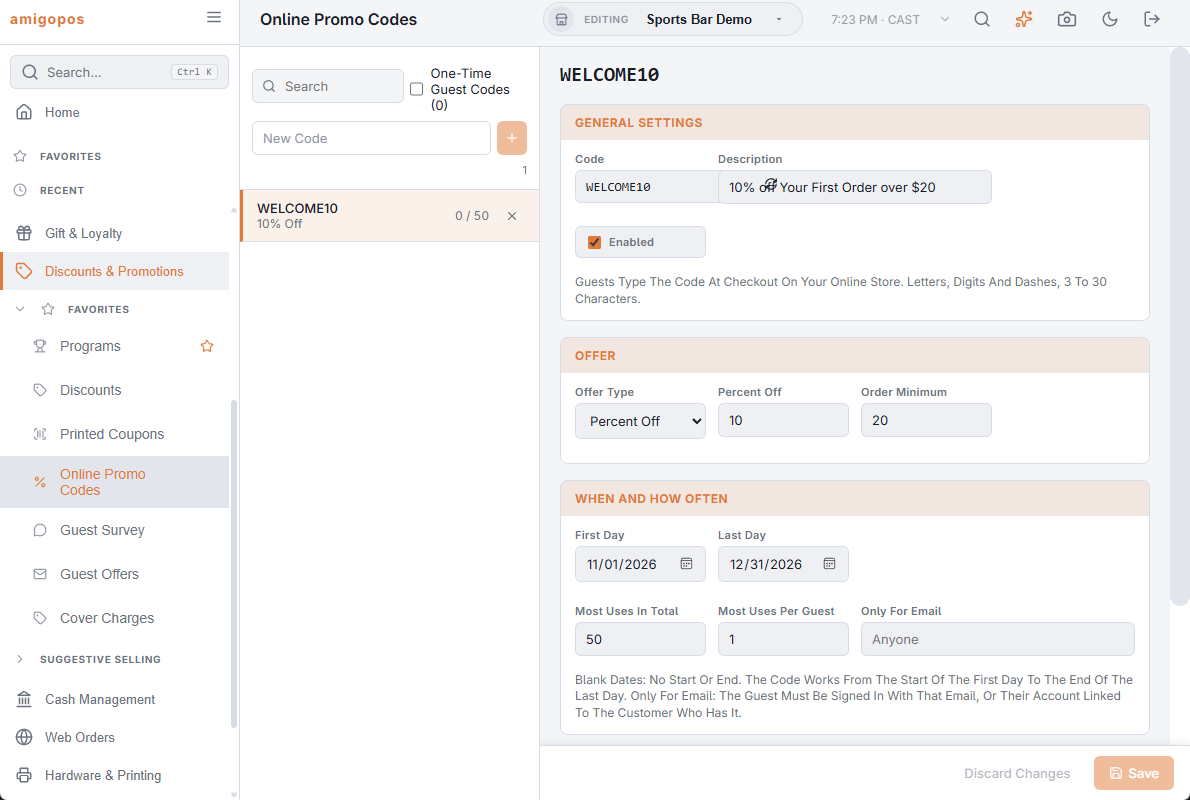
- Type the code in the box at the top of the list (letters, digits and dashes, 3 to 30 characters), or press Generate A Code in the new code for a random one.
- Write a Description. Guests see it at checkout, for example “5 off your order”.
- Choose the Offer Type: Amount Off, Percent Off or Free Delivery, and the amount.
- Add an Order Minimum if the code should only work on bigger orders.
- Press Save. Switch the code off at any time to stop it without deleting it.
When and how often
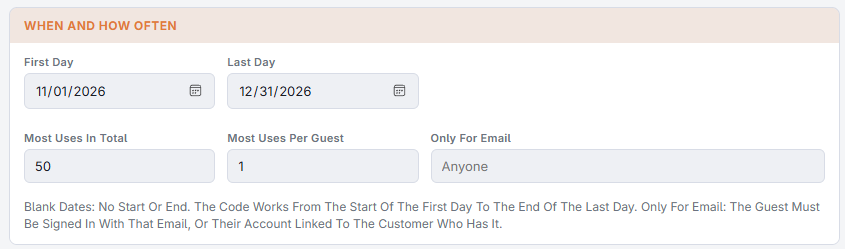
- First Day and Last Day — the code works from the start of the first day to the end of the last day, in your store’s time. Leave them blank for no start or end.
- Most Uses In Total — for example the first 100 orders. Blank is unlimited.
- Most Uses Per Guest — 1 makes it a once-per-guest offer.
- Only For Email — the code works only for the guest with this email: signed in to the online store with it, or with an account linked to the customer who has it.
Who used it
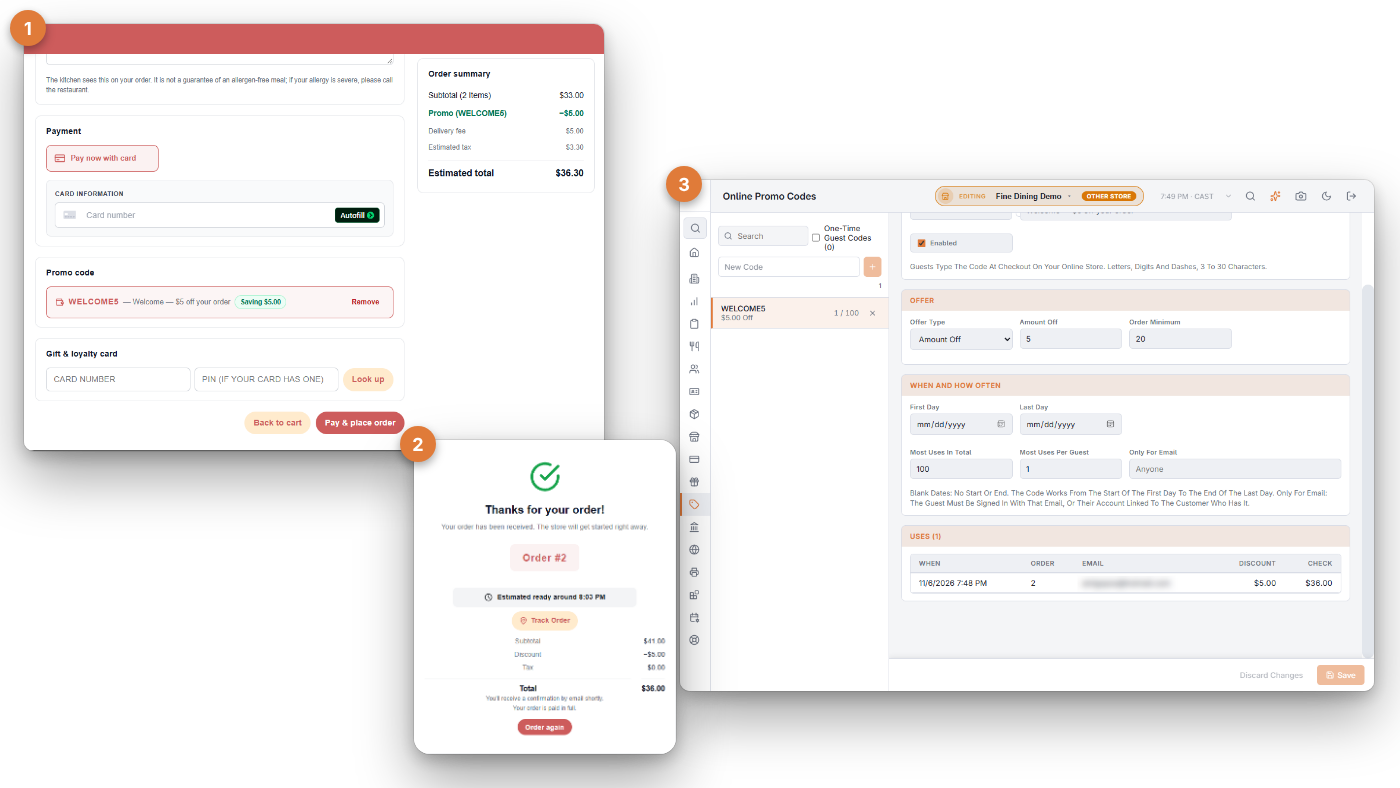
Open a code to see its Uses: when, the order number, the guest’s email, the discount and the check total.
One-time guest codes
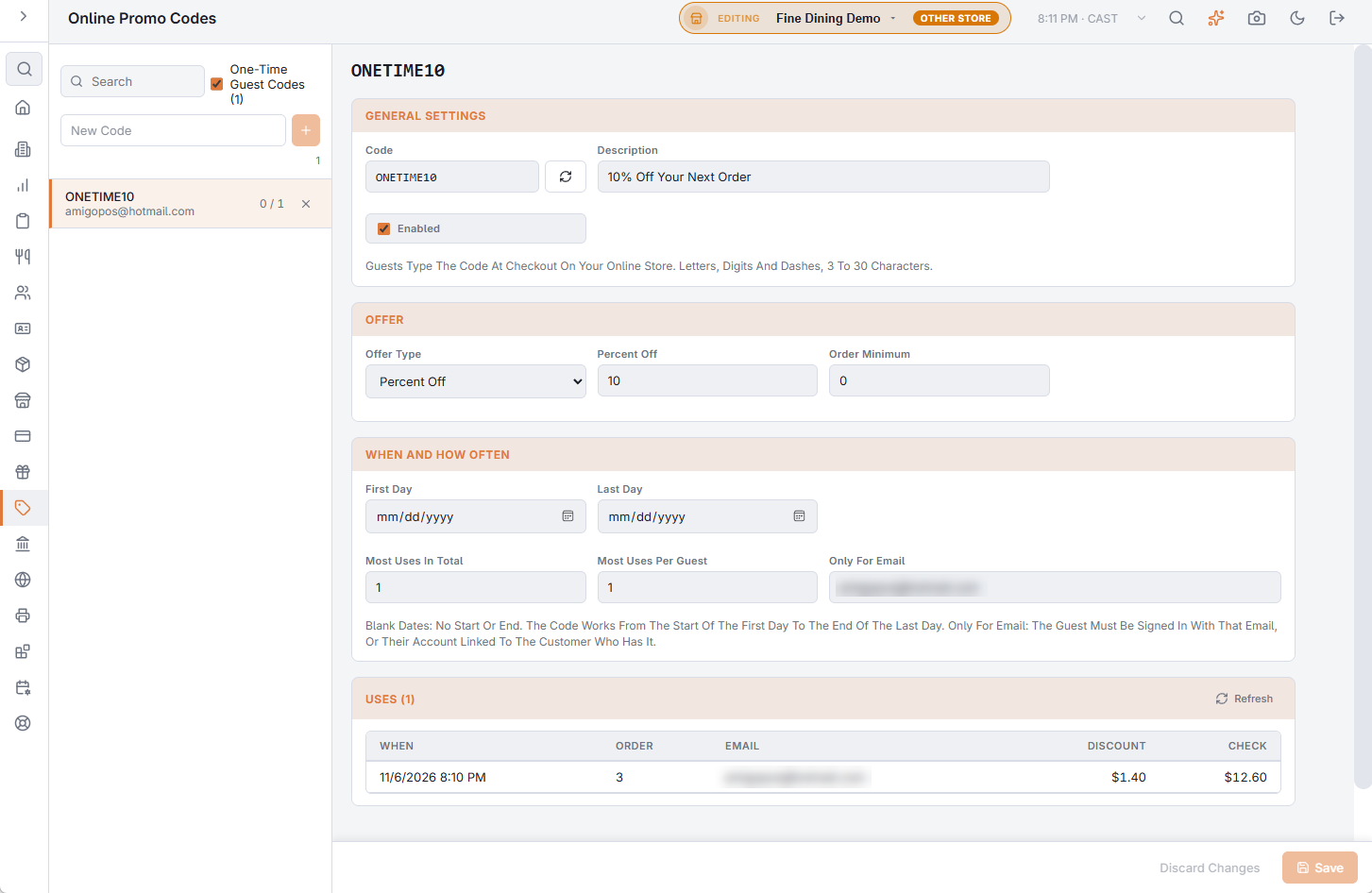
The order again email makes a one-time code for each guest it goes to. They are kept out of the list so your own codes stay easy to find; switch on One-Time Guest Codes to see them and search by code, description or email.
Deleting a code
A deleted code stops working at checkout right away. The same code can’t be used again later, so choose a new one for the next promotion.
Related: Order again emails · Offer results