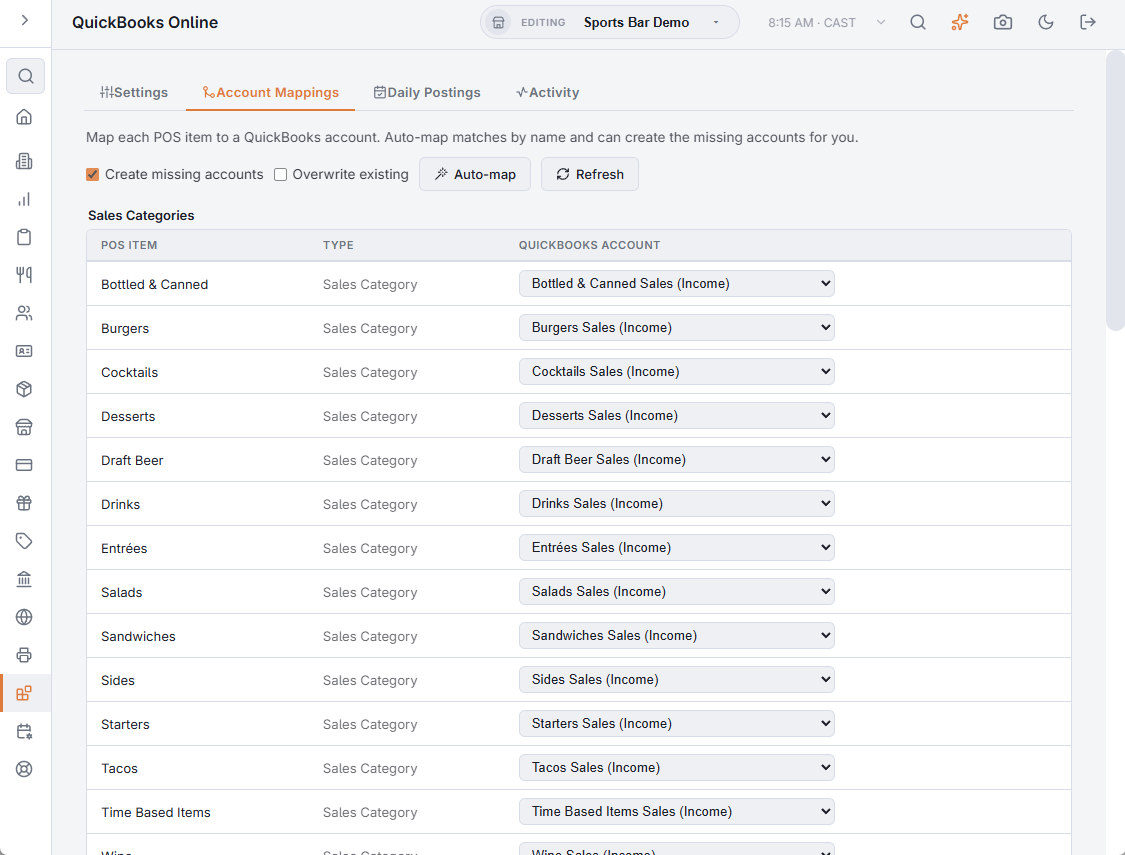
The Account Mappings tab of Back Office › Integrations › QuickBooks Online lists every line the journal entry can contain and the QuickBooks account each one posts to. The account lists come from the connected company’s chart of accounts. A day cannot be posted while a line it uses has no account.
The groups
| Group | Rows | Usual account type |
|---|---|---|
| Sales Categories | One row per menu category. With Post Sales By Revenue Center on, this group is Revenue Centers instead, one row per revenue center. | Income |
| Payment Methods | One row per payment method the store takes, including the ones linked on the Stripe, PayPal and Authorize.Net pages. | Undeposited Funds or bank; Other Current Liability for gift cards; Other Current Asset for house accounts |
| Taxes | One row for each of the three tax slots, named after the store’s taxes; a slot without a name reads Tax 1, Tax 2 or Tax 3. | Other Current Liability |
| Other Accounts | Tips & Gratuities, Gift Cards Sold, Discounts, Comps, Cash Paid Outs, Cash Over/Short, Delivery Charges, Surcharges, Cover Charges, Uncategorized Sales, House Account Payments, Refunds (Unallocated), Bad Debt (House Account Write-Offs), Customer Deposits (Reservations), and No-Show Fees & Forfeited Deposits. | Varies by row |
Each row shows the POS Item, its Type and the QuickBooks Account. Unmapped rows are highlighted. Choosing an account in the list saves it straight away; choose Not mapped to clear it.
A line the day does not use never needs an account, so a store without reservations can leave the deposit and no-show rows empty.
Auto-map
Auto-map fills in the rows for you. For each row it:
- looks for an account whose name matches the suggested name or the POS name;
- for a card or cash payment method, uses the company’s Undeposited Funds account;
- with Create missing accounts ticked, creates the account in QuickBooks when nothing matched — for example Food Sales (Income) for a Food category, or Tips Payable (Other Current Liability).
Rows that already have an account are skipped unless Overwrite existing is ticked. When it finishes, the message says how many rows were matched, how many accounts were created and how many rows were skipped. Refresh reloads the rows and the chart of accounts.