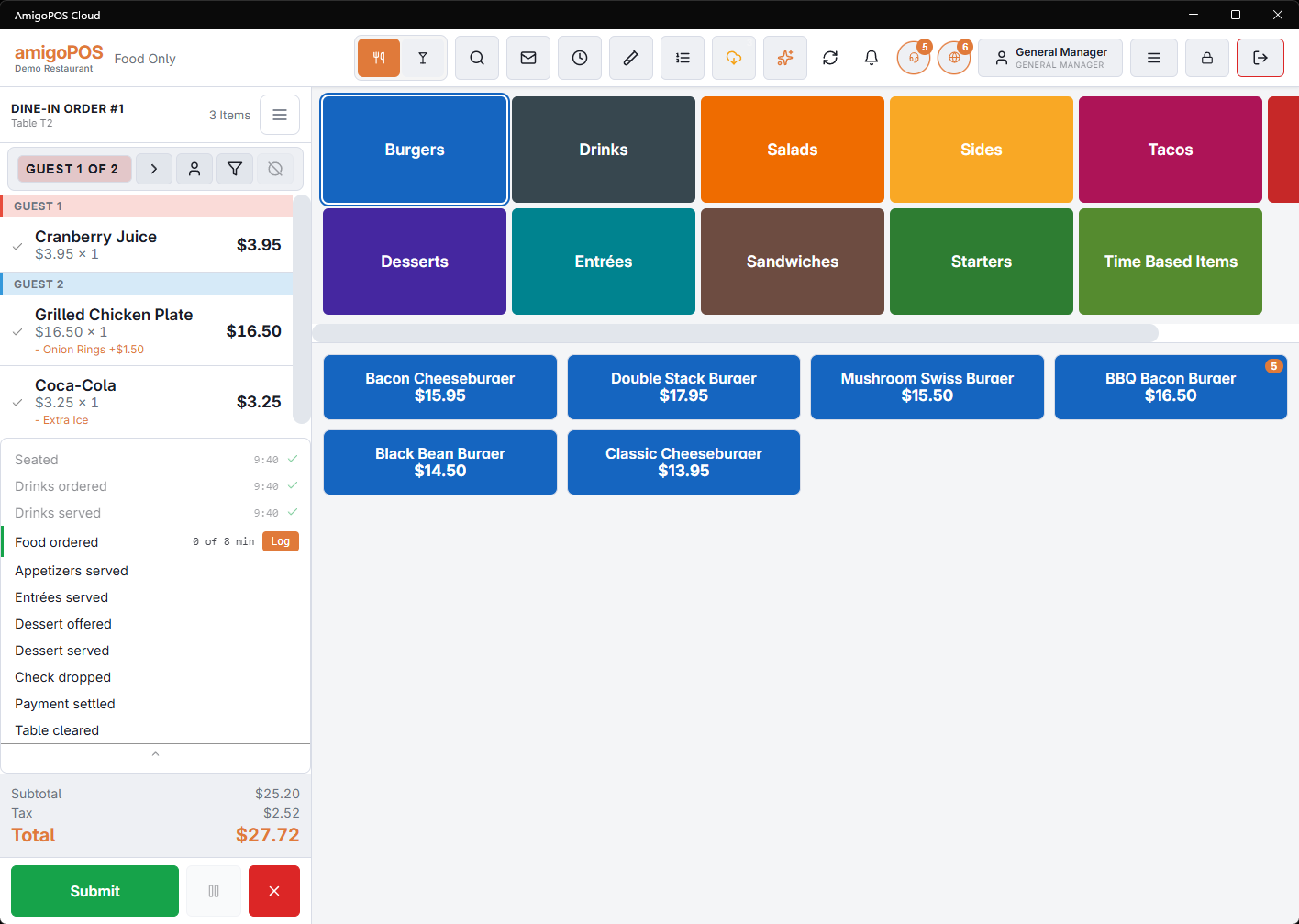
Service pace tracks a table through the milestones of a meal — seated, drink order taken, drinks served, food order taken, starters served, mains served, and so on to the table being cleared. The panel shows that timeline for the table you are on.
Reading it
- Milestones already reached show when they happened.
- One milestone is the next expected one. That is the one being timed, and the one you tap when it happens.
- Later milestones sit below, untimed until their turn comes.
The colours
Each step has a target time, and the colour follows the minutes since the previous milestone: on pace, then near once the target passes, then warn, then late. A store that does not set its own warn and late times gets sensible defaults derived from the target — half again for a warning, double for late.
So amber does not mean something is wrong. It means this step has taken longer than you said it should, which is exactly when a manager can still fix it.
The targets are yours. Rules that do not match how your room actually runs produce a floor of red tables that everybody learns to ignore — see Service-pace rules.