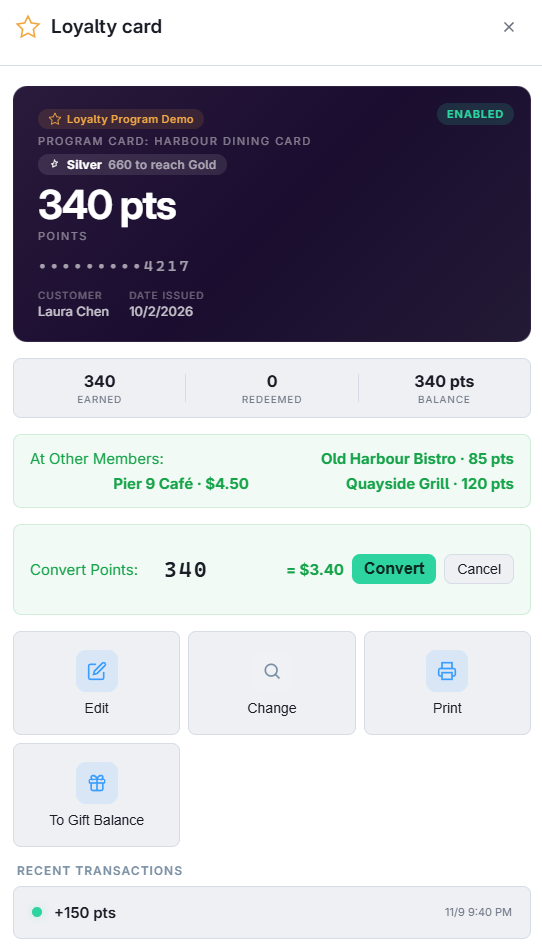
Loyalty is harder to share than gift value because every restaurant values a point differently. The program therefore shares the card, not the points: the guest carries one program card, and each restaurant keeps its own points balance on it, earned and spent under that restaurant’s own program, rules, rewards and tiers (How loyalty works). Points earned at one member are never spent at another.
Checking in
- Scan or type the program card at any member, or look the guest up by phone or e-mail: a guest who signed up at one member checks in by phone at every other member too.
- The Loyalty screen shows the program’s name under the card, and your own balance, tier and recent activity — only yours.
- At Other Members lists what the guest holds at the other restaurants, read-only. It is cross-promotion: “you have 120 points at …” said at your register.
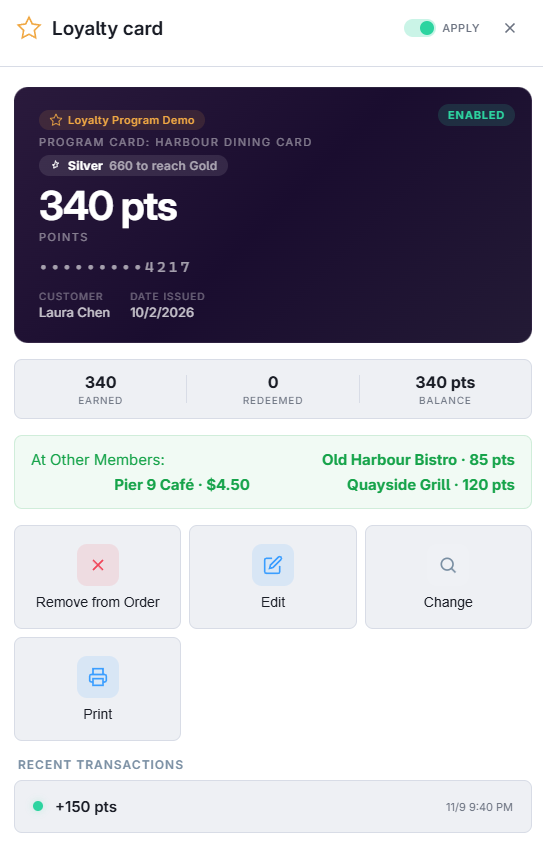
Signing a guest up
- Registering a physical card with the program’s prefix creates a program card: it works at every member from then on.
- A sign-up by phone or e-mail only (no card number) creates one of your own private loyalty cards, as today — it is not shared. Hand the guest a program card if the group wants them on the shared card.
Points into gift balance
A guest can turn the points (or bonus) earned at your restaurant into gift balance on the program card, spendable at any member. The value is calculated at your program’s redemption value per point, and the gift load is funded by your restaurant — on the statement it counts like value you sold, so whoever redeems it later is paid by you. The guest’s points are reduced by what was converted.
- Turn on the store setting Loyalty Convert To Gift Enabled (off by default; see Settings and permissions reference).
- Check the guest in on the Loyalty screen. When the card is a program card and there is a balance, the To Gift Balance button appears.
- Enter the points (or bonus amount) to convert — the gift value is shown as you type — and tap Convert.
- The card’s history shows a loyalty redemption and a gift load marked Points Converted.