Cards you issued before joining carry no program prefix, so other members cannot see them. If the group agrees that those cards should work everywhere — typically cards that were already shared under a previous system — move them into the program. The card keeps its number and its balance; from then on it is recognised at every member.
Moving cards
- Open Back Office › Gift & Loyalty › Shared Card Program › Move My Cards.
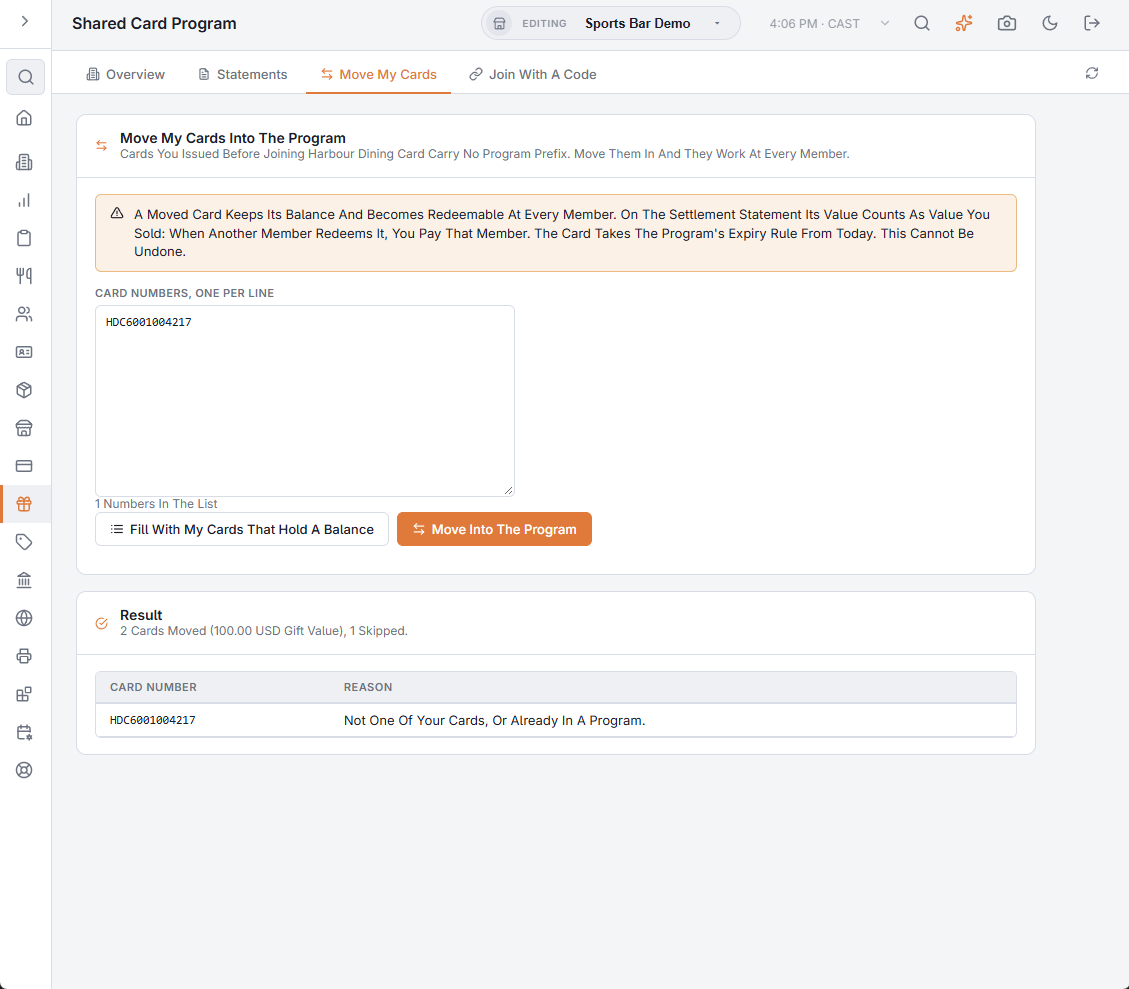
- Paste or scan the card numbers, one per line — or tap Fill With My Cards That Hold A Balance to list every card of yours that still carries gift value, points or bonus and is in no program. The line under the box counts the numbers; a note tells you how many cards were listed and their gift value.
- Tap Move Into The Program and confirm.
- The result card reports how many cards were moved and their gift value, and lists any number that was skipped with the reason. Skipped numbers stay in the box so you can correct them and try again.
What moving does
- The balance becomes redeemable at every member. On the statement its value counts as value you sold: when another member redeems it, you pay that member.
- The card takes the program’s expiry rule, counted from the day it is moved (never, when the program’s rule is never).
- Loyalty points on the card stay with your restaurant; the other members start at zero on that card.
- PINs, the guest profile and a deactivated status are kept. The move cannot be undone from Back Office.
Why a number is skipped
| Reason | Meaning |
|---|---|
| Not One Of Your Cards, Or Already In A Program. | The number is not a card your business issued, or it already belongs to a program. |
| The Program Already Has A Card With This Number. | Another member moved or sold a card with the same number; the two cannot both be program cards. |
Agree with the group first. Which restaurant moves a card decides who “sold” it on the statement — that restaurant pays whoever redeems the balance. If one restaurant is to carry all the old cards, that restaurant imports and moves them.
Cards from a previous system are first brought into your own stock the usual way (AmigoPOS support imports them under the same numbers), then moved in with this tab. Physical cards that are still blank need no moving: a card with the program’s prefix becomes a program card the first time it is activated.