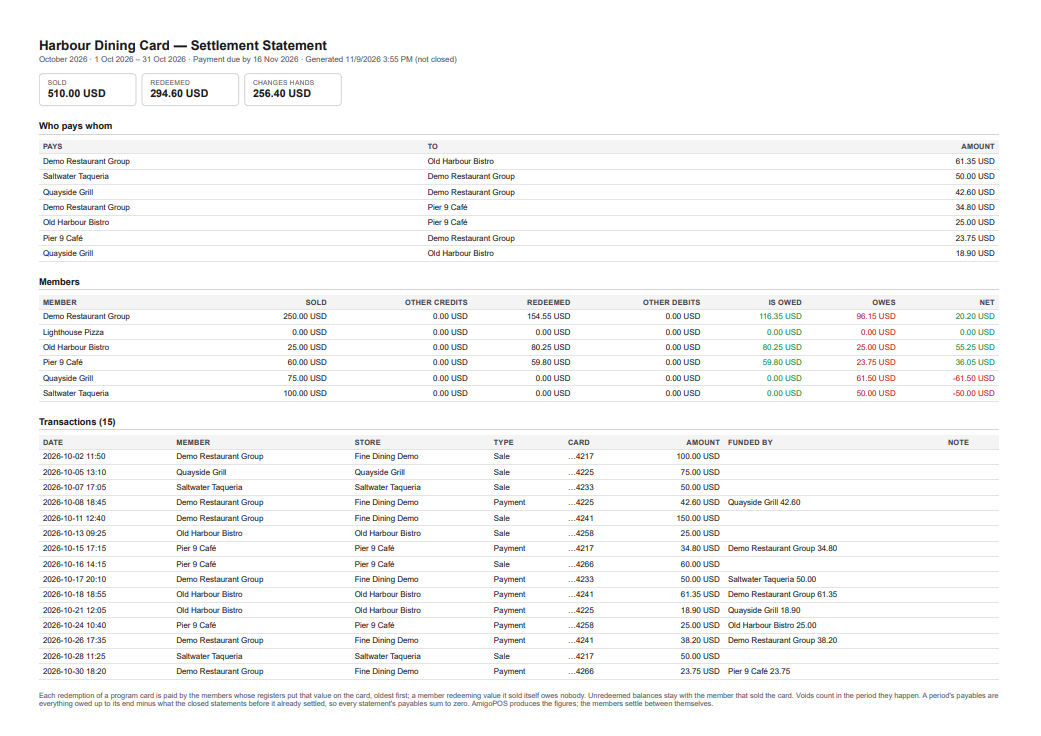
At the end of every settlement period AmigoPOS produces a statement for every member: the value it sold, the value redeemed at its registers, and what it owes or is owed. The owners move the money themselves; the statement is the agreed record of the amounts.
Periods
Periods are calendar months or quarters, whichever the program’s rule says, counted in the program’s time zone (the administrator’s first store). The first period starts with the program’s first card transaction. Each period is Current (still running — the figures change), Ended, Not Closed (over; the figures are live until the administrator closes it) or Closed (frozen as it was at closing).
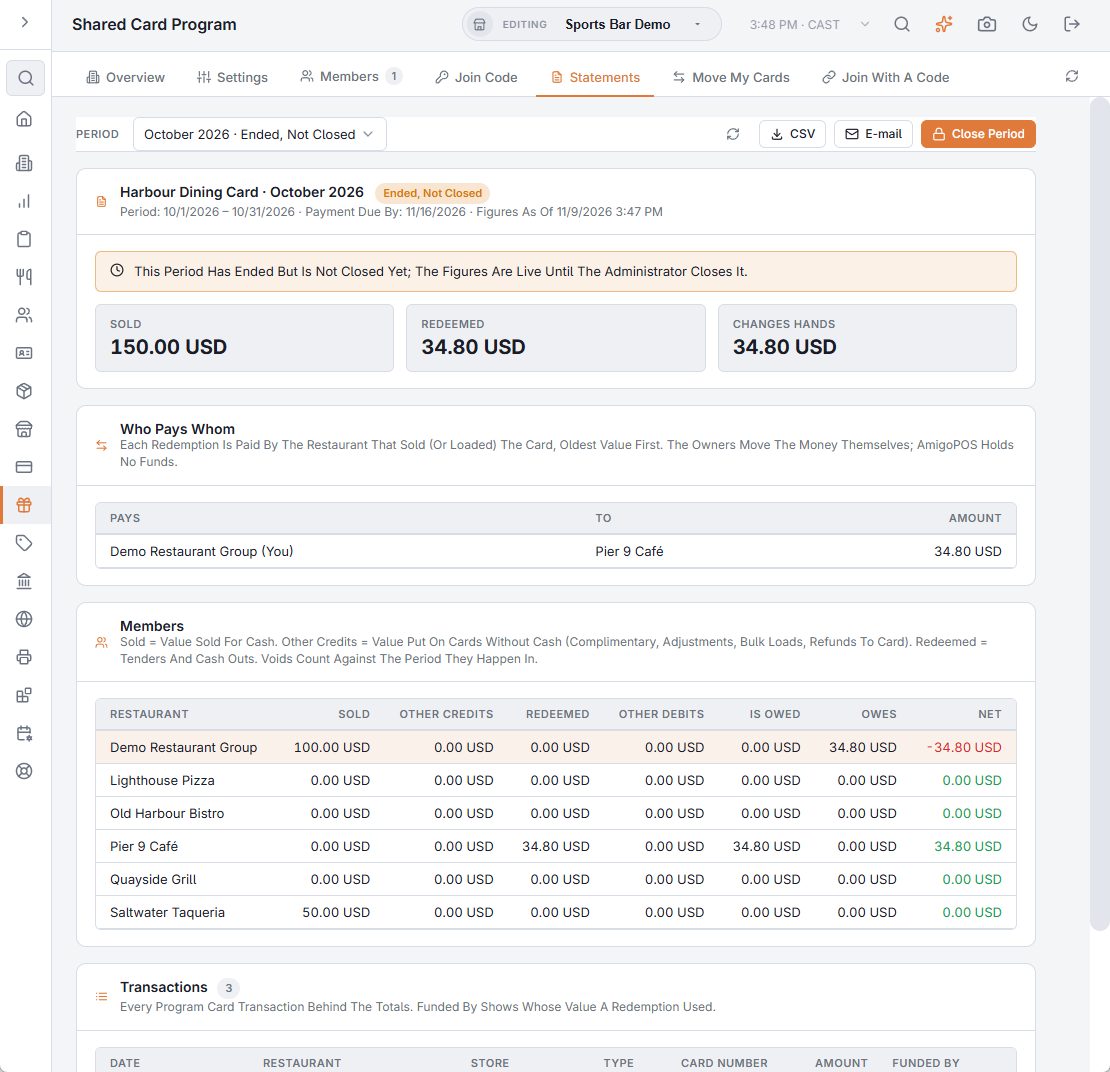
The Statements tab
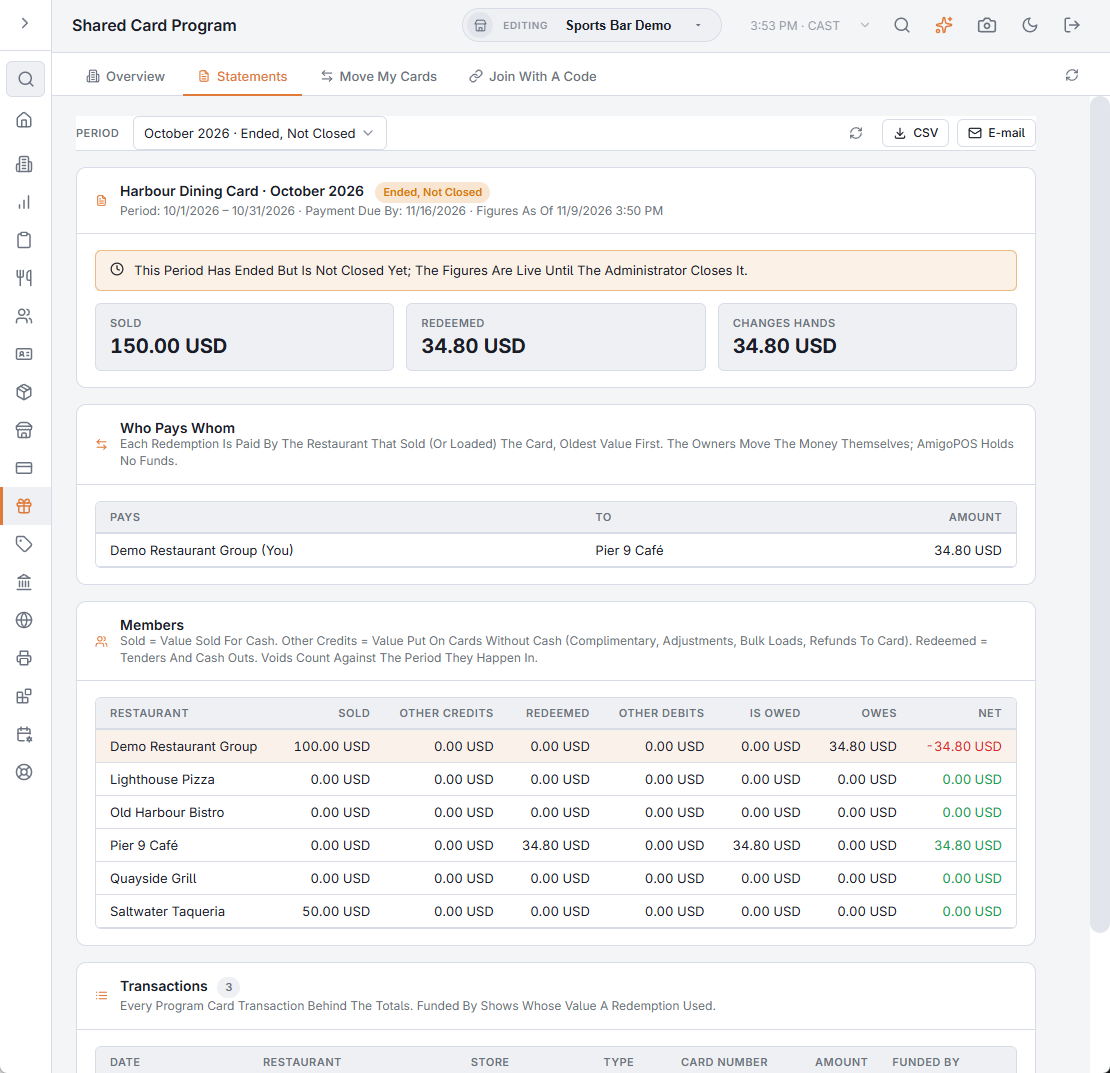
On Back Office › Gift & Loyalty › Shared Card Program › Statements, pick the period at the top.
- Header — the period, its dates, the payment due date, and when it was closed or generated.
- Tiles — Sold, Redeemed, You Are Owed, You Owe and Net.
- Who Pays Whom — the amounts between you and each other member for this statement. A negative amount is a correction of an earlier period.
- Your Activity — Sold (for cash), Other Credits (value given without cash), Redeemed (as a payment or cash out), Other Debits (balance removed by adjustment), Is Owed, Owes and Net.
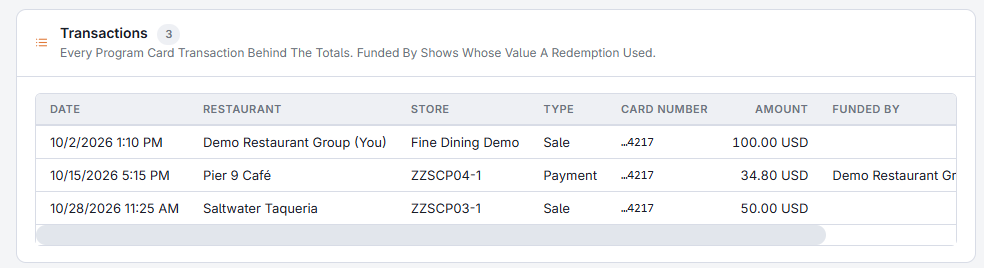
- Transactions — every program line of yours in the period, plus the redemptions elsewhere that your value funded, each with Funded By: which member’s value was spent, and how much of it.
- CSV downloads the lines and payables; E-mail sends you the statement as a PDF.
Closing a period (administrator)
The administrator sees every member, every line and every payable, and the Close Period button on the earliest period that has ended. Periods close in order — the button is not offered on a later period while an earlier one is still open. Closing freezes the statement exactly as shown and e-mails every member its own copy (the administrator gets the full one).
Corrections after a close
Nothing in a closed statement is ever rewritten. A payment voided after its period closed appears as a negative line on the next statement and reduces what is owed then. A period’s statement is therefore “everything owed up to its end, minus what the closed statements before it already settled”, and the note An Earlier Period Is Still Unclosed warns that the amounts include what that period left unsettled.
The statement e-mail
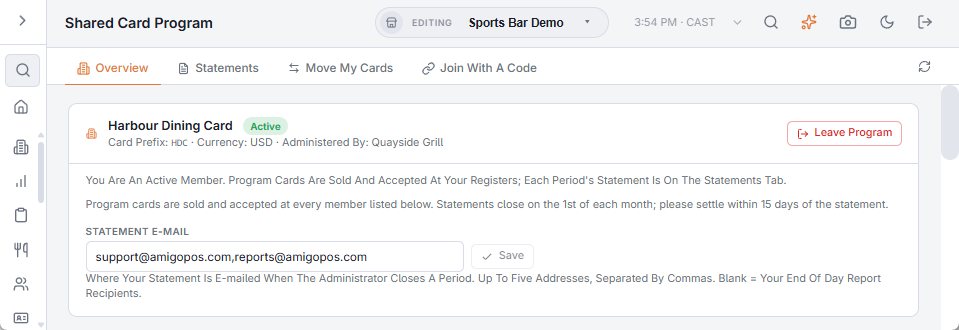
- Each member sets its Statement E-mail on the Overview tab — up to five addresses. Blank means the member’s End Of Day report recipients.
- When a period is closed, every member with an address gets its statement as a landscape PDF with a short summary in the message; the toast after closing tells the administrator how many were sent and how many members have no address.
- E-mail on the Statements tab sends you any period’s statement again — also an open period, marked as not closed.