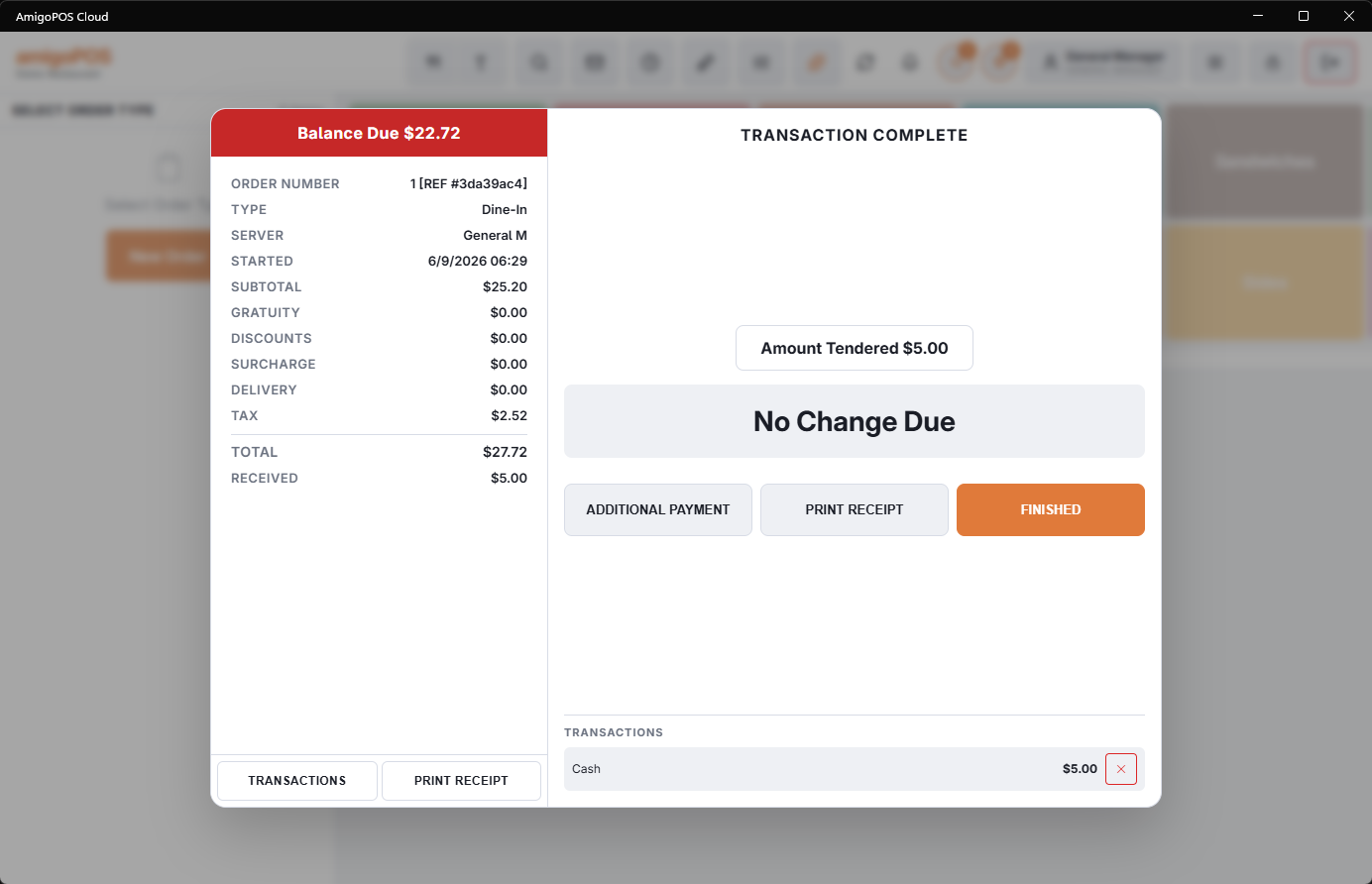
One balance can be paid by as many tenders as it takes. Take a payment for less than the balance and the settle screen simply asks for the next one.
Part cash, part card
- Choose the first method and enter the amount that method is covering — not the full balance.
- The payment completes and the balance drops by that amount.
- Choose Additional payment and take the rest however the guest wants.
Splitting evenly between people
Use ÷2 / ÷3 / ÷4 on the settle screen. Each share is presented in turn and can be paid by a different method, so three people paying by three cards is three taps and three presentations.
The last share is always the exact remaining balance rather than the calculated share. That is deliberate: a bill that does not divide into round numbers would otherwise leave a penny behind, and the last person absorbs it instead.
Fixing a mistake
Open Transactions and remove the payment that was entered wrongly, then take it again. Do this before finishing the order.
Splitting the payment and splitting the check are different things. This screen splits one check between tenders; to give each guest their own printed check, use Splitting and combining checks.