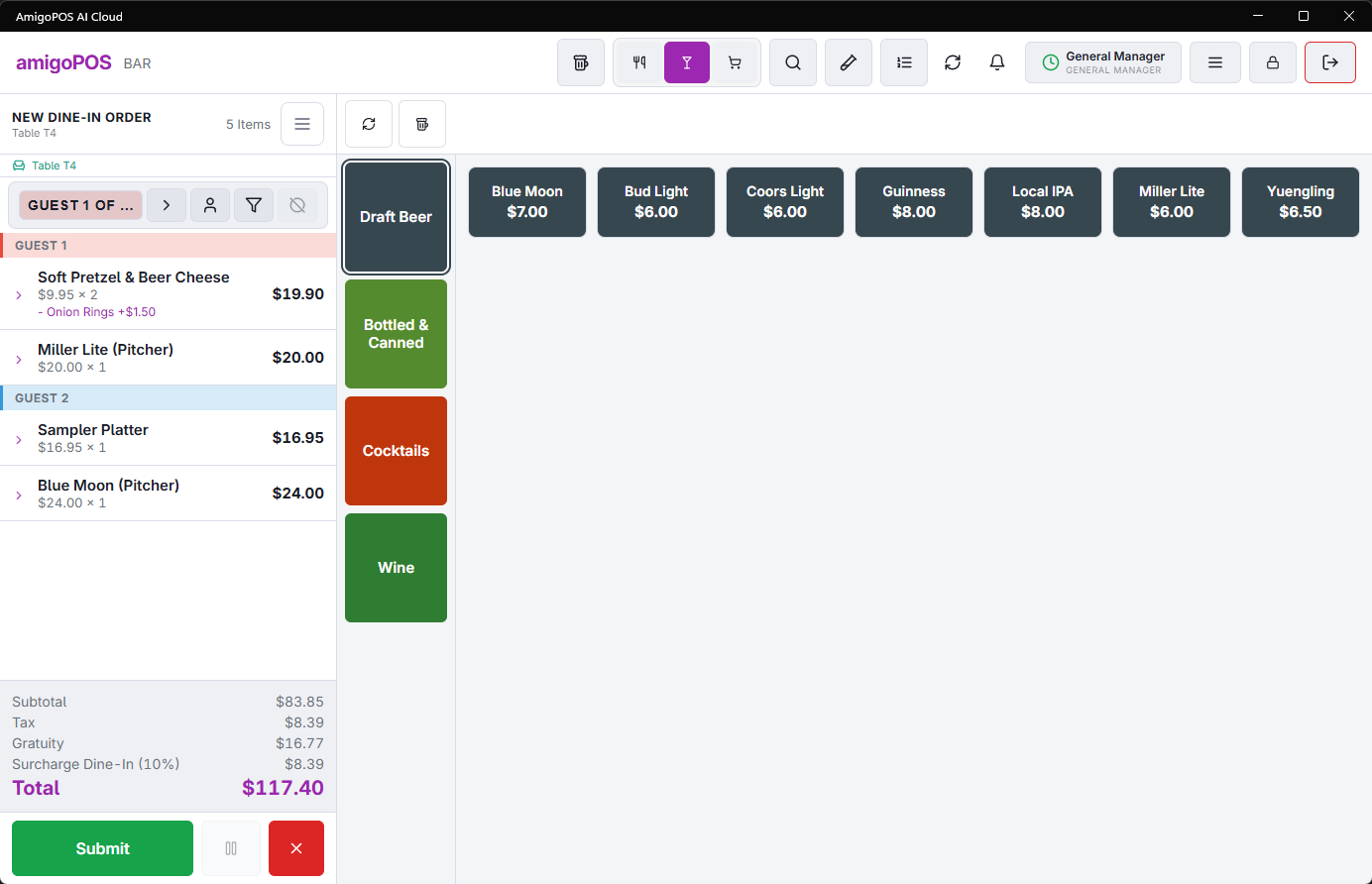
The settle screen shows the money story between subtotal and total — this is what each line is and where it comes from.
The lines
- Subtotal — items and modifiers, after item-level discounts and comps.
- Discounts — order-level discounts, shown as their own reduction.
- Surcharge — the order type’s fixed or percentage surcharge, when configured (Order types and workflow).
- Cover charge / gratuity — per-guest covers and mandatory gratuity, when the type and party trigger them.
- Tax — computed per item at its assigned rate; take-out exemptions and non-taxable order types apply here automatically. In VAT-inclusive stores the tax line shows the extracted portion of prices that already contain it.
When a guest questions a line
Every line traces to configuration: surcharge and gratuity to the order type, covers to the cover-charge windows, tax to the item’s rate. The receipt prints the same lines — the answer to “what’s this charge?” is always one of those pages, not a mystery.