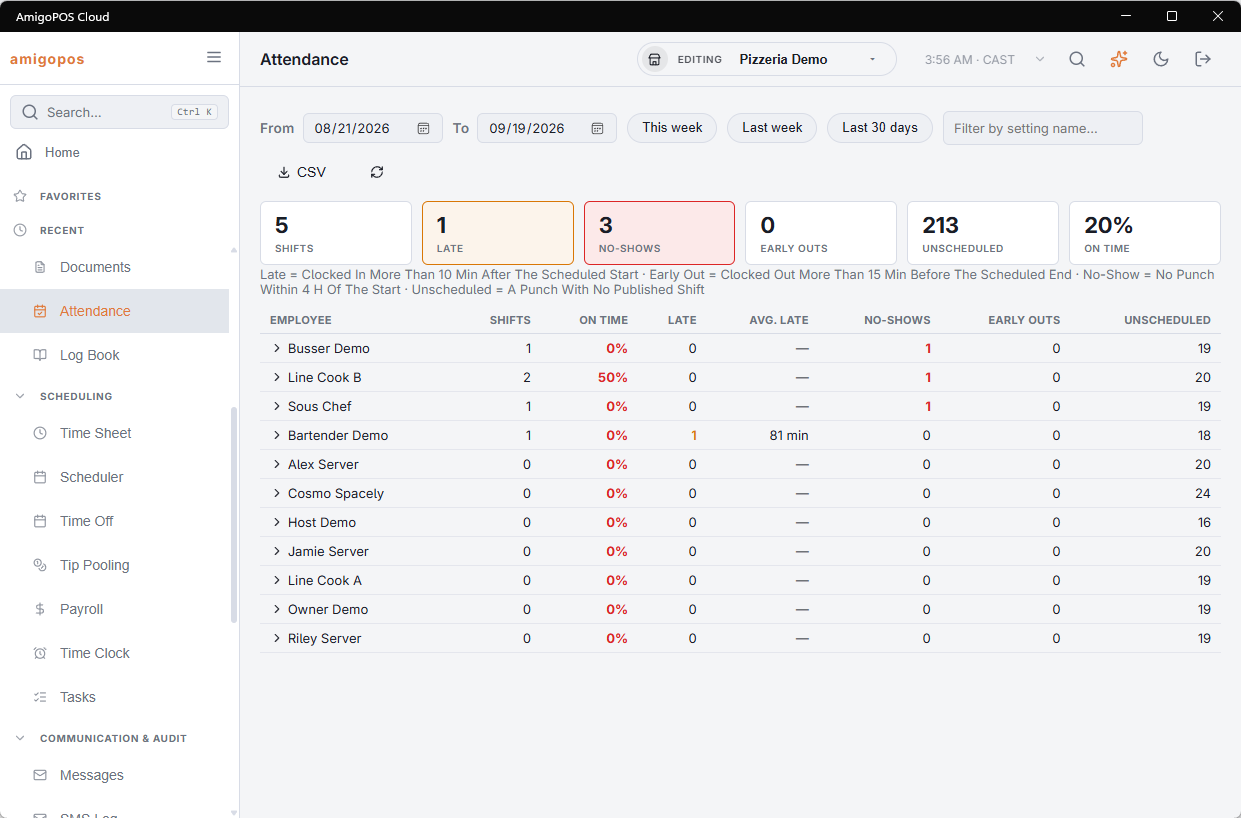
Back Office › Employees › People › Attendance compares what was scheduled with what was punched, for every employee over a period. It is the answer to “is this person late often, or did I just notice twice?”
Choosing a period
This Week, Last Week or Last 30 Days, or set the dates yourself (up to about three months). It opens on last week, because last week is finished. Filter by name to look at one person.
The table
- Shifts — published shifts that have ended in the period.
- On Time — the share of them started on time.
- Late and Avg. Late — how many, and by how much on average.
- No-Shows — shifts with no punch at all.
- Early Outs — clocked out well before the end.
- Unscheduled — punches with no shift near them.
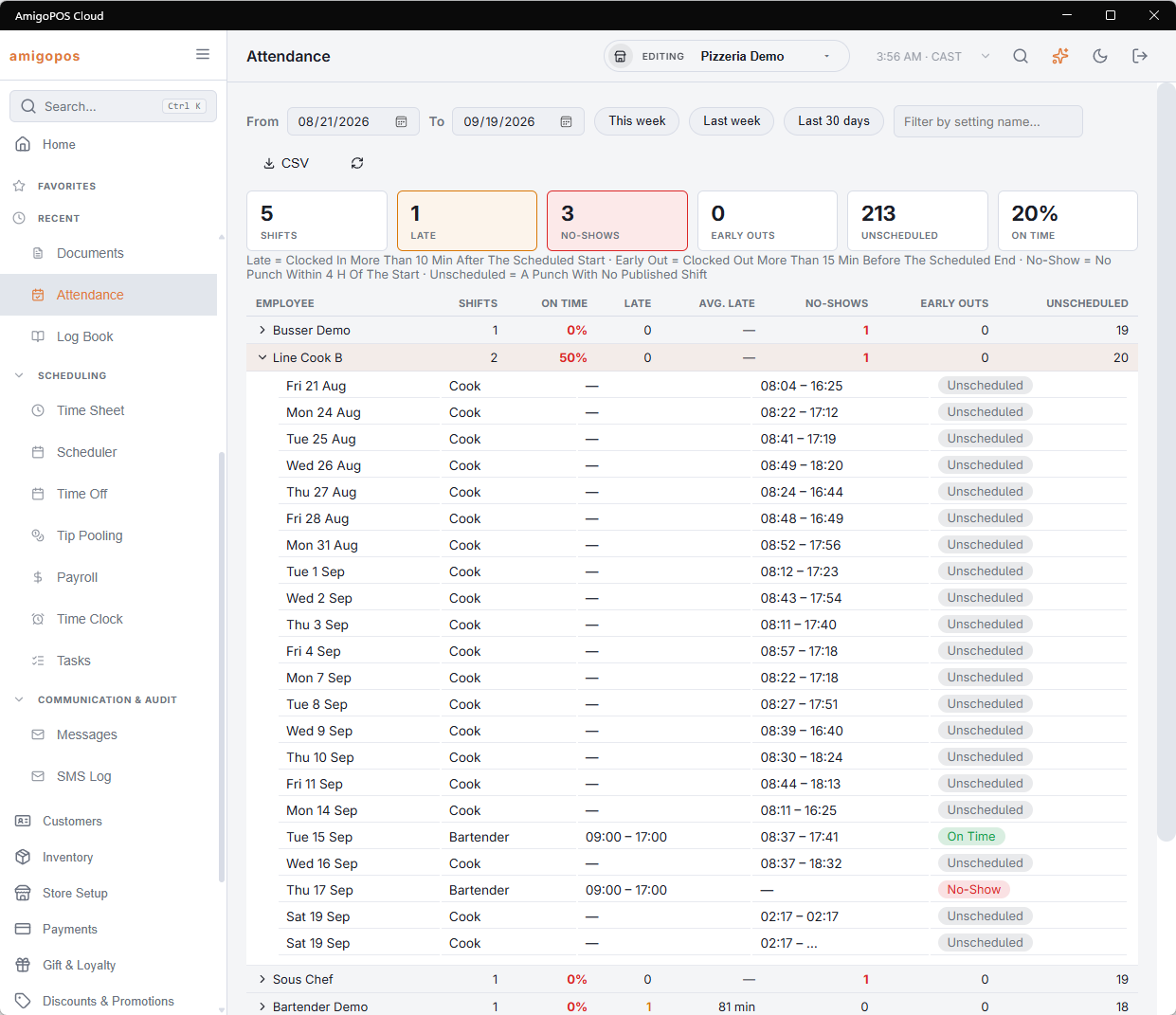
Worst first. Click a row to open that person’s shifts — date, job, scheduled times, actual times and what each one counted as. CSV exports the detail for whoever needs it on paper.
How a shift is judged
- Only published shifts whose end time has passed are counted; an open shift nobody took is not somebody’s no-show.
- The punch that served a shift is the one taken for it, or the employee’s nearest punch starting within four hours of the scheduled start.
- Late uses the grace from Late Alert (Minutes) (Employees › Scheduling › Time Clock › Schedule Alerts), ten minutes if that is off. Early out is more than fifteen minutes before the end.
- An unscheduled punch is listed but left out of the on-time share — covering for someone at an hour’s notice should not read as a scoreline.
Attendance and the weekly review
Timesheets uses the same matching punch by punch: its Scheduled and Review columns show each punch’s difference from its shift, and published shifts with no punch appear there as No Punch rows that can be fixed on the spot. Review and correct the week there first; read this page for the pattern over weeks. See Reviewing and approving punches.