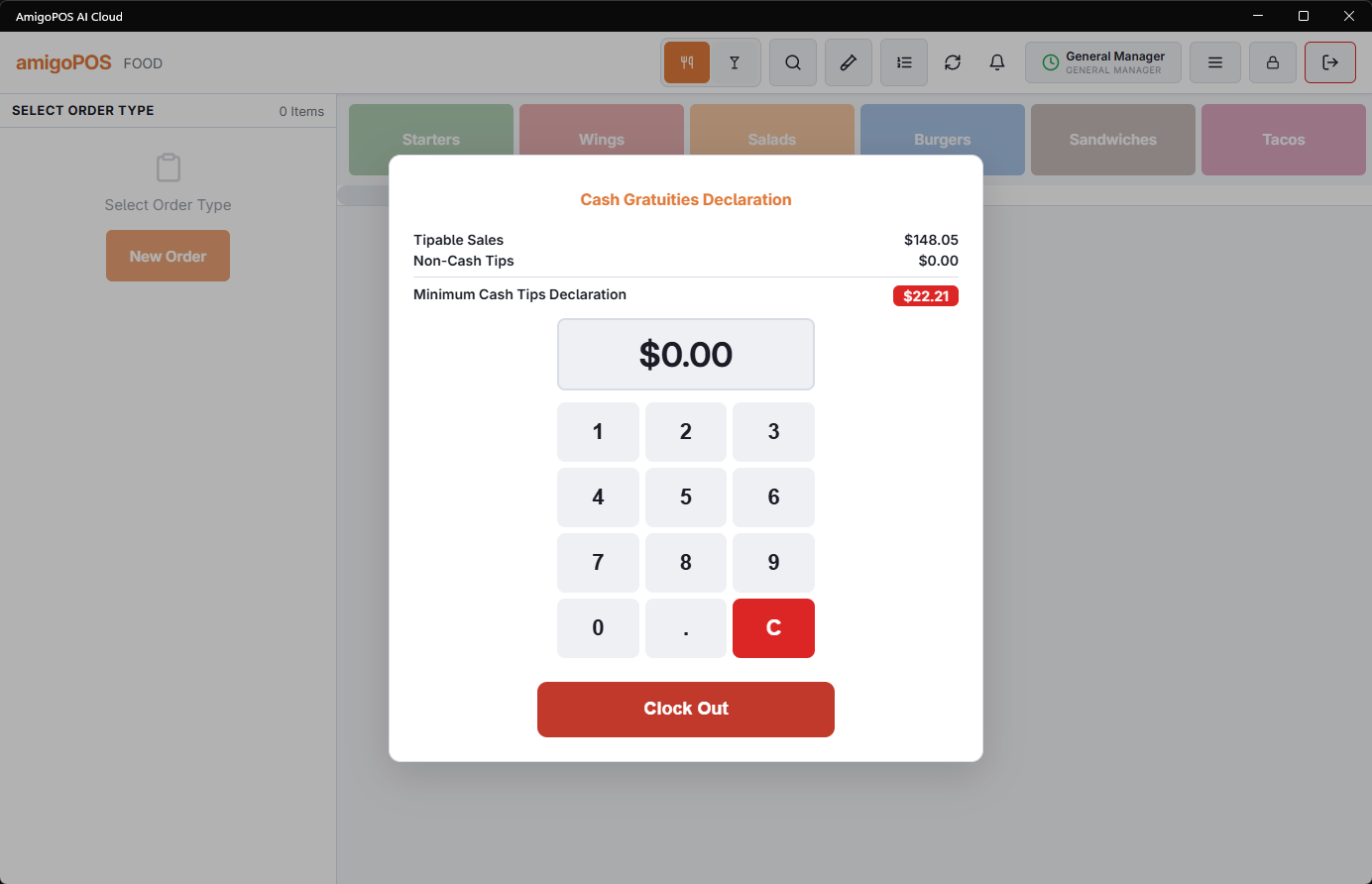
Declared gratuities capture the cash tips the system can’t see. Card tips record themselves at settlement; cash tips exist only if the employee declares them — typically prompted at clock-out.
Why declare
- Tax compliance — most jurisdictions require tip reporting; the declaration is the store’s record that it happened.
- True earnings — Employee analytics’ tips and tip-% columns are only honest when cash tips are in them; a server’s real performance is invisible otherwise.
- Payroll — declared tips flow to the payroll export alongside hours.
The flow
At clock-out, tipped jobs are prompted for the shift’s cash gratuities; the amount records against the shift. Managers can review declarations in the timesheet detail — a tipped role declaring zero night after night is a compliance conversation waiting to happen.
Blind entry
With Blind Tip Declaration switched on (Back Office › Employees › Scheduling › Time Clock, next to the other tip declaration settings), clock-out asks for tips before showing any figures, in three steps:
- Card tips you received.
- Cash tips you received.
- Your shift — only now does the screen show the shift’s tipable sales, hours, the tips declared, the total, the tip percentage and sales per hour. If the card tips on record are higher than what was typed, a Card tips on record line shows the system’s figure.
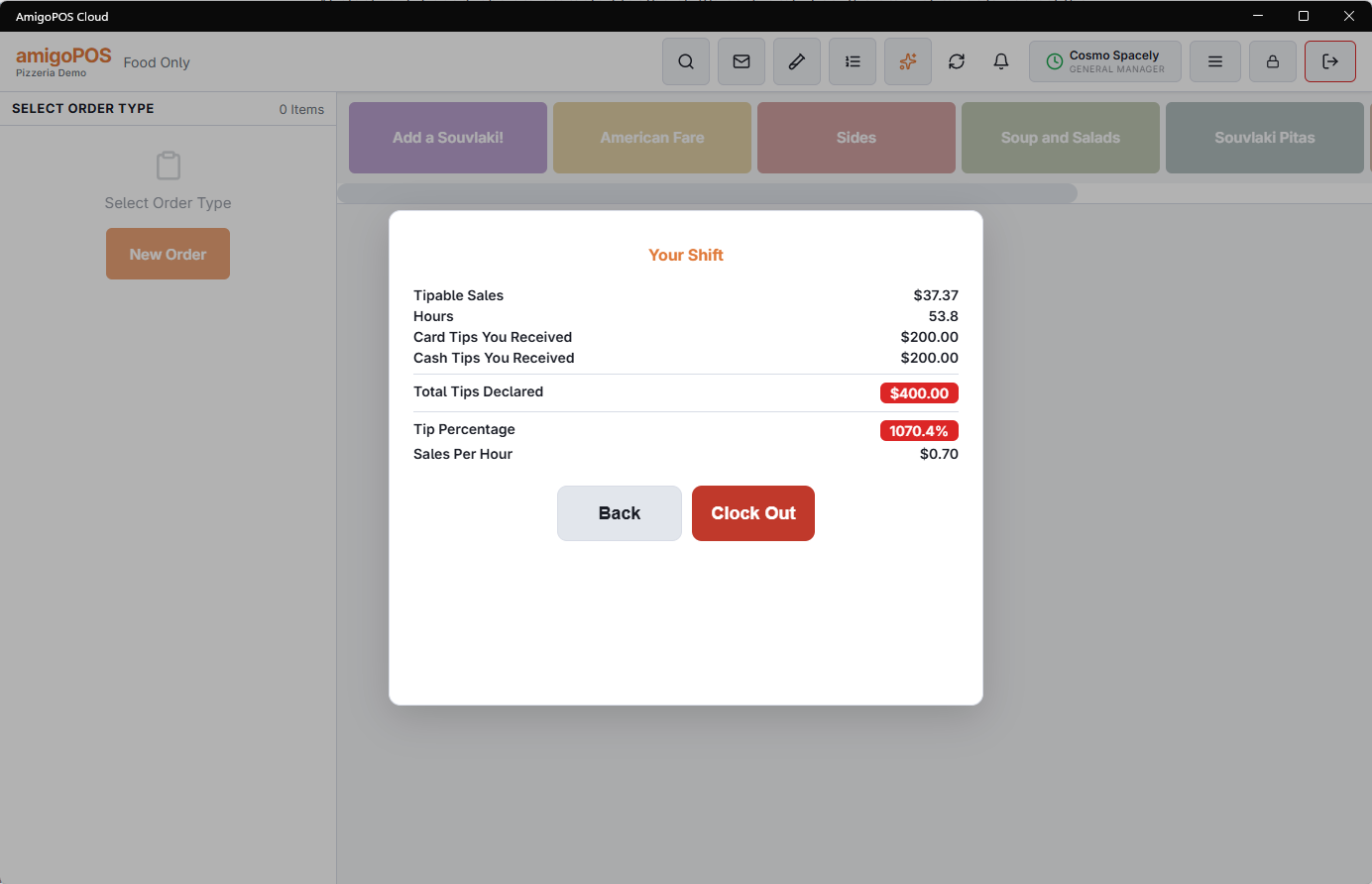
Back steps back to correct an amount; Clock Out on the review saves the cash tips as before. Declaring before seeing the sales is what tip pools want: the number reflects what was actually received, not what the sales suggest. Stores that leave the setting off keep the classic screen.
From a phone
Employees clocking out on the staff site see Card Tips and Cash Tips boxes above Clock Out when blind entry is on; what they enter is saved with the shift the same way.
Declared tips also feed the tip pool and the payroll report — see Tip pooling and tip-outs and Payroll period report and exports.