Once a period has been sent to payroll and paid, its punches should stop moving. Otherwise a manager fixing a forgotten clock-out two weeks later quietly makes the timesheet disagree with what was actually paid, and nobody notices until the employee or the accountant does.
Locking
On Back Office › Employees › Scheduling › Payroll, calculate the period as usual and send the export. The panel under the toolbar then offers Lock <from> – <to>.
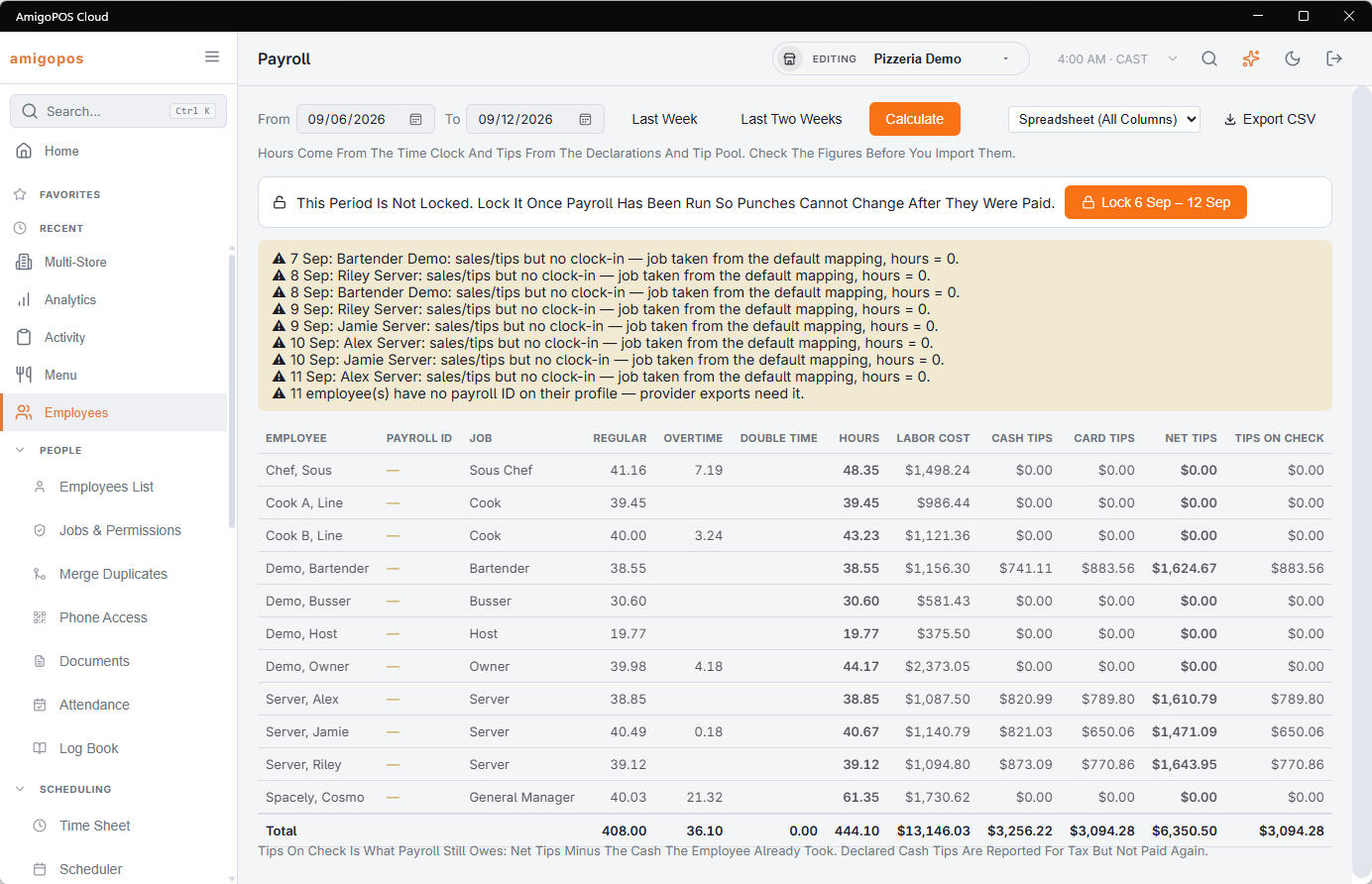
Locking is a decision, not a side effect: downloading an export never locks anything by itself. The period has to end before today, and it cannot overlap a period that is already locked.
What a lock does
- Finished punches inside the period become read-only: they cannot be edited or deleted, on the Timesheets page or anywhere else.
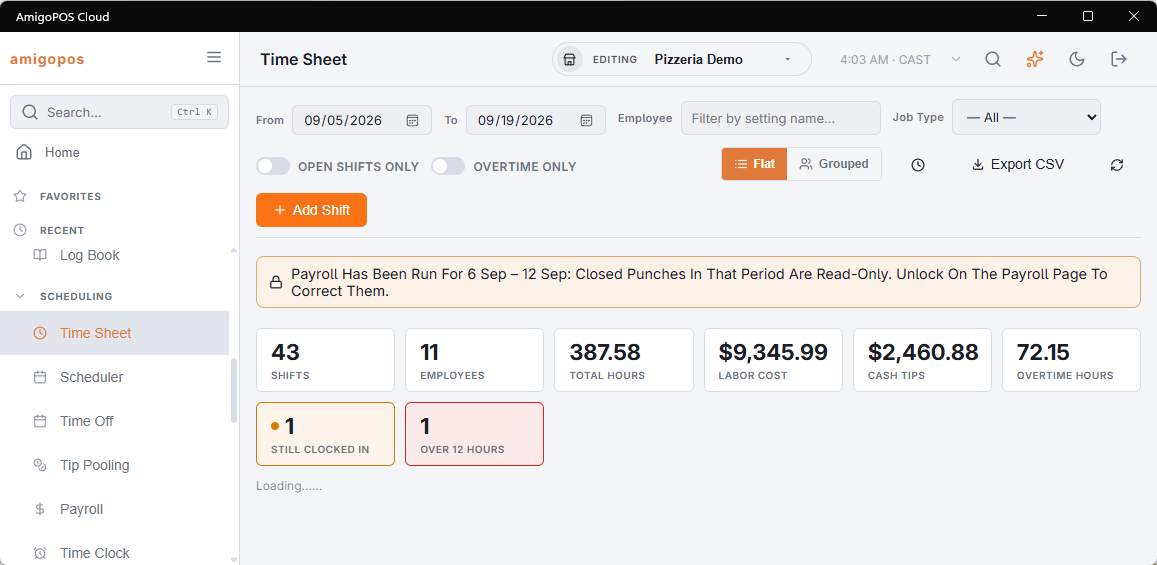
- The Timesheets page shows a banner while the dates you are looking at touch a locked period, and says so instead of opening the editor when you click one of those punches.
- Punches still running are never blocked, so a shift that crosses into a locked period can still be clocked out. Once closed, it is locked with the rest.
- Nothing else is affected: the clock keeps working, schedules and time-off records are untouched, and the payroll figures still recalculate whenever you press Calculate.
Unlocking for a correction
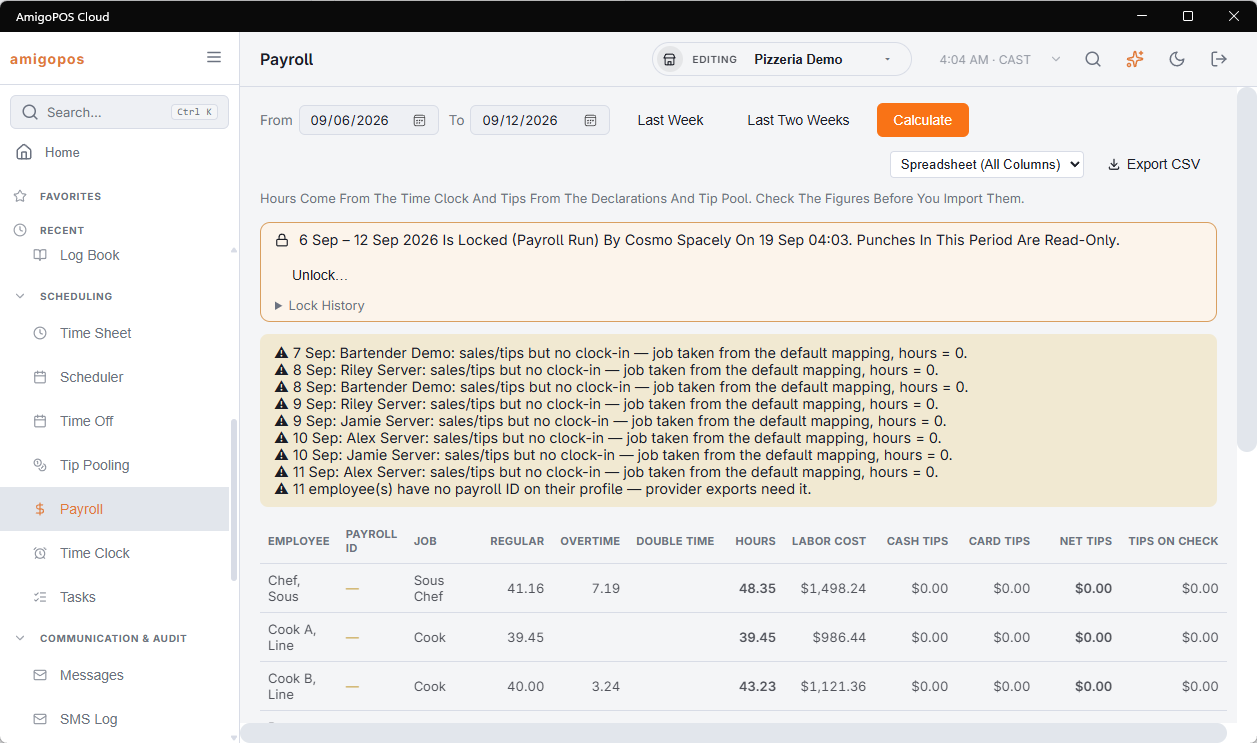
Unlock… asks for a reason and needs the employee-editor right — not every manager who can run payroll can open a paid period. Make the correction, then lock the period again. The lock history keeps every lock and every unlock with its reason, so a corrected period can be explained later.
Approvals and locked periods
- Before you lock, the panel reports finished punches in the period that no manager has approved yet. It is a reminder, not a block.
- Once a period is locked its approvals are frozen too: Approve on Timesheets skips punches inside it, and an approval there cannot be withdrawn. Unlock first if a punch needs changing.