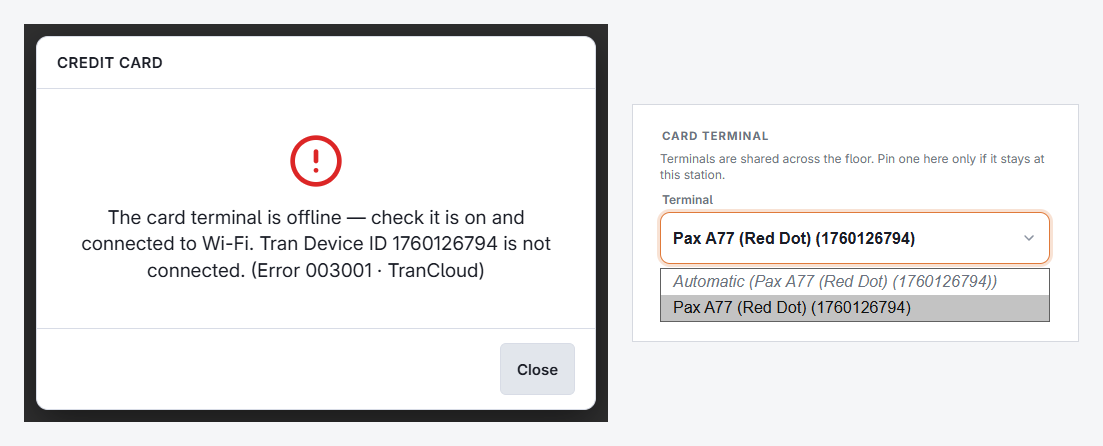
Cancel the hung payment from the POS first. Nothing is charged by an attempt that never completed, and cancelling releases the order so you can take payment another way.
- Look at the terminal screen. Most show their own connection icon — if the terminal has lost the network, the POS never had a chance.
- Reboot the terminal. This is the fix far more often than anything else.
- For a DC Direct terminal, check the station is set to the right terminal under More › Settings › Card Terminal at the register, and that the terminal’s serial is listed on the DC Direct card payment method (Back Office › Payments › Payment Methods). Then run one small test sale.
Keep selling meanwhile
QR pay at table does not go through the terminal, and manual card entry works from the POS when the store has a Card payment method set to Manual processing and a stand-alone terminal listed under Payment Terminals. Cash is always available. None of these need the terminal to be healthy.
If sales fail with an error from the processor rather than a dead terminal — declines on every card, or a gateway message — the terminal is fine and the processor is the place to call. Have the exact message and the time of the attempt ready.