With Post Automatically At End Of Day switched on, nothing needs doing day to day — closing the day queues it and it posts on its own. The Postings tab is for checking what went, for posting older dates, and for putting a day right.
Preview first
Set the start date and press Preview. Nothing is sent to Xero. The preview shows exactly what would be, built from the same figures.
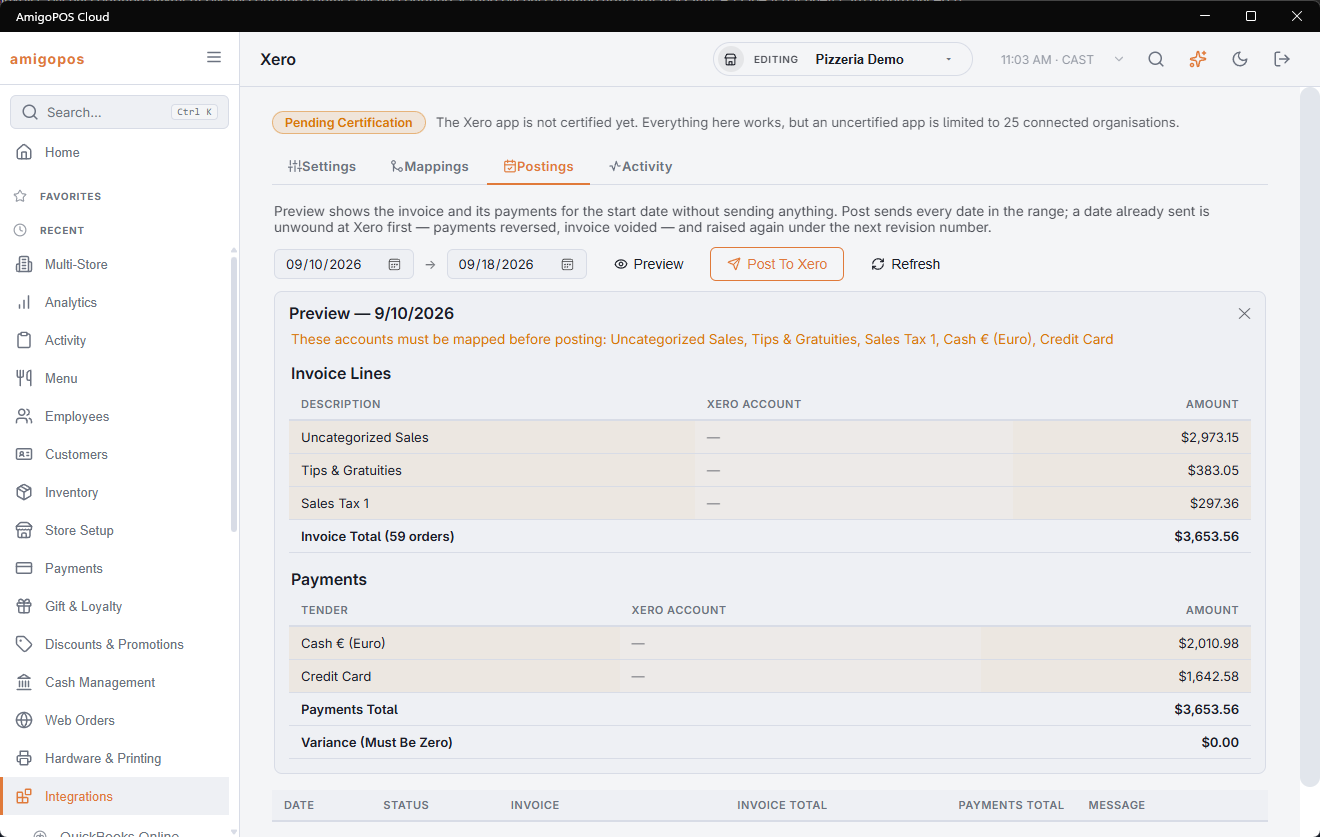
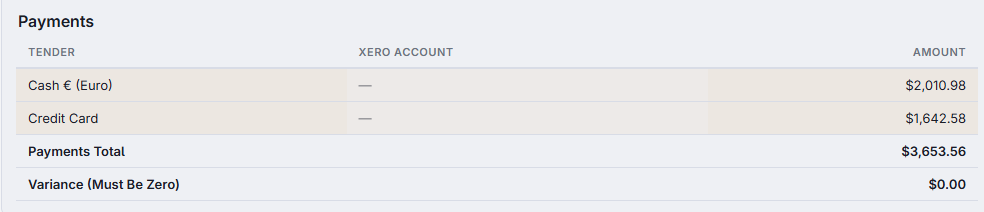
The Invoice Lines table is the day's trading, and the Payments table is the money taken. On a day with refunds a third table, Refund Credit Note, shows the refunded lines and the money paid back per tender.
Messages above the tables name anything that would stop the post — an unmapped account, or a tax slot with no Xero tax rate when Use Xero Tax Rates is on.
Preview always covers the start date only, whatever the end date says.
Posting
Set the dates and press Post To Xero. Every date in the range is posted, one invoice each, so leaving the end date a month away sends a month of invoices. Set both dates the same to post a single day.
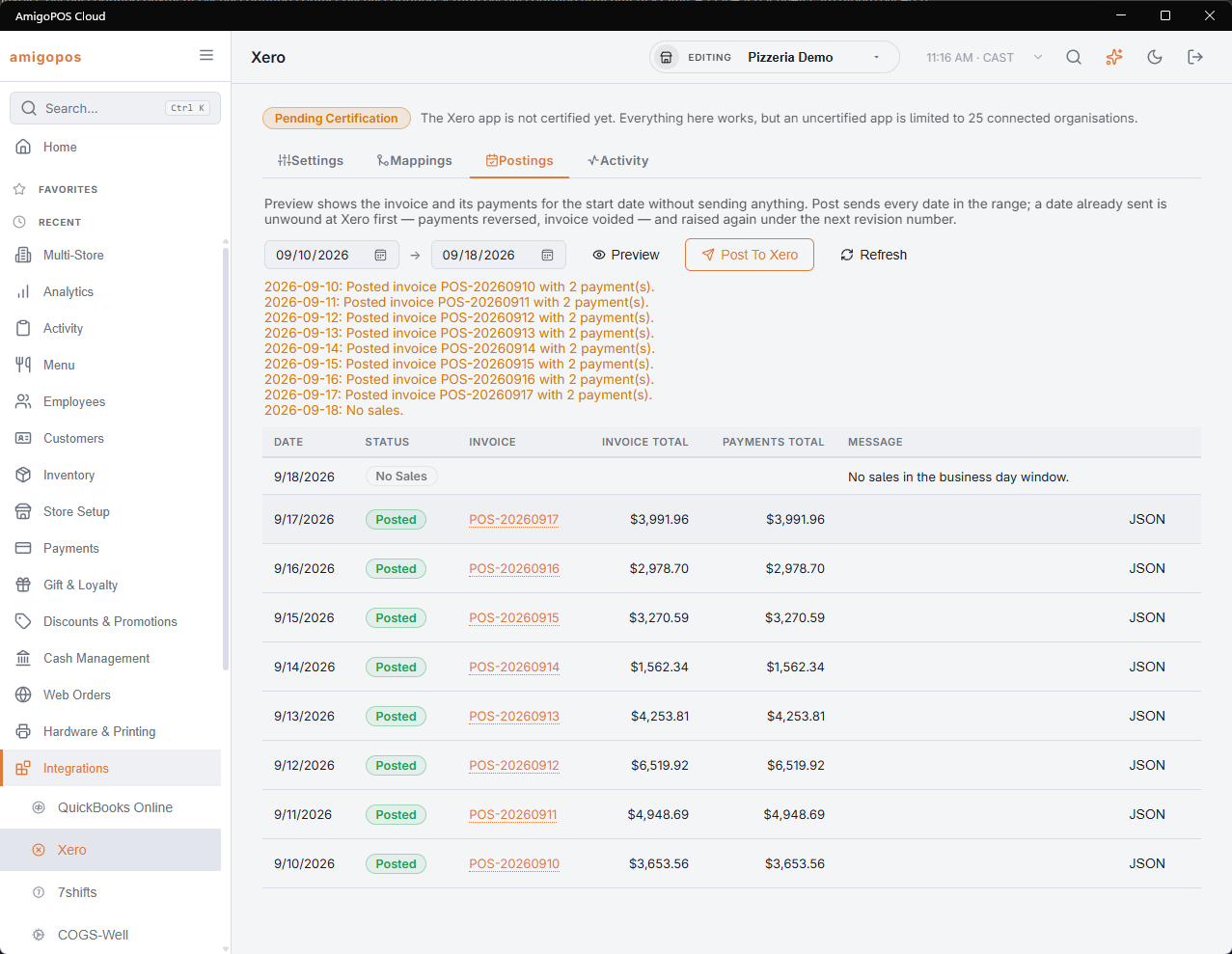
Each date comes back as one of:
- Posted — the invoice and its payments are in Xero, and the credit note too if there were refunds.
- No Sales — there was no trading that day, so nothing was sent.
- Failed — the message column says why.
The history
Below the buttons is every date posted recently, with its invoice number, totals and message. The invoice number is a link straight to that invoice in Xero; on refund days the credit note number sits underneath it with its own link. Where a request and response were recorded, a JSON button shows exactly what was sent and what came back.
Correcting a day already posted
Simply post the same date again. CloudPos removes the payments from the old invoice and credit note, voids them, and raises fresh ones from current figures.
This is worth doing whenever a day's figures change after it was posted — an order corrected the following morning, for instance. A refund given later does not need it: it is sent on its own day.
Which day End Of Day posts
End Of Day queues the business day it closes. Even when it runs after midnight or the next morning, the invoice is for the day being closed, not the new one. A day closed while Post Automatically At End Of Day was off is not sent later on its own — post it from the Postings tab.
Posting by hand and the queue
When you post a day by hand, that day's automatic post still waiting in the queue is closed, so the day is not posted again later. The integration pages and their actions need the Back Office configuration right.