When a delivery is received in CloudPos, the same receiving can be sent to Xero as a bill from that supplier, so purchases and cost of sales sit in the accounts next to the day's sales.
Switching it on
- On the Settings tab, switch on Post Supplier Bills.
- On the Mappings tab, map the Inventory Categories (Supplier Bills) group — one row per inventory category — and the Purchases row under Special Accounts, which catches items without a category. Auto-Map creates cost-of-sales accounts for them.
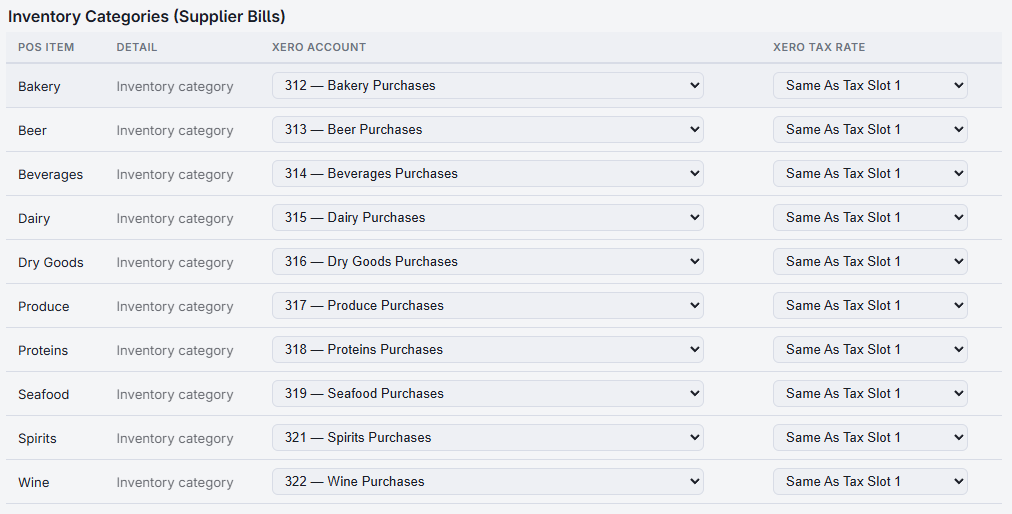
What gets sent
- One bill per supplier invoice. Receivings entered with the same supplier invoice number become one bill with that number. Receivings with no invoice number become one bill per supplier per day.
- One line per item received — the item, the quantity and the unit cost, coded to its inventory category's account.
- The supplier is created in Xero as a contact the first time a bill is sent for them.
- Bills are due thirty days after the receiving date, and are created as drafts when Create Invoice As Draft is on.
- With Use Xero Tax Rates on, each line takes its category's tax rate, or the Purchases row's. Unit costs are treated as excluding tax.
- Stock transfers between the business's own stores are not purchases and are never sent.
When it runs
Every receiving not yet sent goes at End Of Day, alongside the daily invoice. To send them now, open the Postings tab and press Post Bills Now under Supplier Bills.
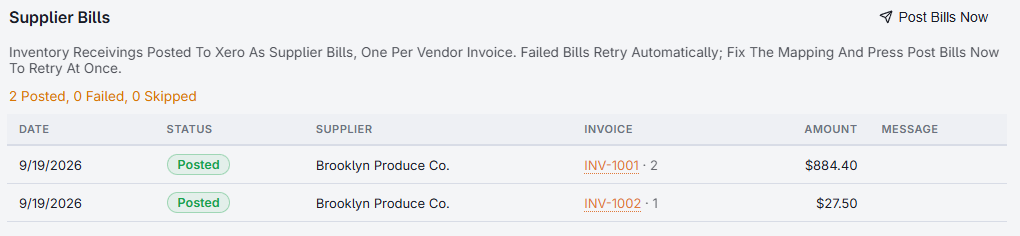
The list shows each bill with its supplier, number, amount and status. The number links straight to the bill in Xero.
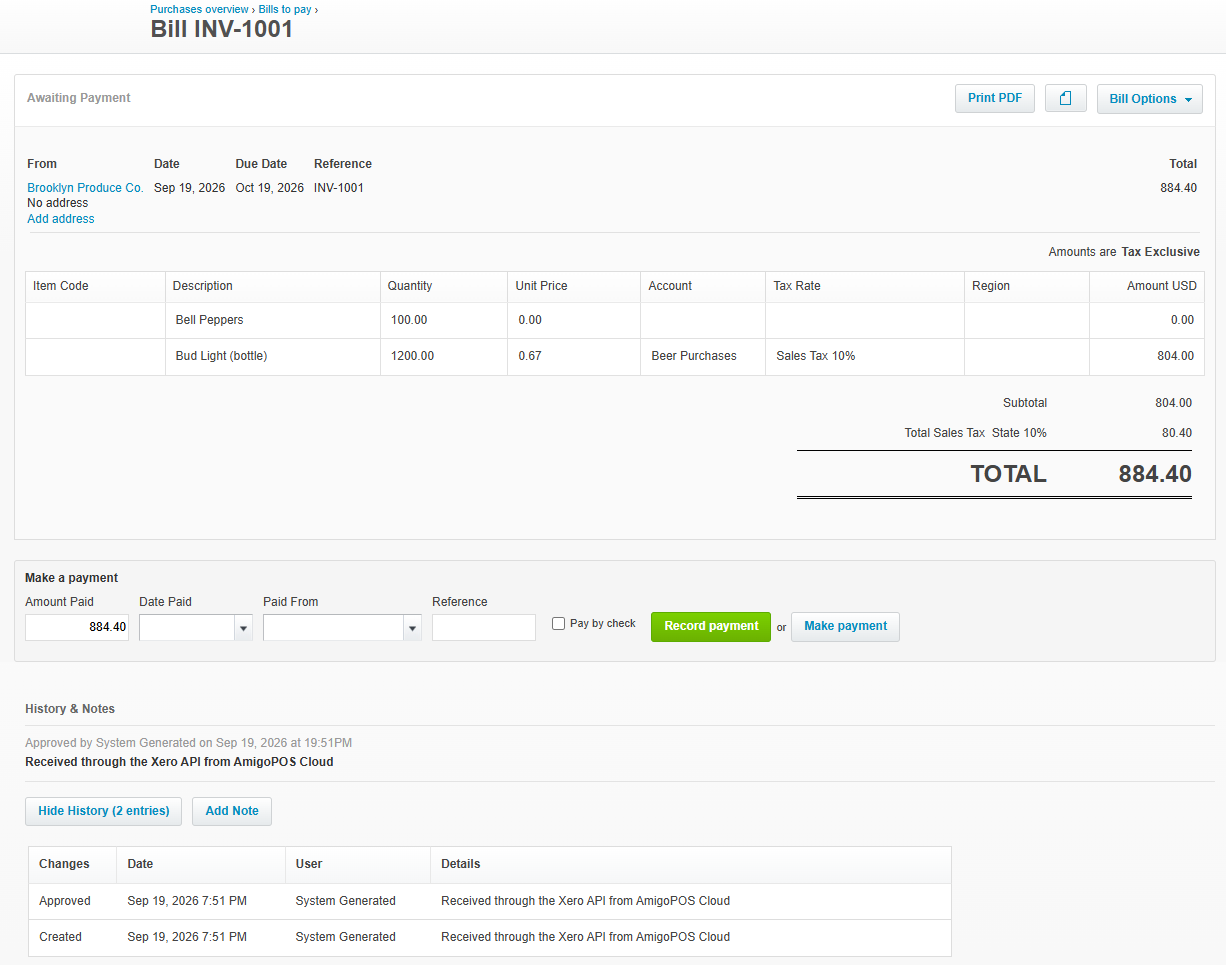
If a bill fails
The message on the row says why — usually an unmapped inventory category. Fix it and press Post Bills Now; a failed bill is also retried automatically at later closes. A receiving is only ever sent once.
Bills are not re-sent when a receiving is edited afterwards. Correct the bill in Xero, the same way as any supplier invoice keyed by hand.