A bar tab is an open order that lives at the bar — started in seconds, named so it can be found among twenty others, and settled whenever the guest is done.
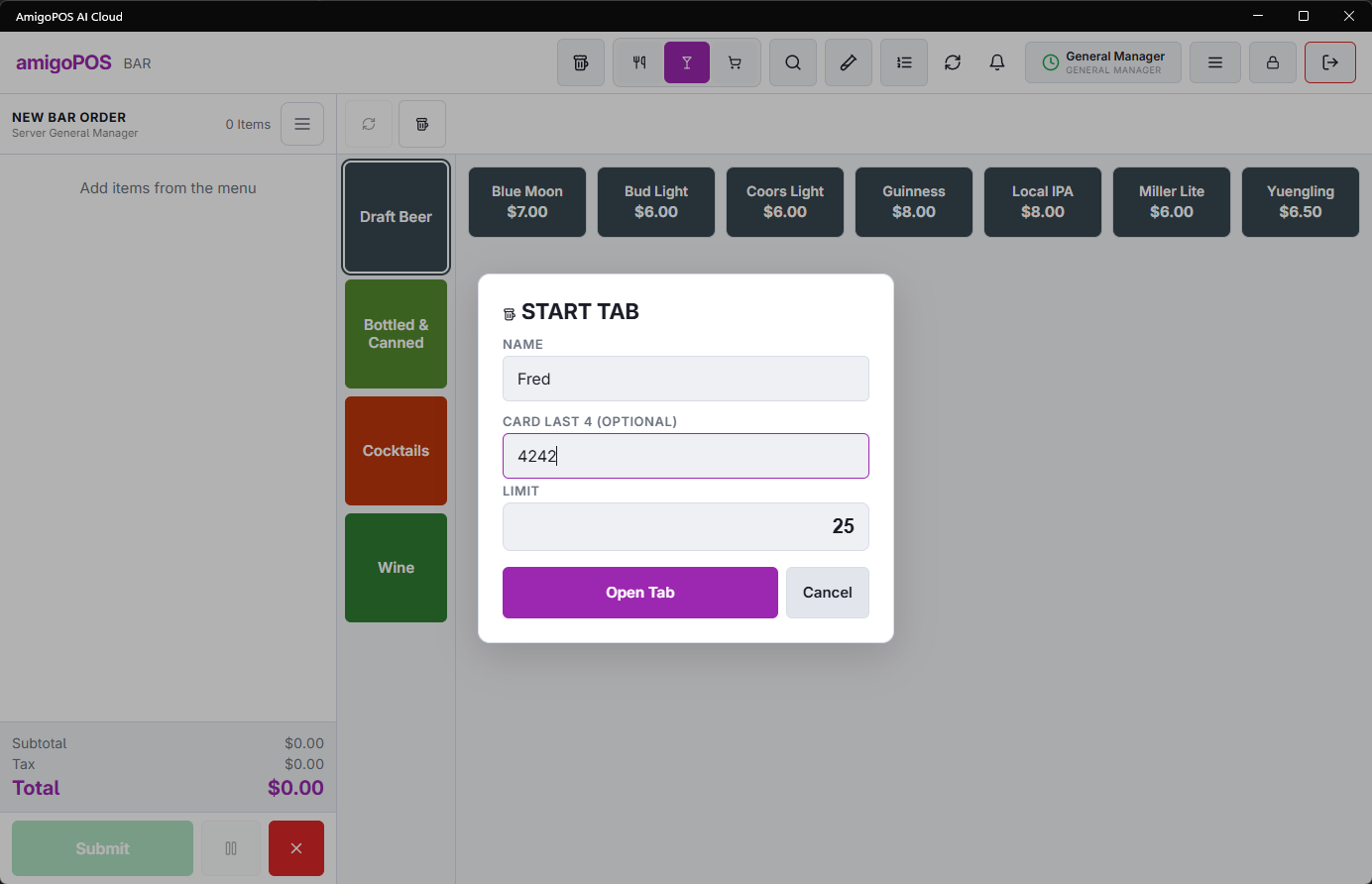
Starting one
- Start an order under the bar order type (the Bar button, per the store’s order types).
- Name it when prompted — the guest’s name, or the time-honored descriptors (“red jacket, end of bar”). The name is how the tab is found later, so make it findable by whoever’s behind the bar at close, not just by you.
- Ring the first round and send. The tab stays open; ring more rounds by recalling it.
Card on file
Where the store pre-authorizes, swiping the guest’s card at open attaches it to the tab — walkaways settle to the card, and the card’s name can name the tab in one motion.
Finding tabs
The orders list’s Bar tabs filter shows every open tab by name. From there: recall to add rounds, Add gratuity, transfer to a table (that’s a combine — see Combining orders), or settle. The full close-out flow is Opening, re-opening, and settling a tab.
Opening a tab with a card (DC Direct)
With a DC Direct card method and the pre-auth button turned on in the Bar settings, Start Tab offers Open Tab With Card: the tab opens and the terminal pre-authorizes the guest’s card for the tab limit. See Bar tabs on a card.
The Start Tab screen
On the bar menu, Start Tab (+) opens the tab on the current order: the guest’s name, optionally the last 4 digits of their card, and the limit. The limit starts at the store’s default; the preset buttons under it set a different one in one tap. Tabs lists the open tabs to pick from. Both buttons, the default and the presets are set in Bar Settings.