With Assign cash drawers on (Back Office › Cash Management › Cash Drawers, or General Settings), a cashier picks a cash drawer when they clock in, and the cash they take, drop or pay out is recorded against that drawer and against them. What the cashier sees step by step is in Claiming a cash drawer at clock-in.
Who is asked to pick a drawer
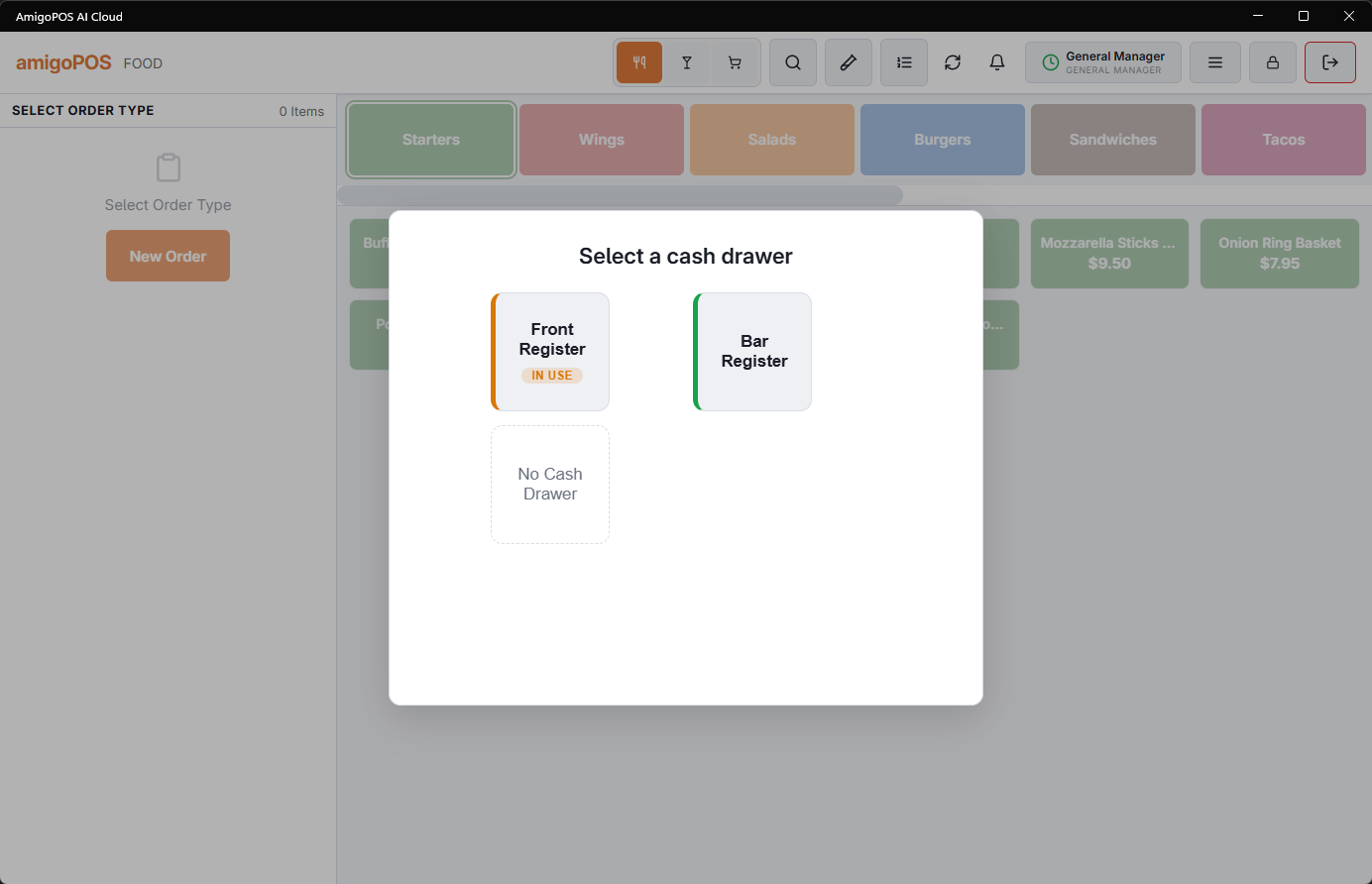
The Select a cash drawer screen opens after clock-in when all of these are true:
- Assign cash drawers is on;
- employee banking is off (with banking on, nobody picks a drawer; see Employee Banking Settings);
- the job the employee clocked in under has both Cash Sale and Settle Orders.
Kitchen and other non-cash jobs skip it. An employee who skipped it, or needs another drawer, uses the Cash Drawers button on the time clock.
The drawers offered
The screen lists the drawers whose home is this station, and drawers shared with it. Each shows its name and its state:
| State | What happens when it is picked |
|---|---|
| (no label) — available | The drawer is claimed and the opening cash screen opens. |
| Count required | The last person clocked out without counting it. The cashier counts it first; the claim goes through when the count is saved. |
| Pending Handoff | The last person counted it at clock-out, which happens when Count Drawer At Clock-Out is on (Cash Drawers page). The cashier checks that count against the drawer first. |
| In use by … | Someone else has it. Only that person, or a job with Drawer Count, can pick it — or anyone, when Share Drawers Between Cashiers is on (Cash Drawers page). |
A job with Drawer Count can take a drawer in any state without counting it first; the claim is marked as started on an uncounted drawer, which the variance report shows. No Cash Drawer clocks the employee in without a drawer: cash payments are then not offered to them.
Opening cash
Opening cash in drawer asks for what is already in the drawer, one line per cash currency the store takes. Leave a line blank for a currency the drawer does not hold, or select Skip. If another open shift already declared the drawer’s opening cash, the screen is skipped with Drawer already opened this shift — opening count skipped, so the opening is not counted twice.
Without a drawer
No Sale, Payouts, Cash Drops and Employee Banking need a drawer on the station. Without one, the register says so instead of opening them.