Back Office › Store Setup › Employee Banking Settings turns employee banking on for the store and sets how a banked employee’s shift ends. How banking itself works is explained in Server banking vs. driver banking.
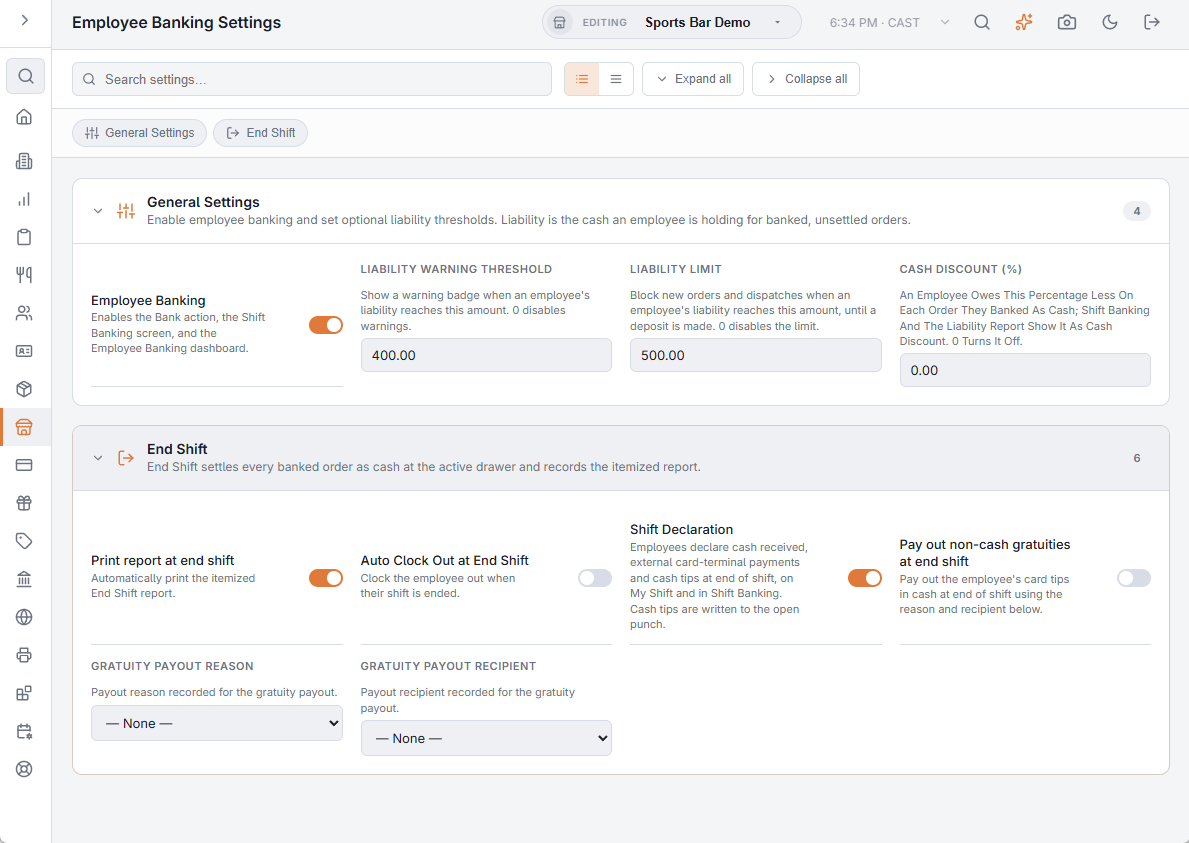
There is no Save button: each setting saves as you change it, with a tick to confirm.
General Settings
- Employee Banking — off to start. On, the orders list gets the Bank action, the time clock gets the Bank Report button, and the Shift Banking screen and the Employee Banking dashboard (Cash Management › Employee Banking) come into use. Jobs that can both take cash and settle can bank. While banking is on, nobody is asked to claim a cash drawer at clock-in.
- Liability warning threshold — when an employee is holding this much cash for banked orders, they are flagged in Shift Banking and on the dashboard. 0 turns the warning off.
- Liability limit — a driver holding this much cannot be sent out on another delivery until they make a deposit. 0 turns the limit off.
- Cash Discount (%) — an employee owes this percentage less on each order they banked as cash. Shift Banking, the Employee Banking dashboard and the liability report show it as Cash Discount. 0 turns it off. This setting used to be on Store Setup › Settle Screen.
End Shift
End Shift settles every order the employee banked as cash at the active drawer and records an itemized report.
- Print report at end shift — prints that report automatically. On to start.
- Auto Clock Out at End Shift — clocks the employee out when their shift is ended. Off to start.
- Shift Declaration — employees declare the cash they received, payments taken on an external card terminal, and their cash tips, on My Shift and in Shift Banking. Cash due is the POS cash minus the external card payments; over/short is the cash declared minus the cash due. There is one declaration per employee per business day, and saving again replaces it. Cash tips are written to the employee’s open punch. Turning this on also adds Activity › Shifts & End of Day › Shift Declaration.
- Pay out non-cash gratuities at end shift — pays the employee’s card tips in cash when the shift ends, recorded as a cash payout with the Gratuity payout reason and Gratuity payout recipient chosen below it. The reasons and recipients are the payout lists on Store Setup › Settle Screen › Cash Payouts.
Related: Employee banking and deposits, Shift banking overlay.