Back Office › Customers › Customer Types is the list of groups you sort customers into, such as Staff, Wholesale or Senior. A customer has one type, chosen on their record. Price rules can be restricted to a type, and each type can limit how often its customers get those prices each day. The list is shared by all your stores.
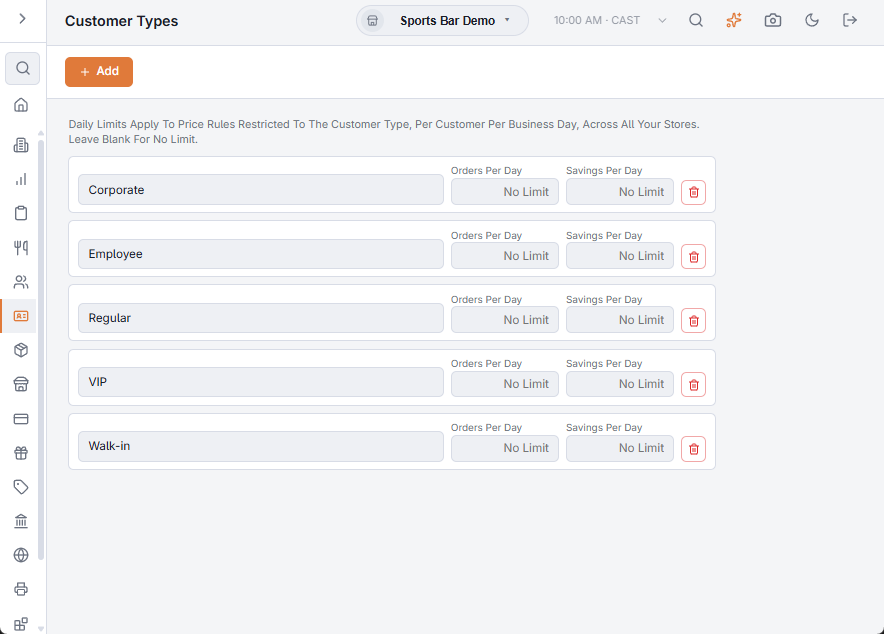
Managing the types
- Add — adds a type called New Type at once. Type over the name to rename it.
- Each change saves when you leave the box; a tick confirms it, a cross means it was not saved.
- The bin icon deletes a type after you confirm. Customers and price rules that used it lose the type.
The types appear in the Customer Type list of each customer record in Customers list, types, and merge. A new customer gets the first type in the list.
Daily limits
The two boxes on each row limit the Price rules restricted to that type. They count per customer, per business day, across all your stores. Leave a box blank (it shows No Limit) for no limit.
| Box | What it limits |
|---|---|
| Orders Per Day | How many orders a day the customer can get the type’s prices on. |
| Savings Per Day | How much the customer can save in a day with those prices: the regular price less the rule price, times the quantity, added up over the day’s orders. |
The register checks the limits when the customer is added to an order or an order of theirs is recalled. Orders already saved that day count, except voided ones. Once a limit is reached, items ring at their regular prices and the register says so, for example Staff: Daily Order Limit Reached. Regular Prices Apply. Before that, it can show what is left, such as Staff: $12.00 Left Of Today’s Savings Limit.