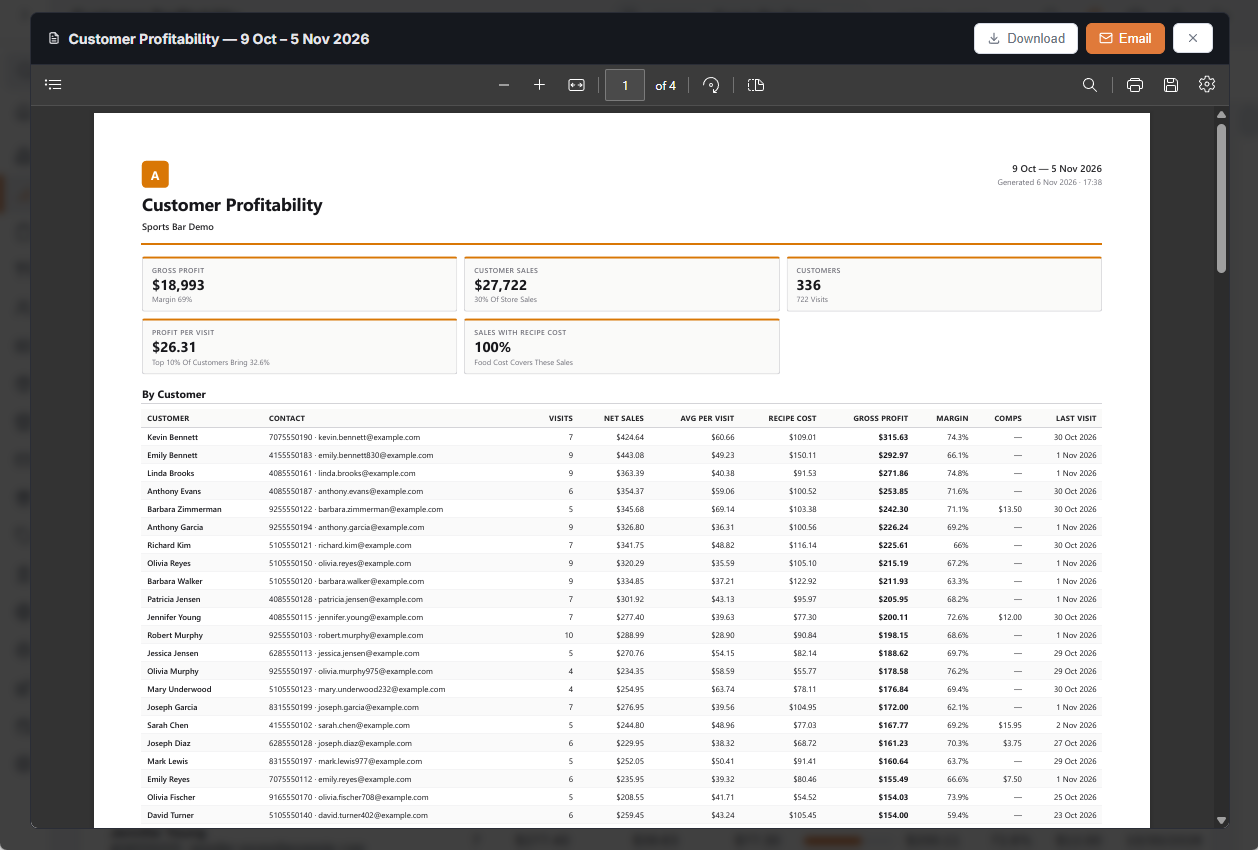
Customer Profitability shows what each known customer bought over a date range and what it left after recipe cost. Use it to see which regulars are worth the most, and which ones cost you more in comps and discounts than they bring.
Open it
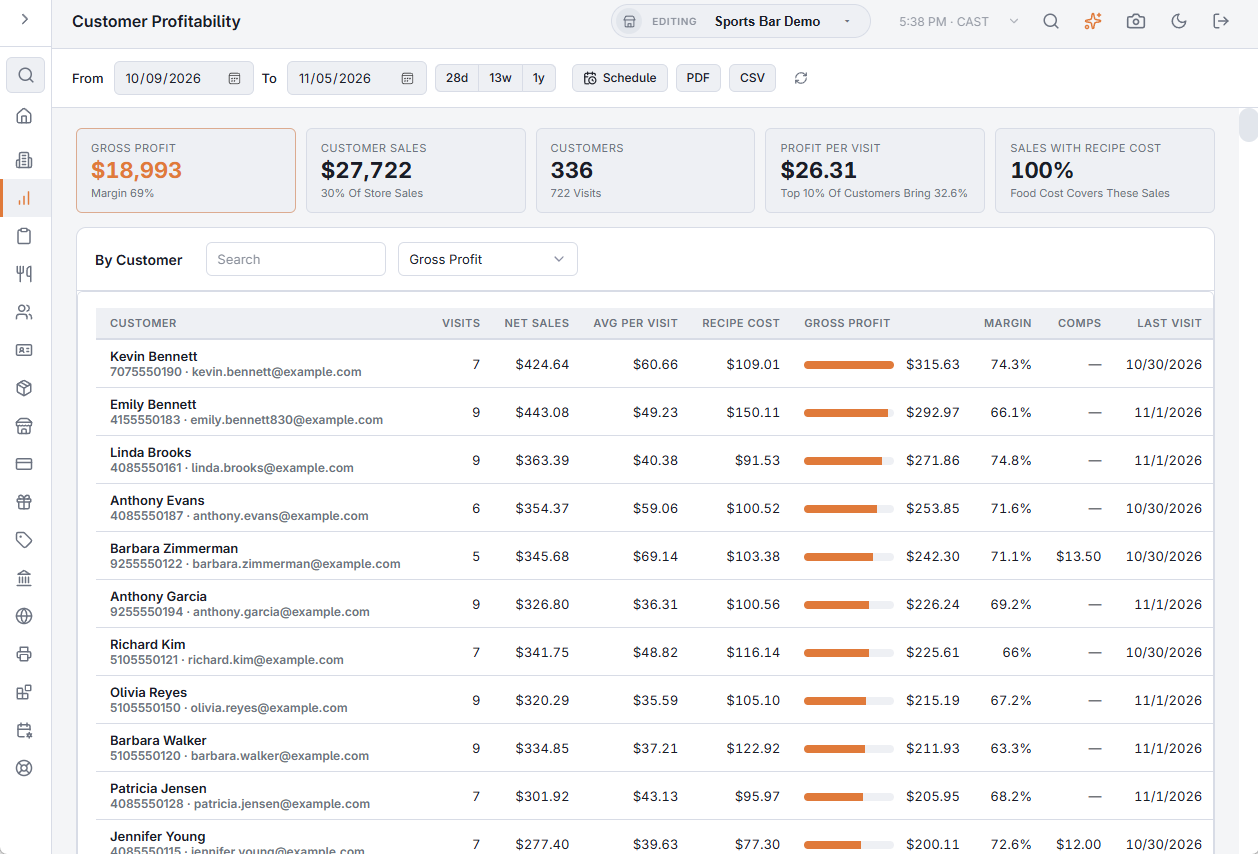
Go to Back Office › Analytics › Performance › Customer Profitability, pick the dates or one of the quick ranges (28 days, 13 weeks, 1 year).
Who counts as the customer
Each item belongs to:
- the customer its guest was linked to on the register's guest dialog (see Linking seated guests to customers), else
- the customer on the check, else
- the customer who holds the check's loyalty card.
Checks with none of these are not in the report. The shared marketplace and Uber Eats customers, and deleted customers, are left out.
The numbers
- Customer Sales: item sales after item and order discounts (an order discount is shared over the items by value), before tax. Under it, the share of all store sales.
- Recipe Cost: units × the Menu Costing recipe cost. Comped items cost too and come off the gross profit. Items without a recipe add no cost; Sales With Recipe Cost says how much of the sales the margin covers.
- Gross Profit = sales − recipe cost − cost of comps. Margin is measured on items with a recipe.
- Visits: business days with at least one of the customer's items. Profit Per Visit and Avg Per Visit divide by them.
- The top 10% of customers' share of the gross profit.
Search by name, phone or email and sort by gross profit, sales, visits, margin or profit per visit. A star marks customers with a loyalty card. The table lists the top 500 customers by gross profit.
PDF, CSV and scheduled email
PDF opens a printable copy with the top 100 customers; CSV downloads the list as shown (search and sort included); Schedule emails the PDF on a schedule. You can also ask the assistant, for example "who are our most profitable customers this quarter?".