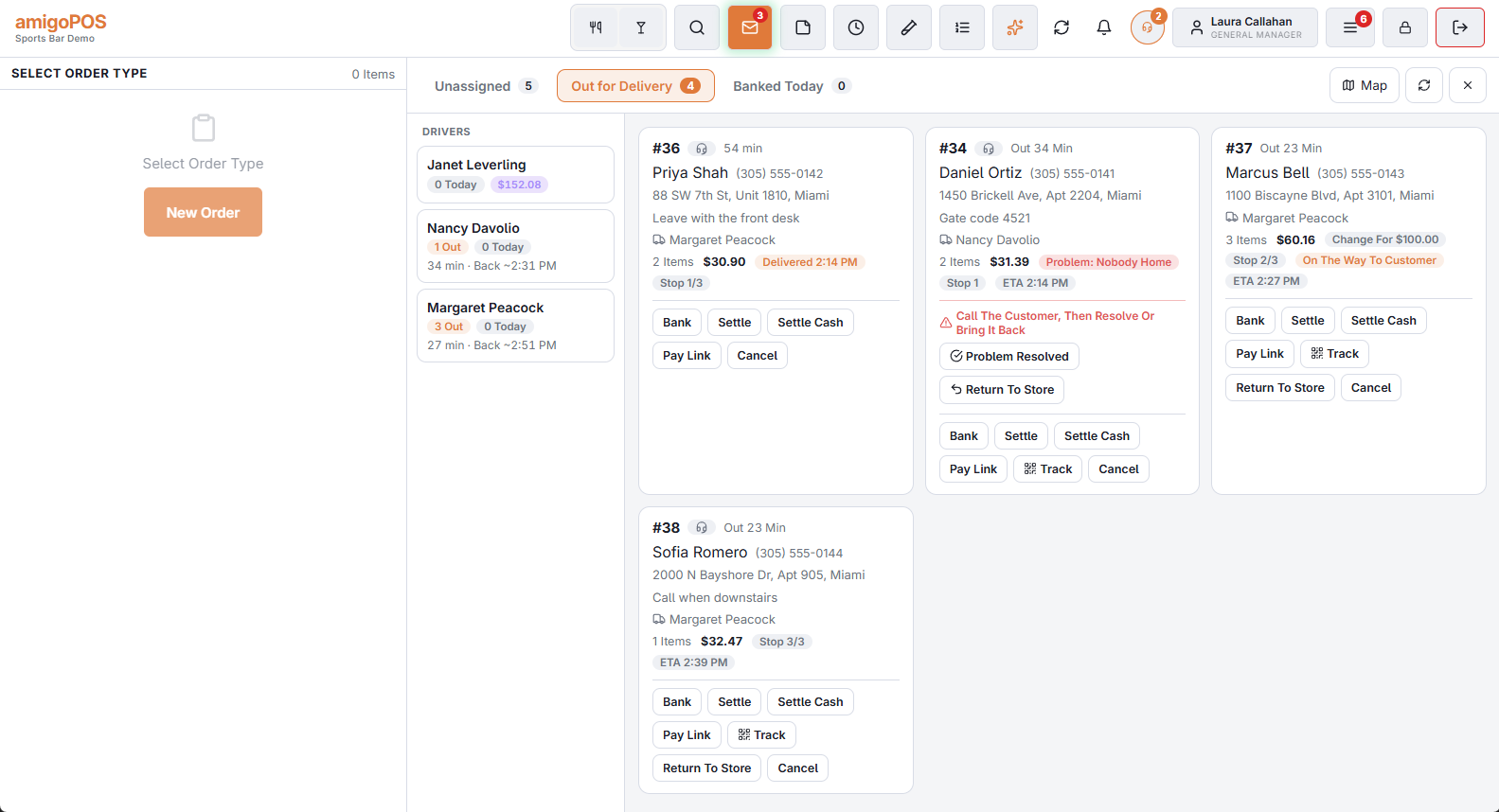
The delivery board is three tabs, which is also the life of a delivery order:
In one picture: the four stages of a delivery, and who moves an order from one to the next.
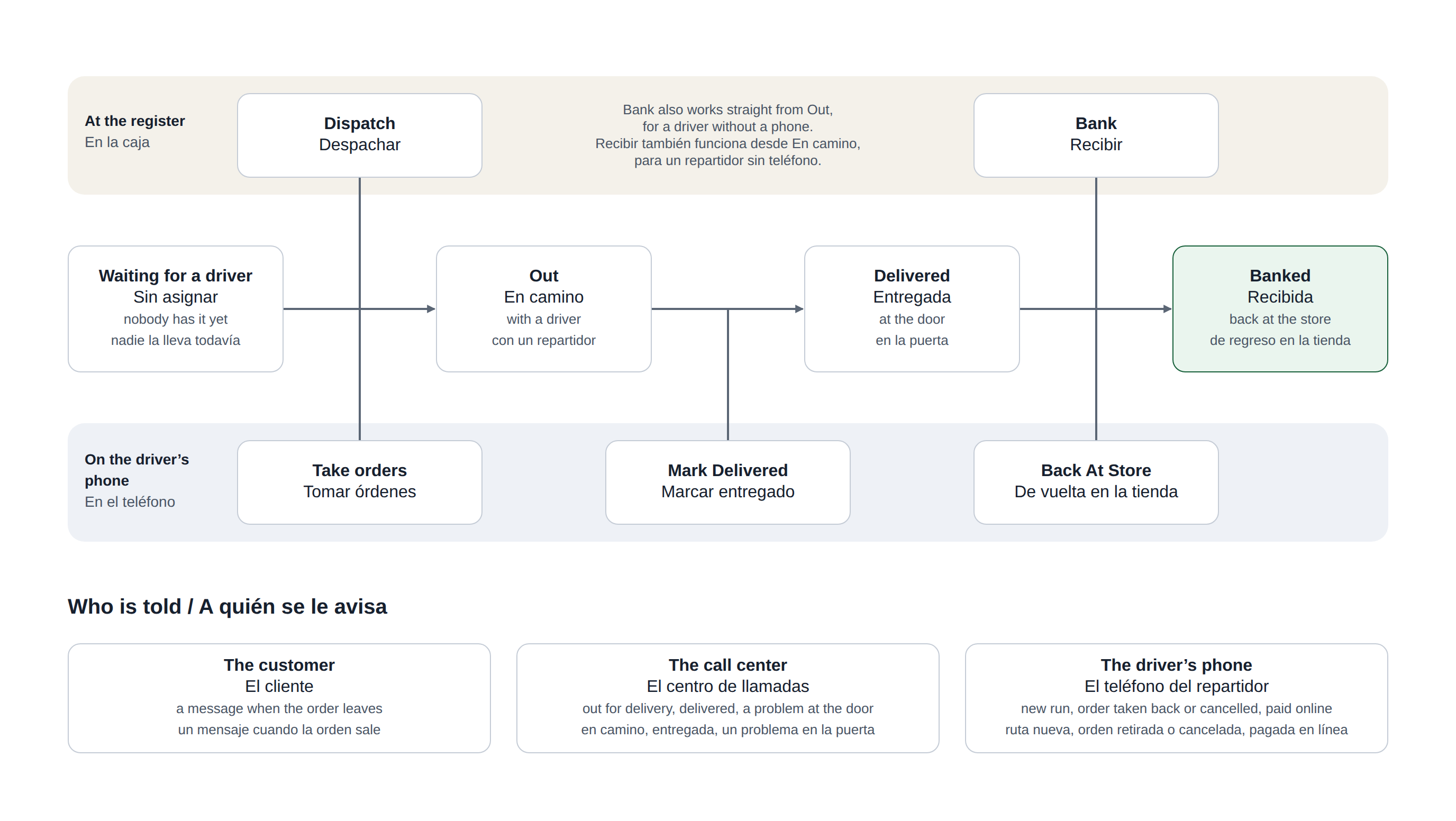
- Unassigned — ready to go, nobody carrying it.
- Out — with a driver right now.
- Banked today — back from the road, cash accounted for.
Choosing a driver
Only drivers who are clocked in can take deliveries. One is suggested: the clocked-in driver with the fewest active deliveries, and among equals, whoever has been out longest. It is a suggestion, not a rule — override it whenever the geography says otherwise.
Building a run
Select the orders for the run. The order you select them in is the stop order, and it can be rearranged in the dispatch bar before you send, so a driver’s route is decided here rather than in the car.
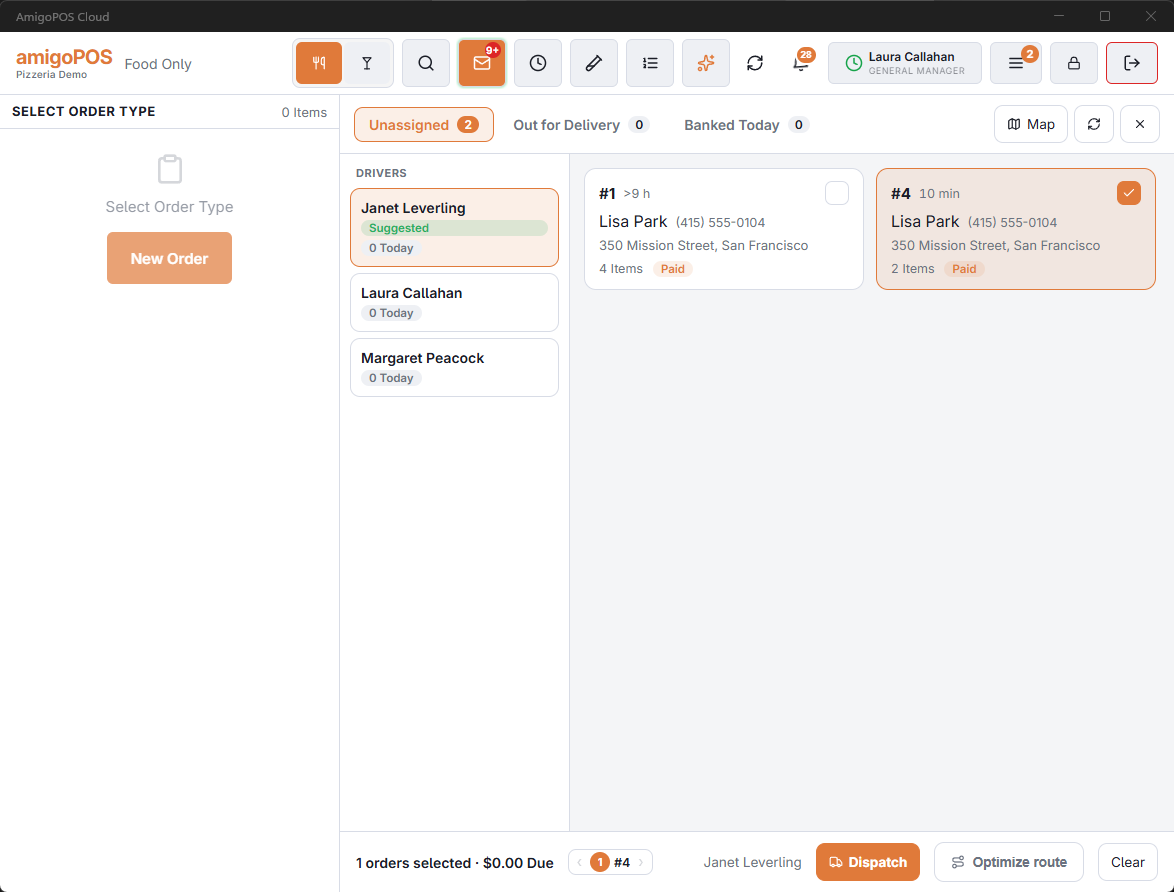
Who appears on the driver rail
A driver is listed when they are clocked in at this store on a job marked as a driver job, whichever store their employee record was created at. With Order Drivers By Last Time Out on, drivers who are in come first, the one who has waited longest at the top.
Drivers can take orders themselves
Where drivers use the staff site, they can take waiting orders from their own phone instead of being dispatched. See Drivers taking orders from their phone.
What is not on the board
An order the call center is holding (Do Not Send, or waiting for a payment), and a web order waiting for its payment, are not listed until they are released.
What the cards tell you
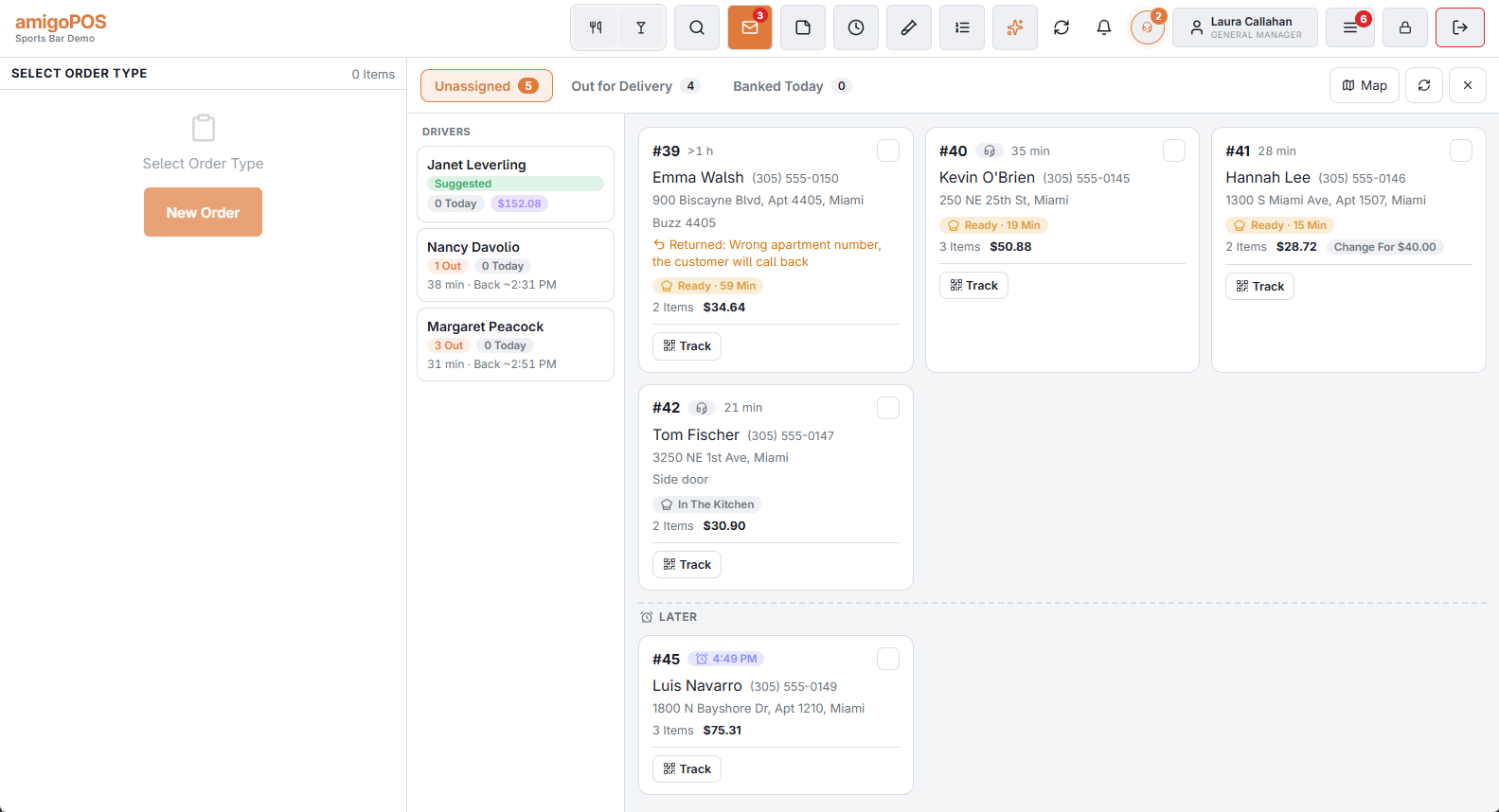
- The kitchen — at a store with kitchen screens, an unassigned card reads In The Kitchen until the order is bumped, then Ready · 6 Min: how long it has been waiting for a driver.
- Later — a scheduled order sits in its own group with the time it is for, until it is due in the kitchen, so it is not sent out early by mistake.
- Returned — an order brought back shows why, until it goes out again. See when a delivery runs into trouble.
On the Out tab a card shows how long it has been out (Out 14 Min), its place in the run (Stop 2/3) and, when the driver taps them on the phone, On The Way To Customer and Arrived. A driver who is out shows on the rail when they should be back (Back ~7:45 PM).