A manager can run deliveries from the phone: the staff site’s Dispatch page is the register’s delivery board without the register. It is listed under More for managers at a store that delivers its own orders, with a count when something needs attention; the same count shows under Needs You on Home.
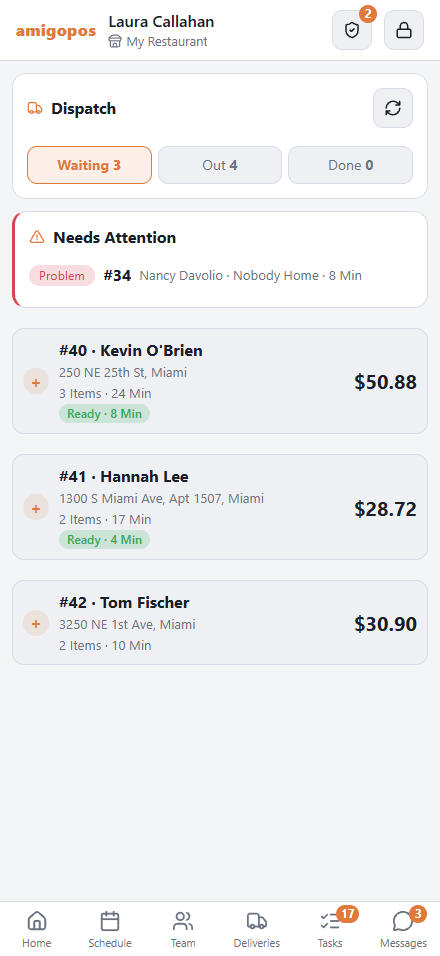
Needs Attention
At the top: deliveries with a problem at the door, orders brought back, and deliveries running late. Each opens to the same answers as at the register — Call, Resolved, Return To Store. See when a delivery runs into trouble.
Waiting
Orders waiting for a driver, oldest first, with how long they have waited and whether the kitchen has finished them. A scheduled order waits under Later (Scheduled) until it is due in the kitchen.
- Tap the orders in the order they will be delivered. Each gets its stop number.
- Pick the driver. The list shows who is At The Store, who is out (1 Out, with the time they should be back) and who is Not Clocked In.
- Tap Dispatch 2 To Driver.
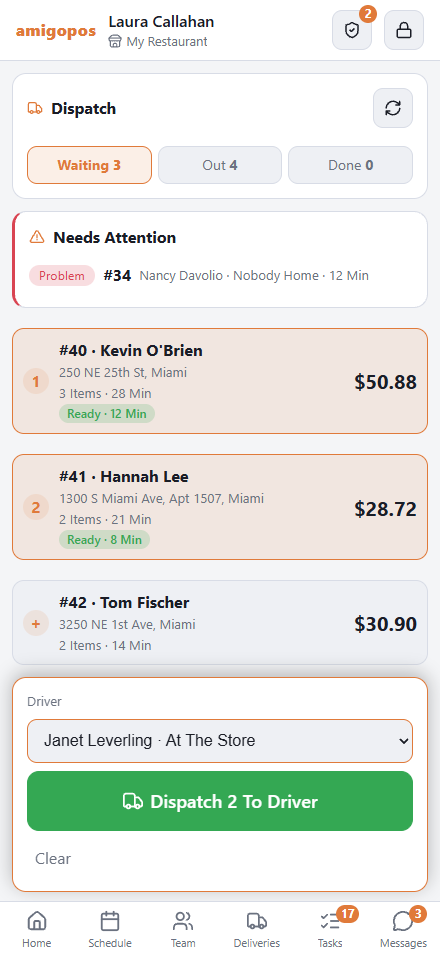
It is the same dispatch the register makes: the promise time, the route, the customer’s on-the-way message, the liability limit and the call-center notice. No trip ticket is printed.
Out and Done
Out lists each driver’s run. On a stop: Call the customer, Return To Store, Text Tracking Link (sends the customer the tracking page), or cancel the dispatch. Done lists today’s delivered orders.
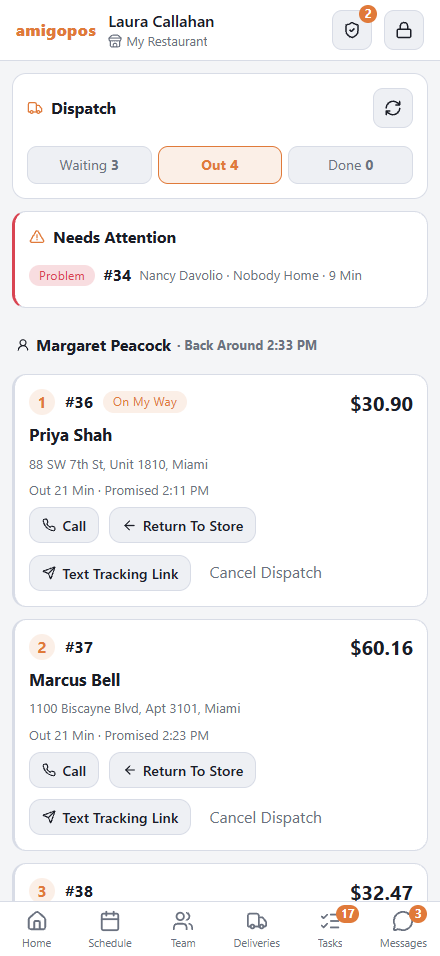
The page refreshes itself every 15 seconds. A driver’s cash is banked at the register, or by the driver’s own Back At Store.