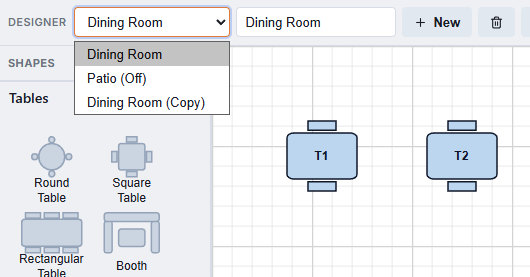
The Rooms panel lists every room of the store, including the ones switched off. Open it with the list button on the designer toolbar, next to Duplicate Room. The panel has its own Save; what you change in it reaches every register as soon as it is saved.
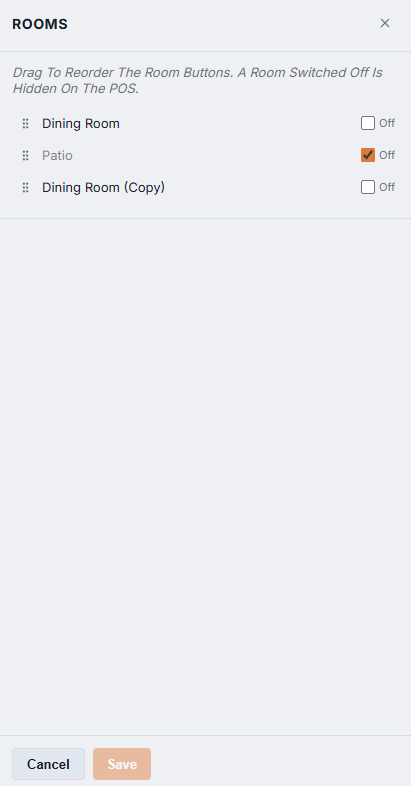
The order of the room buttons
Drag a room by its grip to move it up or down. The order top to bottom is the order of the room buttons on the register’s Tables screen and in the reservation book’s floor plan. Put the room staff open most on the left.
Switching a room off
Tick Off on a room and save. The room disappears from the registers; its tables, names, sizes and history are all kept, and the room still appears in the designer’s room list marked (Off), so you can edit it or switch it back on when the season starts. This is the right way to park a patio for the winter: deleting the room would throw its tables away.
Duplicate Room
Duplicate Room on the toolbar starts a new room as a copy of the one shown: every shape with its size, position, section and settings, the background colour and the floor image. The copy is named “(room name) (Copy)” and its tables are renamed so none of them clashes with the original; rename the room and the tables as you like, then Save. A second dining room, or an evening layout of the same room, takes a minute instead of an hour.