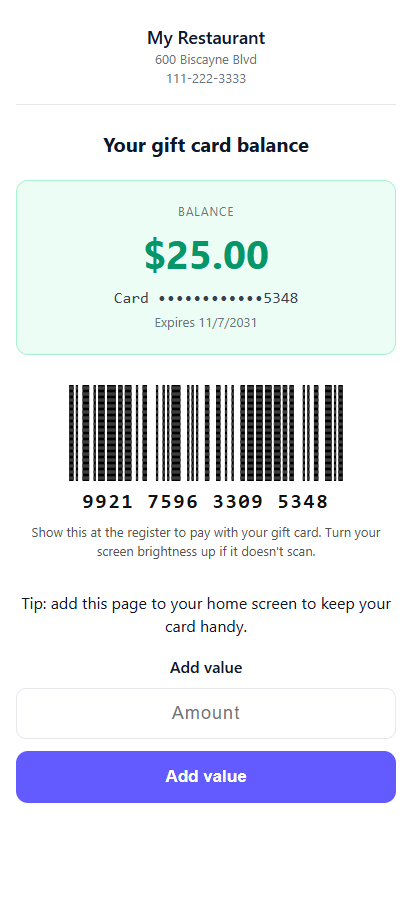
The link in the gift email shows the balance and a barcode to scan at the register, and can be saved to the phone.
Once an e-gift is activated, the link in its email opens a page with the live balance, the card number as a barcode and the number printed under it in groups of four. That page is the card: the guest shows it at the register and the cashier scans it like a physical card.
Scanning needs an imager scanner — laser scanners can’t read phone screens. Otherwise type the printed number.
Keeping it handy — the page can be added to the phone’s home screen (Android and iPhone) and says so.
Privacy — the page is never cached and doesn’t pass its address on to other sites.
Store setting GiftCardWebShowBarcode hides the number and barcode if you prefer the page to show the balance only.