A digital gift card is sold at the register and emailed to whoever it is for — useful when a guest wants to buy a gift for someone who is not in the room.
Selling one
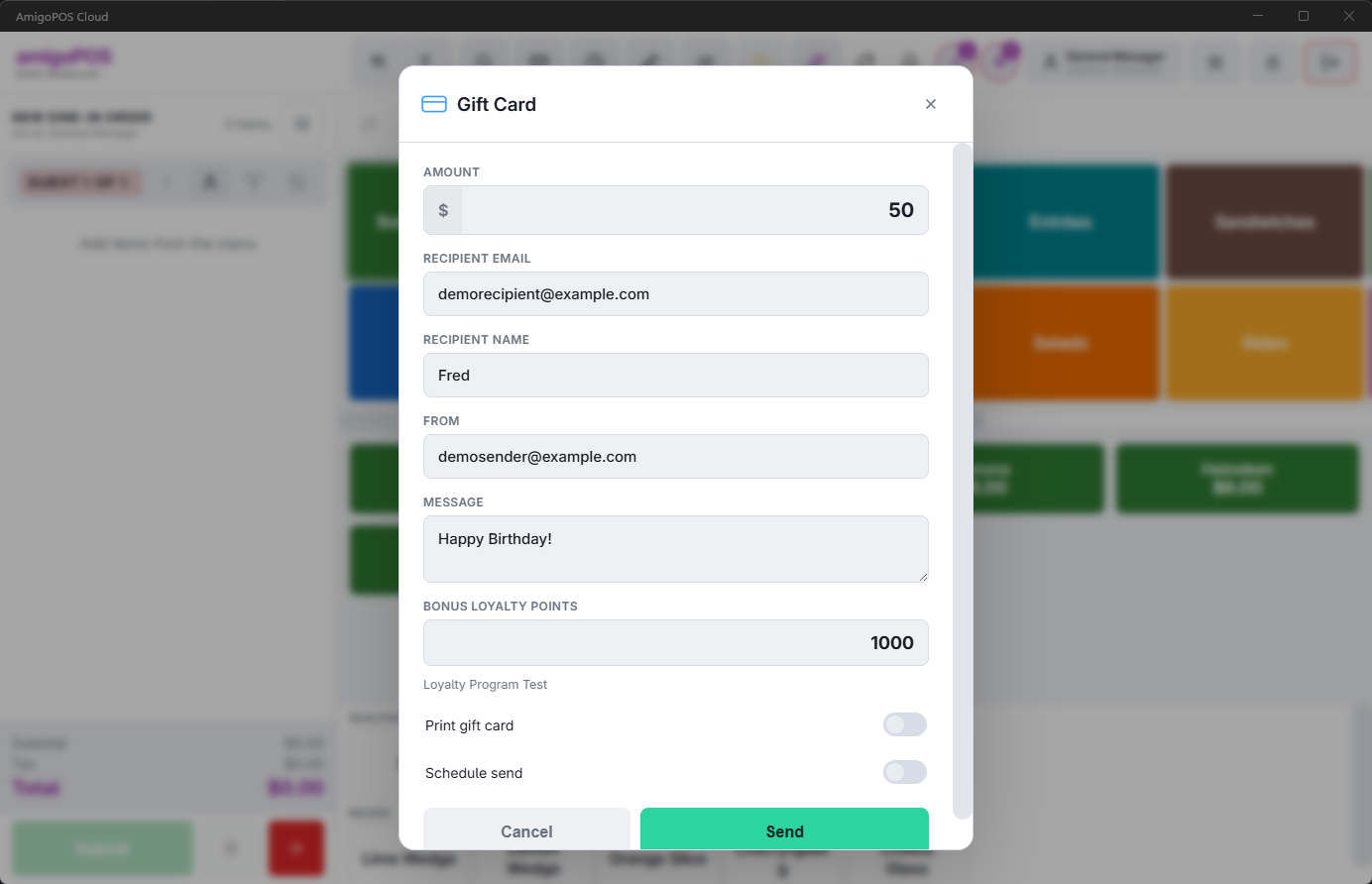
- Open the gift card screen and choose send digital gift.
- Enter the amount and the recipient’s email.
- Optionally add the recipient’s name, a from name and a short message. All three appear in the email exactly as typed.
- Confirm. The gift is added to the order as a line.
When the money moves
The gift is rung as a line on the check and issued when the order settles, not at the moment you enter it. That is what you want: the card is funded by the payment the guest actually makes.
It also means a gift line voided before the order settles simply never happens — no card is created and nothing is emailed. If a guest changes their mind, remove the line; there is nothing to unwind.
Sending it later
For a birthday or an anniversary, set a scheduled send date and time. The card is still created and funded when the order settles; only the email is held until the moment you chose.
E-gifts under a shared program
When the store is an Active member of a shared card program that allows e-gifts, the form shows an Issue Under picker: Our Own E-Gift, or the program. A program e-gift can be spent at any member restaurant and counts as a sale by yours. See Program cards at the register.