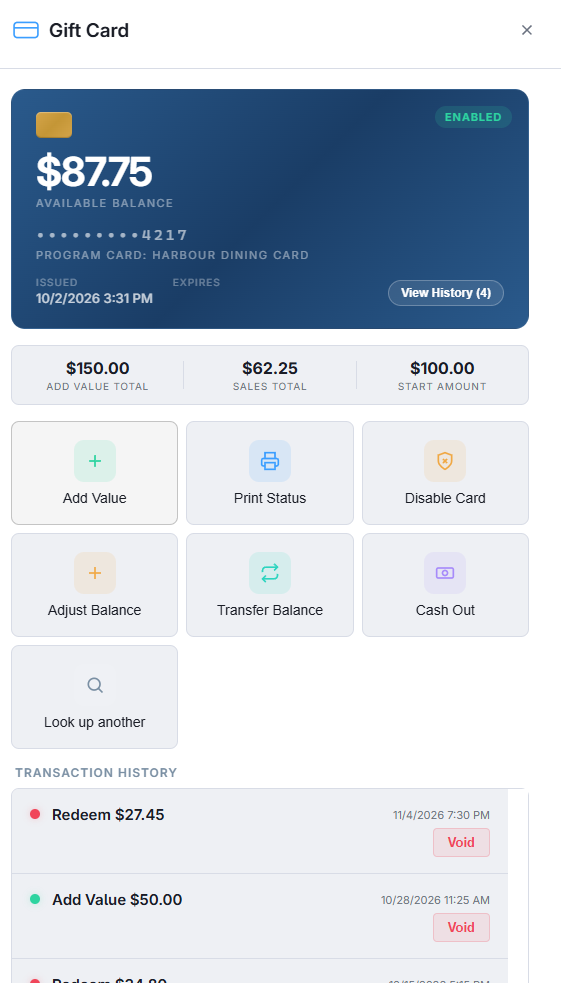
For staff, nothing changes. They swipe, scan or type the card as they do today; AmigoPOS recognises a program card by its number — it starts with the program’s prefix — and sends the transaction to the shared ledger instead of the store’s own. Balance checks, partial payments and voids work the same way. Cards a member moved into the program keep their old numbers and are recognised too (Moving your existing cards into the program).
Selling and activating
- Physical cards — activate a card with the program’s prefix at any member, the same way as your own cards; the card is created on the program ledger the first time it is activated. A box of numbered cards can also be loaded in advance by any member with Adding cards in bulk: numbers that start with the prefix go to the program automatically.
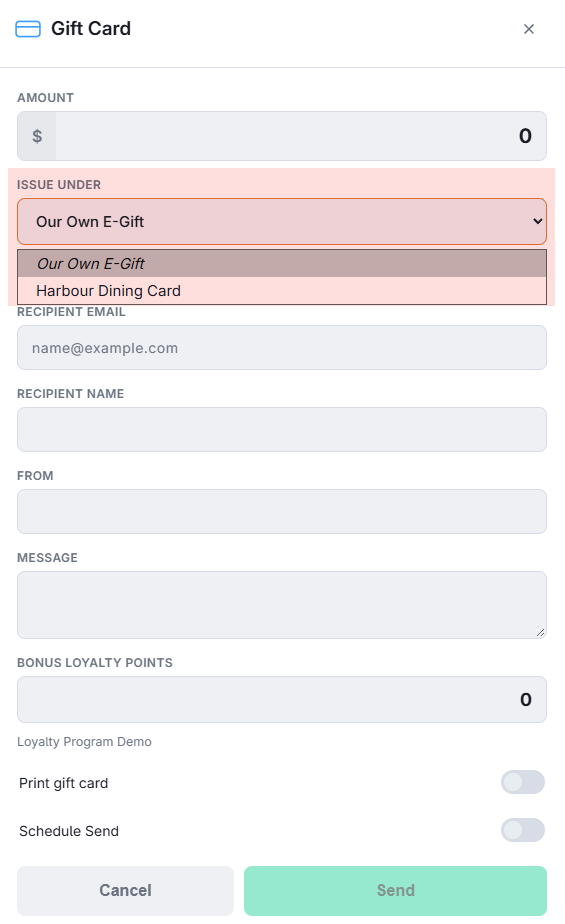
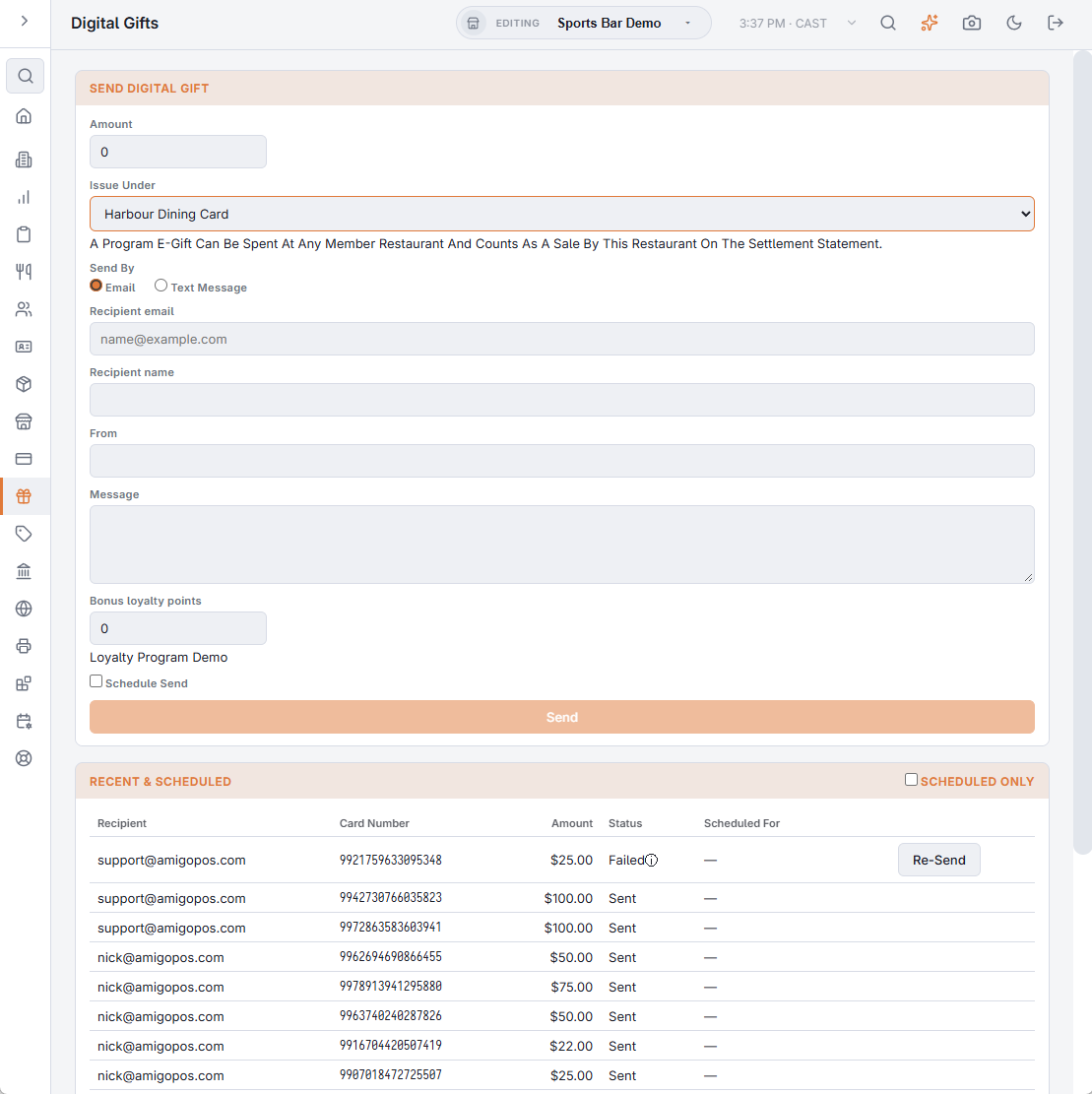
- E-gifts — on the register’s Send E-Gift form an Issue Under picker appears when the store is an Active member of a program that allows e-gifts: choose Our Own E-Gift or the program. In Back Office, Gift & Loyalty › Digital Gifts has the same picker. A program e-gift’s code carries the prefix, it is e-mailed like any other e-gift, and it counts as a sale by the issuing restaurant.
- Reload — at any member, if the program allows it; it counts as a sale by the reloading restaurant. The program’s Maximum Load caps every activation and reload.
Paying, voiding, refunding
- A program card is a gift card payment like any other (Paying with a gift card). The program’s Daily Redemption Limit counts what the card redeemed in the last 24 hours at every member.
- Expiry follows the program’s rule only; the store’s “never expire” setting does not apply.
- Voids and refunds to the card work as today, on your own lines. A void is counted on the statement when it happens, even if the original sale was in a period that is already closed.
- Cash Out is only offered when the program allows it (Cashing out a gift card).
- Adjustments work as on your own cards; a transfer must stay within the program — a balance cannot move between a program card and a private card (Adjusting and transferring a balance).
Messages staff may see
| Message | Why |
|---|---|
| This Is A Shared Program Card And This Restaurant Is Not A Member Of Its Program. | The card belongs to a program your store is not an Active member of — you never joined, you left or were removed, or the program is switched off. Nothing can be done with it here. |
| Reloads Are Not Allowed On Program Cards. / Cash Out Is Not Allowed On Program Cards. / E-Gift Cards Are Not Allowed On This Program. | The program’s rules; the administrator can change them. |
| Load Exceeds The Program Maximum. | The activation or reload is above the program’s Maximum Load. |
| Daily Redemption Limit Reached For This Card. | The card has redeemed the program’s daily limit across all members in the last 24 hours. |
| A Transfer Must Stay Within The Same Program. | Source and destination cards are not in the same program. |
In Back Office
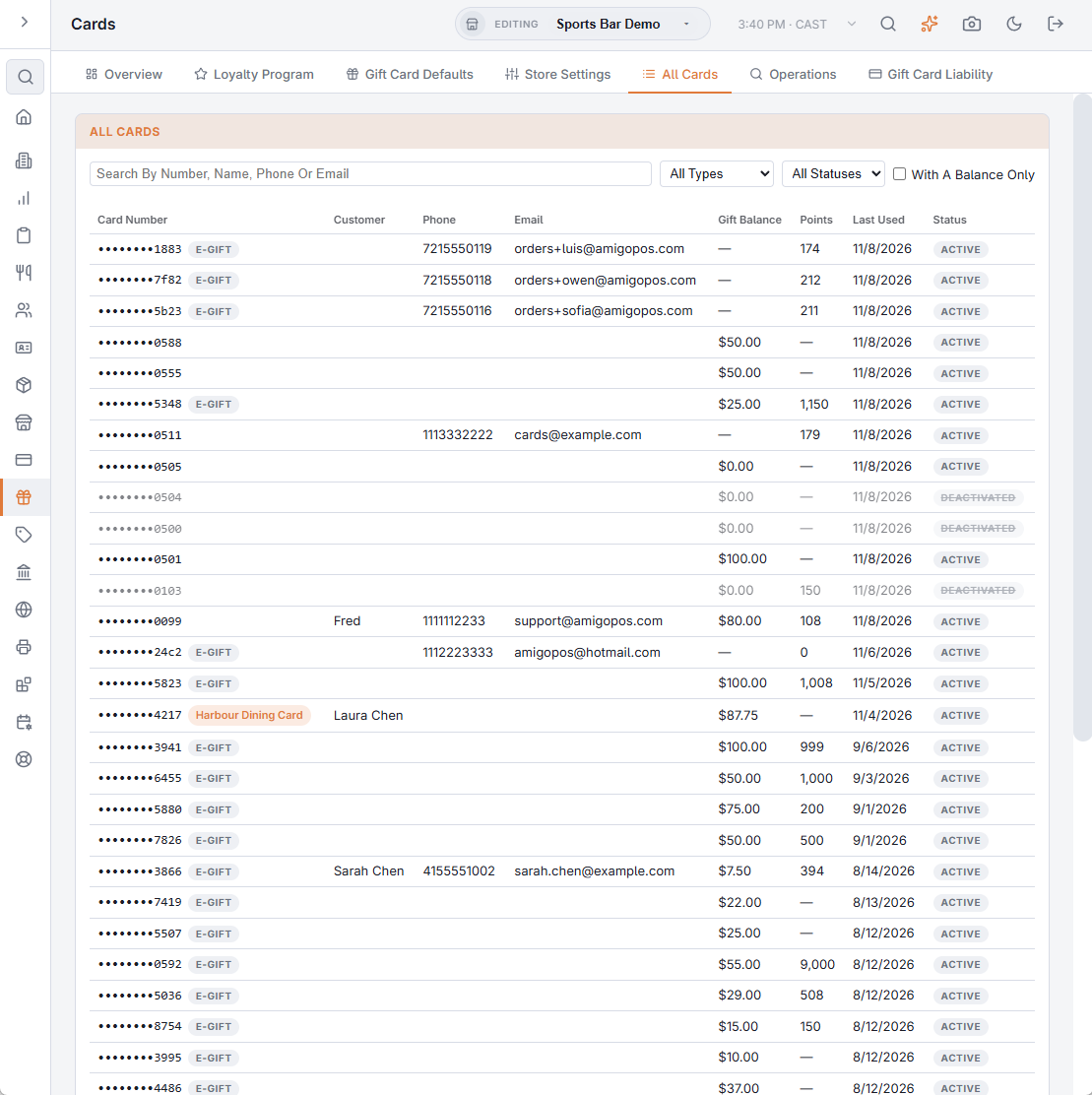
- Gift & Loyalty › Cards › All Cards lists the program cards your stores sold with a Program Card badge, next to your own cards (Finding a card: All Cards).
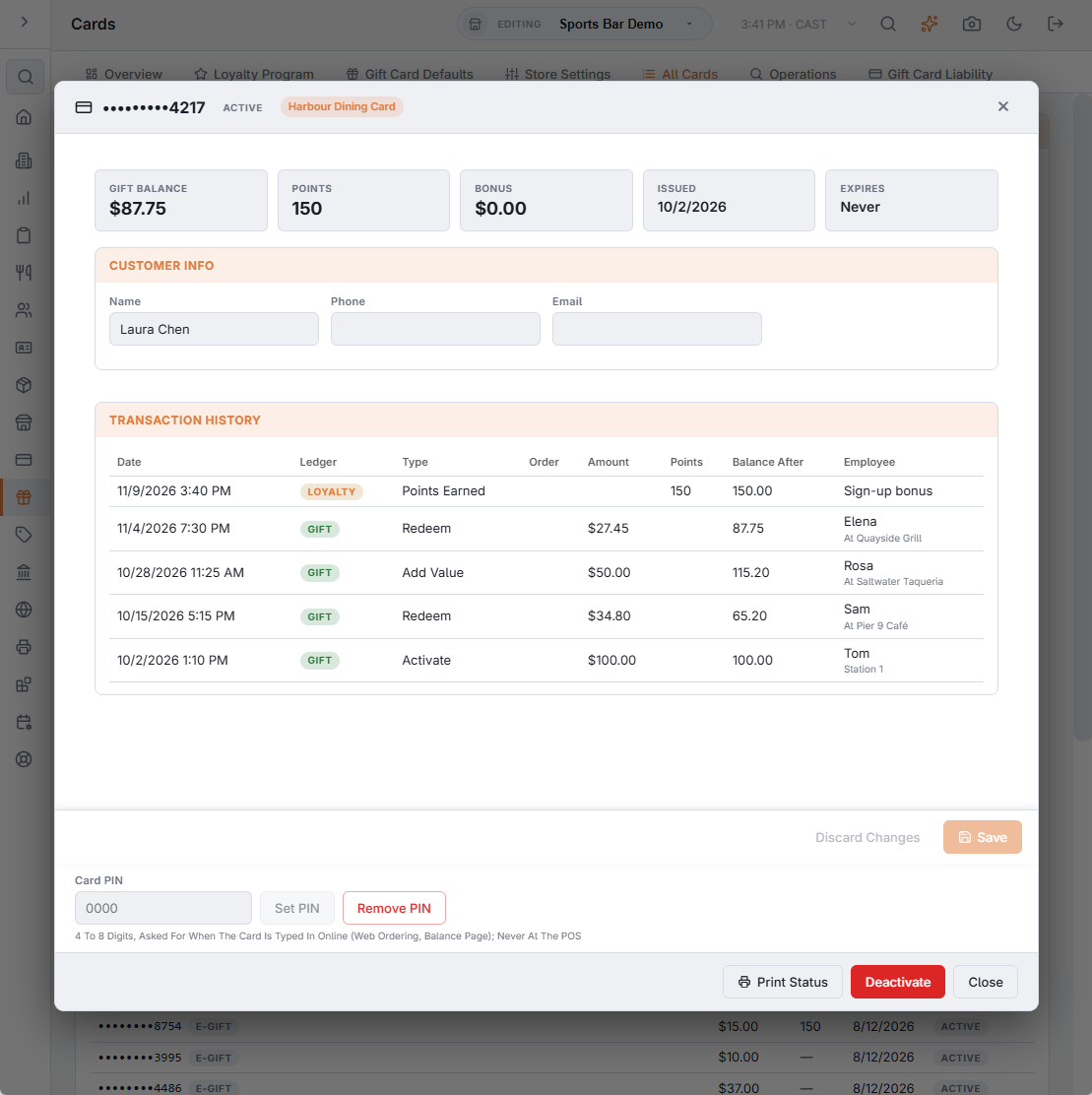
- The card detail window shows the whole program history of a card, with an At column naming the member where each line happened (The card detail window).
- Your gift card liability report covers your own cards only; program value is accounted for on the statements.
- Sales of program cards appear in your sales and End of Day exactly like sales of your own cards — you were paid the cash.
Program cards are not redeemable offline. The balance lives in the shared ledger, so a register without a connection cannot accept them — the same rule as for every gift card.