You don’t have to open Back Office to know how your promotions are doing. Every Monday, from the store’s send hour, the managers get an email with the last 7 days, in the store’s language.
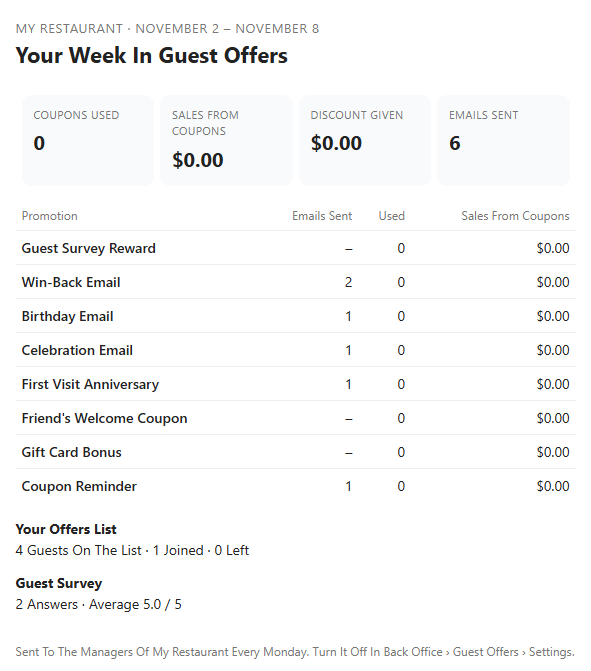
What’s in it
- Coupons Used, Sales From Coupons, Discount Given and Emails Sent.
- Each promotion, with its emails, coupons used and sales.
- Extra guests back thanks to the emails, when the holdout group has enough guests.
- Your offers list: guests on it, joined and left.
- Guest survey answers and the average rating, and how many unhappy guests are waiting for you to get in touch.
Who gets it
In Discounts & Promotions › Guest Offers › Settings › Extras In Your Emails:
- Weekly Results Email To The Managers — on by default.
- Send The Weekly Email To — email addresses separated by commas. Blank: the end-of-day report recipients. With no address at all, nothing is sent.
Nothing is sent for a week with nothing to report. If the email can’t go out on Monday it is tried again, up to Wednesday.