Guests often add a few items on your online store and get interrupted. A friendly reminder brings many of them back to finish the order.
Turn it on
In Discounts & Promotions › Guest Offers › Settings › Extras In Your Emails, switch on Cart Reminder For Online Guests (it is off by default) and set Send After (Hours), 2 by default.
Who gets it
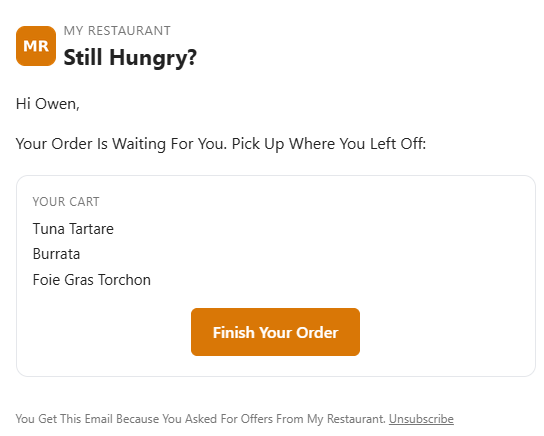
A guest on your offers list who signed in to your online store, added items to the cart and then left. Once the hours have passed since their last change to the cart, they get one email listing the items, with a Finish Your Order button that opens their cart (it is kept with their account) and their loyalty points when they have any.
When it isn’t sent
- The guest isn’t signed in, isn’t on your offers list, or paused offers or chose birthday only.
- The guest has ordered since, in the store or online.
- The cart is more than 2 days old.
- The guest already had a cart reminder in the last week.
- Between 9 pm and 9 am store time (it waits for the morning), or after the day’s email limit.
The reminder has no coupon on purpose: guests who learn that a discount follows an abandoned cart start leaving carts on purpose. Cart reminders show as their own row on the Results tab.
Related: Order again emails · Guest offers: extras in your emails