When an order uses courses, the card groups its lines under course headings instead of listing everything in ringing order.
Course headings
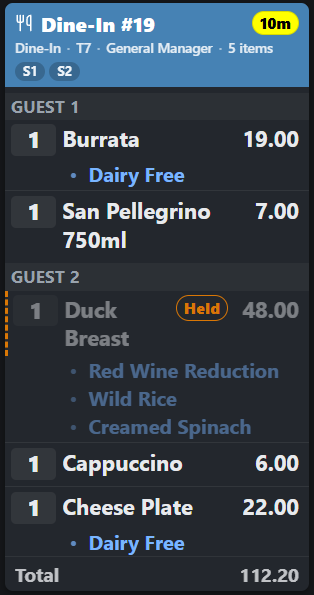
Each group is headed COURSE 1, COURSE 2 and so on, in order. A course whose items have not been fired yet is headed COURSE n — HELD and its heading is dimmed.
That is the whole message: dimmed and marked HELD means do not start this yet. It is on the card so the kitchen can see what is coming and plan around it — how many mains are behind the starters they are plating now.
When a course is fired
The server fires the course from the POS. The card updates, the HELD marking comes off that course, and its lines become live work.
To have everything in a course ready together, give items a cook time — see Cook times: finishing a course together. A held course is paced from the moment it is fired.
Bumping a course is what starts the clock for the next one: see Course fire reminders.