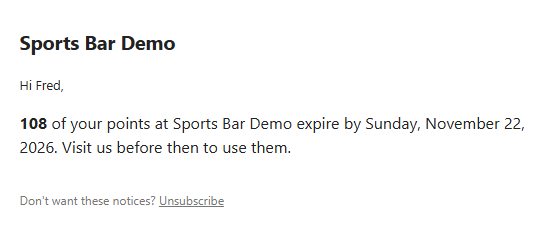
Points programs can let points expire. Set Points Expire After (Days) on the Loyalty Program tab of Back Office › Gift & Loyalty › Cards; 0 means points never expire. Bonus programs don’t expire.
How points expire
Points expire that many days after they were earned, oldest first; points already spent are never expired. A daily run posts the expiries to each member’s history, where they show as expirations in the card detail window. The sign-up bonus and promotion points expire like any others.
Warning members
In All program settings (search), set Loyalty Expiry Warning Days (for example 14). Members whose points will expire within that many days get one email per window, in the store’s language, saying how many points and by when. It goes to the email on the card, for cards the store issued, and has the same unsubscribe link as gift card reminders. 0 (the default) turns warnings off.