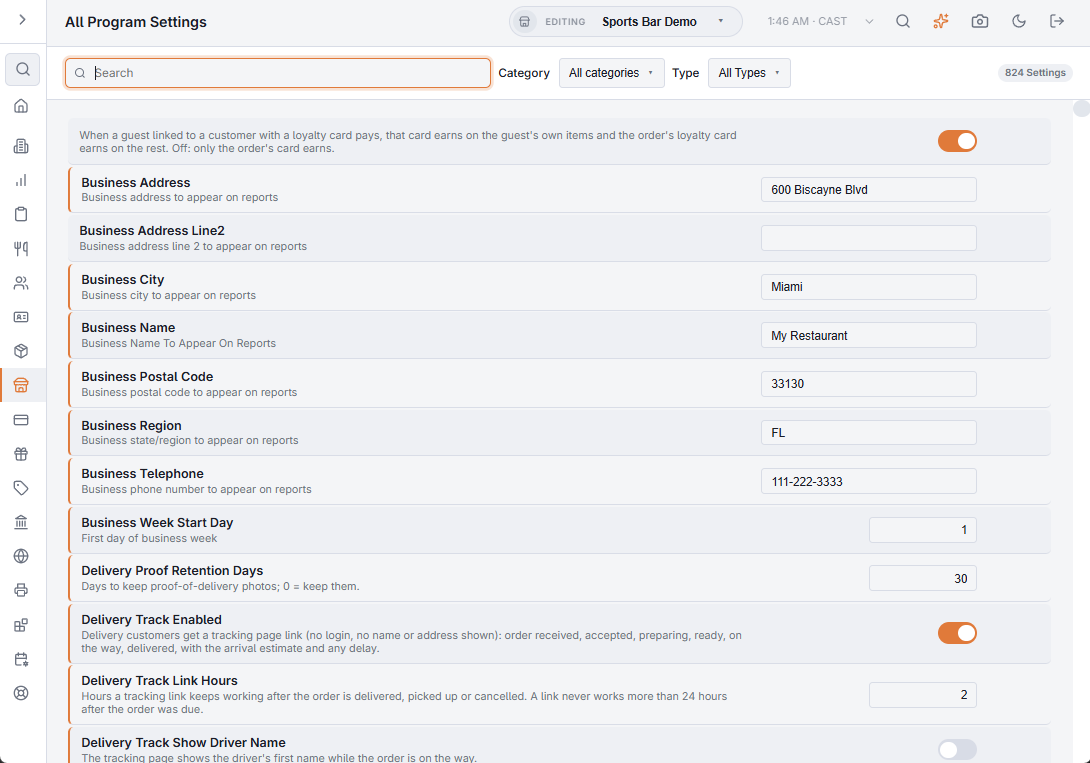
Back Office › Store Setup › All Program Settings is one list of the store’s program settings, for finding a setting by keyword and changing it where you find it. To jump to a Back Office page instead, press Ctrl+K (Cmd+K on a Mac) anywhere in Back Office.
Finding a setting
- Search matches the text you type against the setting’s internal name and its description, as one phrase. Names and descriptions are in English, so search with English words (“gratuity”, “drawer”, “prompt”).
- Category and Type (Yes / No, Integer, Decimal, Date, Time, Text, Guid) narrow the list. The count beside them shows how many settings match.
Each row shows the setting’s name, written from its internal name with spaces added (“Guest Wifi Ssid”), its description and its value.
Changing a value
A switch saves as you flip it; other fields save when you leave them, with a tick to confirm. If a save fails, a red message names the setting. It is the same setting, with the same value, as on its home page — but this list has none of the home page’s limits or choice lists, so any value is accepted. Where a setting has a home page, change it there.
What is not here
System settings, passwords, keys and other secrets, and the store’s language, time zone and base currency (on General settings).
When to use it
- You know roughly what a behavior is called but not where it is configured.
- Auditing a policy: a keyword such as “gratuity” lists every setting that touches it.
- Support conversations: “search settings for X and read me the value” beats navigating anyone through menus.