Training mode turns a register into a practice register. Everything a trainee does there — orders, payments, voids, drawer counts, even a practice end of day — lands in a hidden training store, a copy of your store’s setup and menu, and is thrown away when training ends. The live store, its numbers, its reports and its order numbers are never touched. The training store is created automatically the first time a register starts training; a menu change is picked up with Refresh Training Menu.
Who can start it
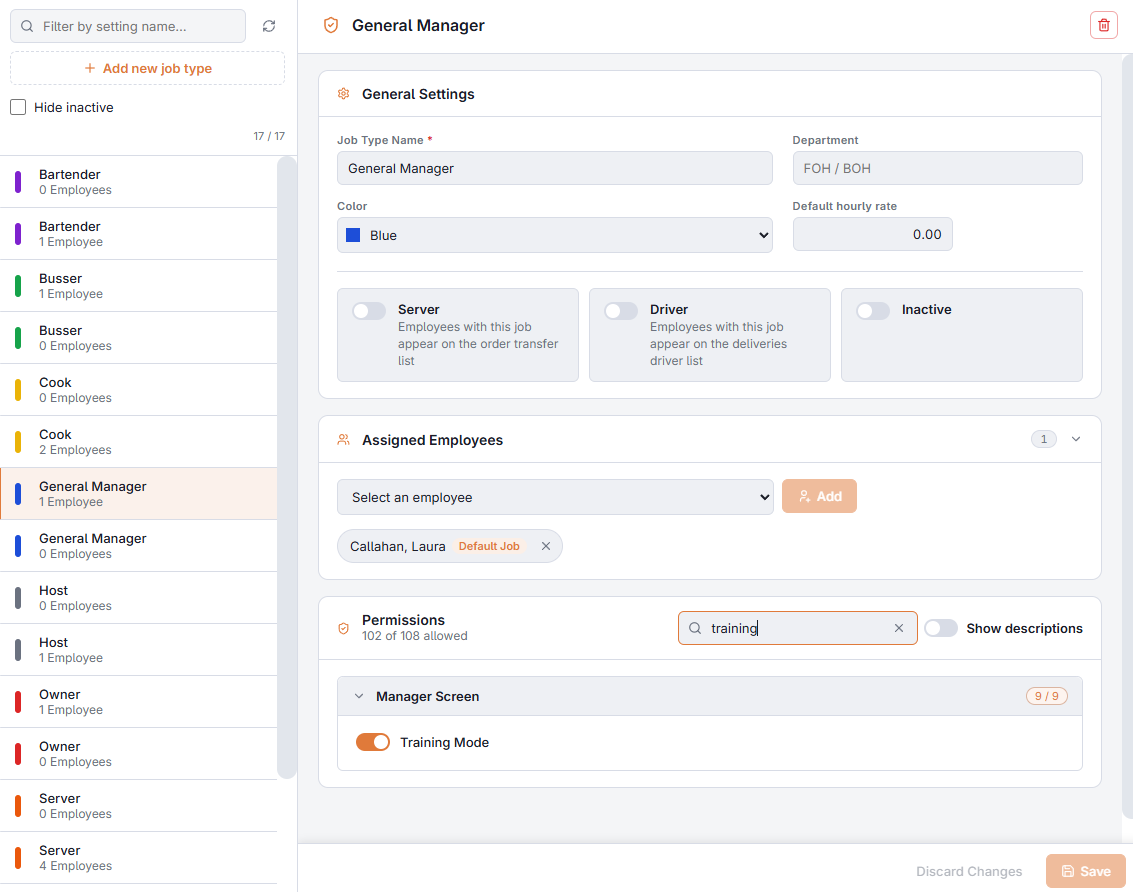
A job with Training Mode ticked in Jobs, roles, and permissions (Manager group). Managers do not get it automatically. Anyone signed in can end a session, so a register is never stuck in training when the manager has left.
Starting and ending
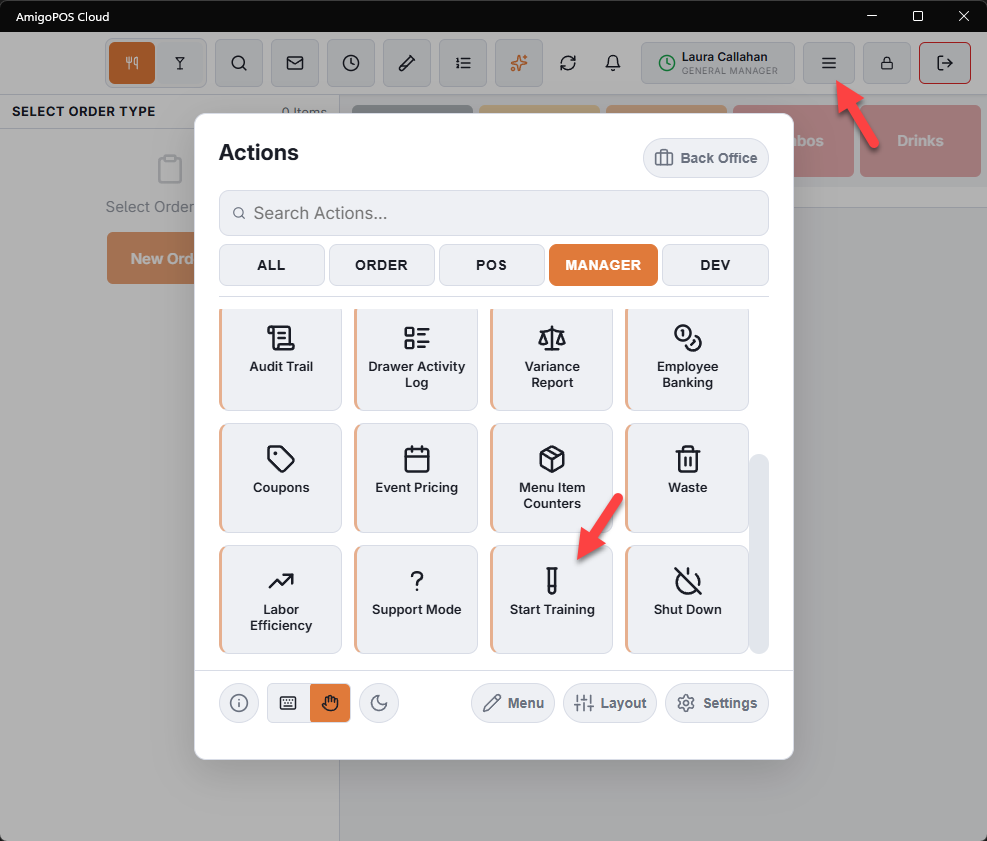
- With no order open, open More › Start Training and confirm. The first time for a store this takes a few seconds while the training store is prepared.
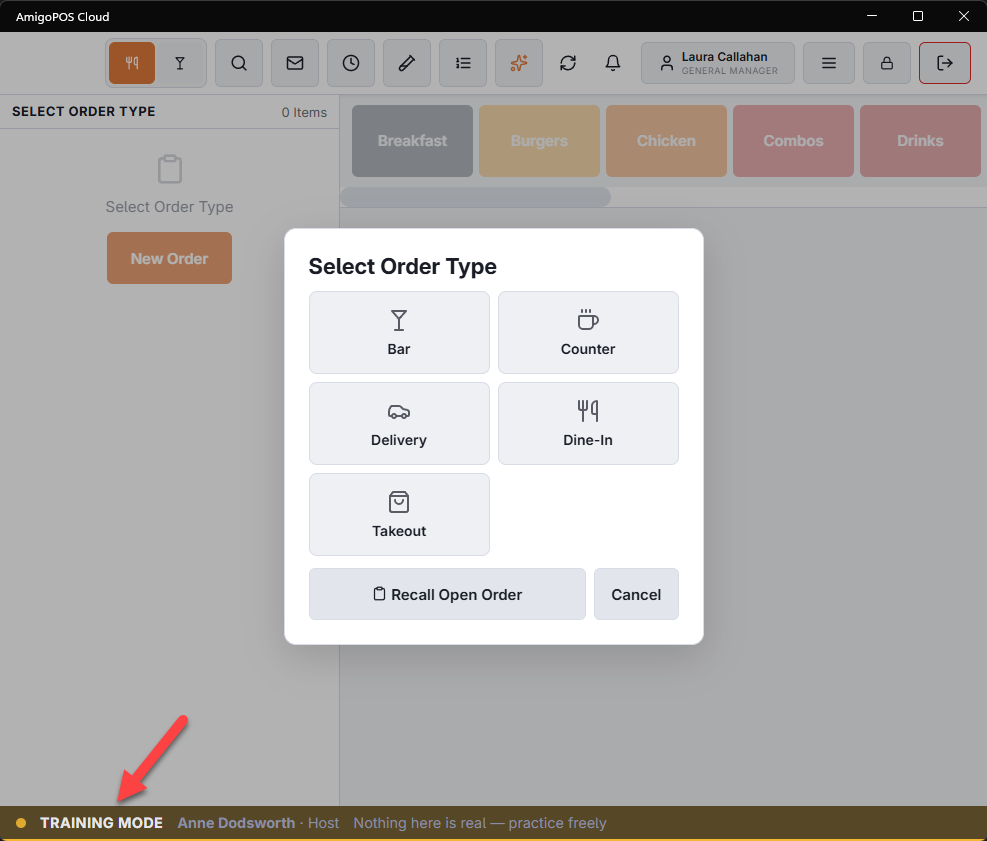
- The amber Training Mode strip stays across the top of every screen. Sign in with your usual PIN — employees and jobs are shared with the live store.
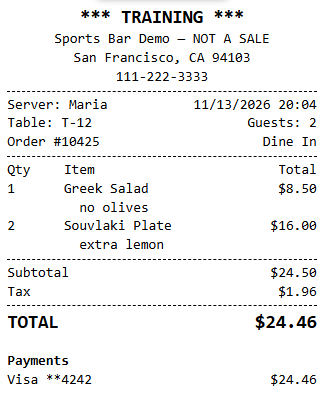
- Practice. Receipts print on the station’s receipt printer with *** TRAINING *** on top and not a sale in the address line, so a practice slip can never pass for a real one.
- More › End Training brings the register back to the live store. When it was the last register in training, the practice orders and payments are wiped.
Two more manager actions appear while in training: Reset Training wipes the practice orders and keeps the register in training; Refresh Training Menu wipes them and copies the menu again from the live store after a menu change. A session left open is ended by itself after 12 hours; an idle training store is wiped on its own.
What is different in training
- No money moves. Card and gift card payments are not processed, loyalty and house accounts are hidden, nothing is sent to the customer by text or email, no fiscal document is issued, and nothing reaches accounting or delivery integrations. Practice card payments as manual card entries; practice gift cards cannot be used.
- The time clock stays real. A trainee is at work: clocking in and out happens on a live register (or the staff site on their phone), not on a register in training. Breaks too.
- Inventory is not depleted by practice sales.
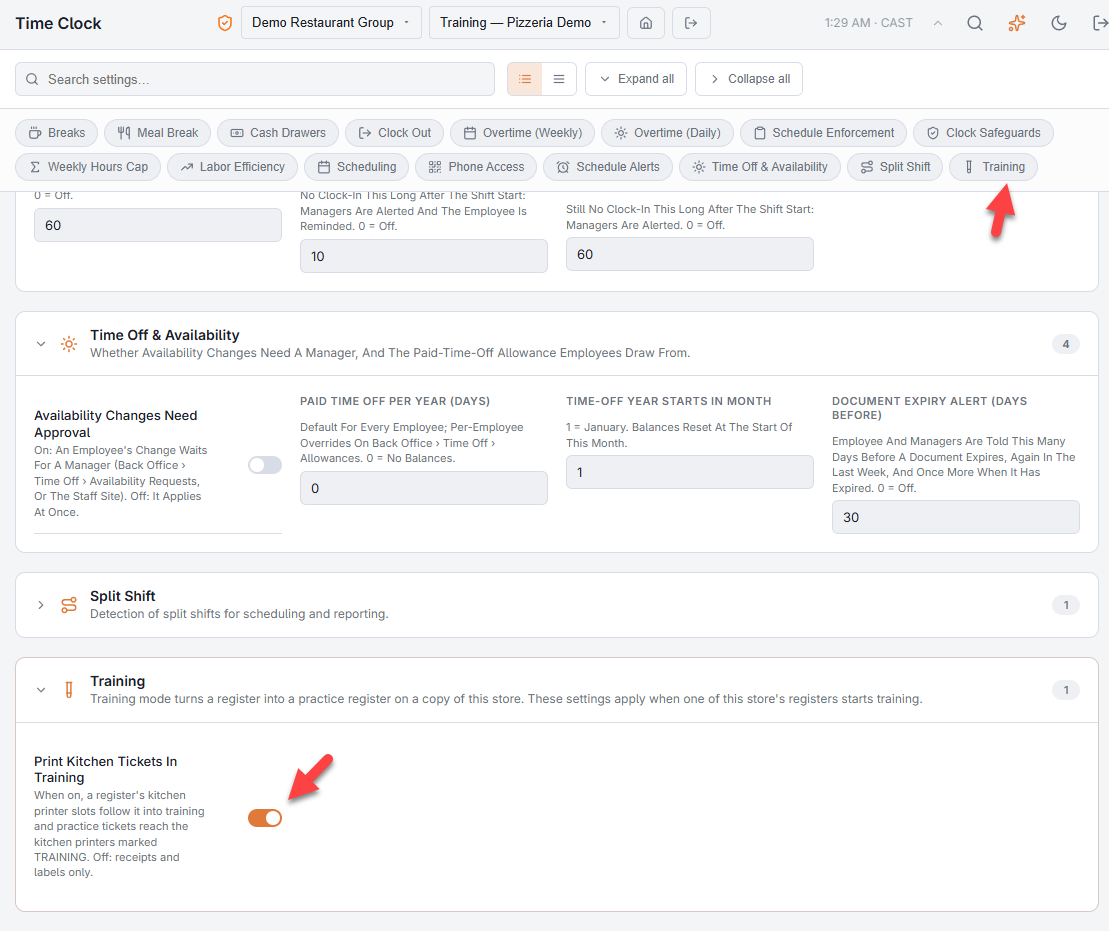
- Kitchen printing is off unless the store switches it on: Back Office › Employees › Scheduling › Time Clock › Training › Print Kitchen Tickets In Training. When on, practice tickets reach the kitchen printers with the training marks — sensible outside service hours, confusing during them.
- Offline pauses training. A register that loses the connection shows Training Paused until it is back; nothing is rung up offline in training.
- Manager alerts, the End of Day email and the staff site’s Today page ignore the training store. Nothing from training is counted, billed or forecast.
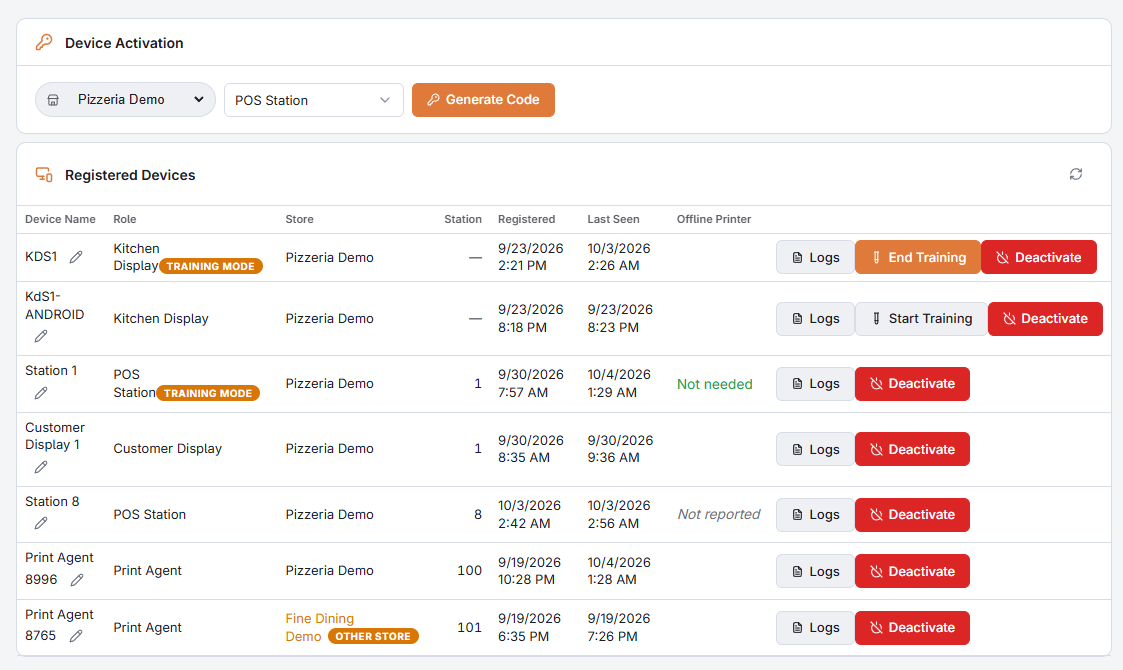
A kitchen display in training
To let a trainee see tickets bump, put a KDS screen into training from Back Office › Hardware & Printing › Registered Devices: the KDS row gets a Start Training button (Training Mode permission). Restart the screen after switching it either way so it reloads. A screen in training shows only practice tickets — take it out of training before service.
Good to know
- A manager who opens Back Office on a register in training is editing the training store’s setup, not the live one — useful for its printer slots and drawers, otherwise leave Back Office for a live register.
- The training store copies the menu, modifiers, prices, taxes, order types and payment methods; it does not copy customers, gift cards, inventory or integrations.
- Franchise setups with the same menu in every store can create a training store at each location; each one mirrors its own live store.
Every session is somebody’s
When you start training, the register asks who is training: pick the employee, and — if they hold more than one job — the job to practise. The trainee then signs in with their own PIN and gets that job for the whole session, whatever their usual default. Until training ends, only the trainee and a trainer (anyone with the Training Mode permission) can sign in on that register, so the practice log is the trainee’s and nobody practises under someone else’s PIN.
A new hire must exist as an employee with at least one job before they can train: if the name is not in the list, create them in Back Office › Employees › People › Employees List, assign the job they are learning, and start again. That is deliberate — the job they practise is the job they will hold.
The assistant in training
On a register in training the assistant can look things up and work the training order screen, but it makes no changes to the store — gift cards, loyalty, customers, accounting and the rest stay untouched.