The Overview tab of Back Office › Gift & Loyalty › Cards is the one-screen picture of your cards: what is owed on them, how they are moving, and what is sitting unused. Every figure covers all the stores of the business together.
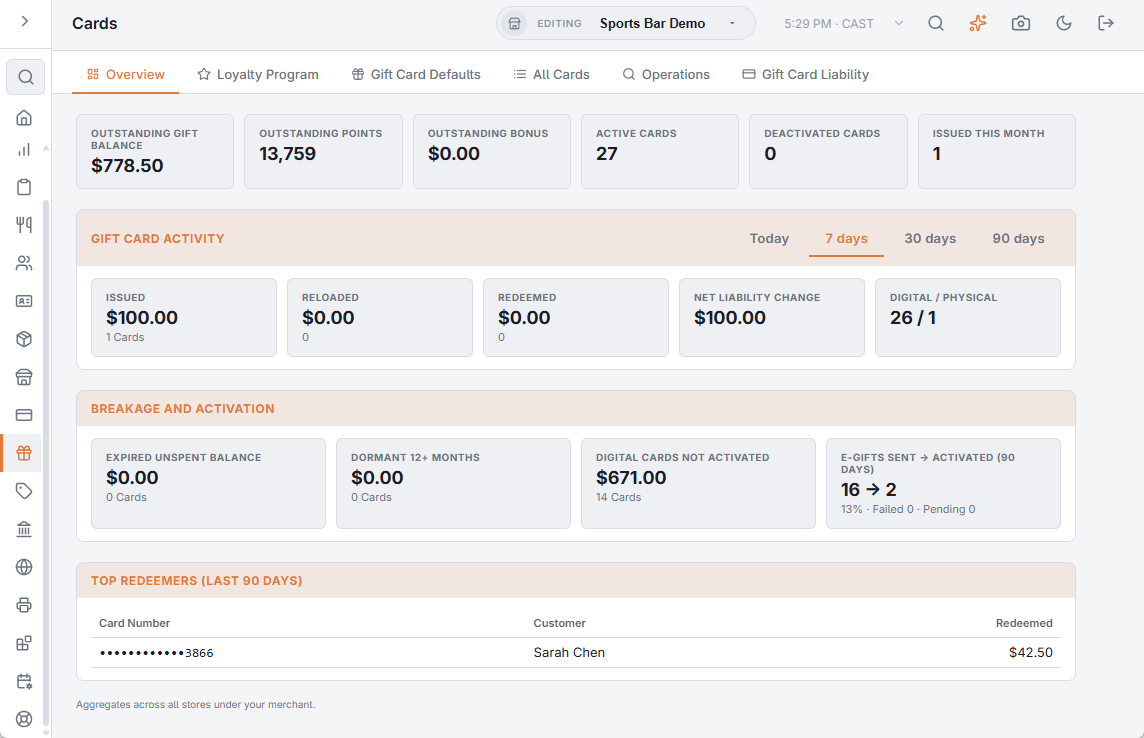
The top tiles
- Outstanding Gift Balance — what is left to spend on every gift card: activations and loads, less redemptions, with voided lines left out.
- Outstanding Points and Outstanding Bonus — loyalty points and bonus value on active cards.
- Active Cards, Deactivated Cards and Issued This Month.
Gift card activity
Pick Today, 7 days, 30 days or 90 days. Each is a window counted back from now, so Today means the last 24 hours, not since midnight.
- Issued, Reloaded and Redeemed — the value and the number of cards in the window.
- Net liability change — issued plus reloaded, less redeemed. Below zero, guests spent more than was sold.
- Digital / physical — how many active cards are of each kind (not tied to the window).
- Expiring balance — balance on active cards that expires within 30, 60 and 90 days. Each figure includes the shorter ones; the line only shows when something expires within 90 days.

Breakage and activation
Fixed windows; hover a tile for its explanation.
- Expired Unspent Balance — value left on cards whose expiry date has passed, and how many cards.
- Dormant 12+ Months — balance on active, unexpired cards with no gift card activity for a year. Local rules decide how unclaimed balances are treated — see Gift card liability.
- Digital Cards Not Activated — digital gift cards with value on them that the recipient has not activated yet.
- E-Gifts Sent → Activated (90 Days) — digital gifts sent in the last 90 days, by email or text, against how many were activated, with the rate and the failed and pending sends. Cancelled sends are not counted, and whether an email was opened is not tracked.
Top Redeemers (Last 90 Days)
The five cards with the most redeemed in the last 90 days, with the customer. Click a row to open the card.
A high Digital Cards Not Activated figure usually means gifts are going to wrong addresses or numbers. Check the failed sends in Manage digital gifts in the back office.