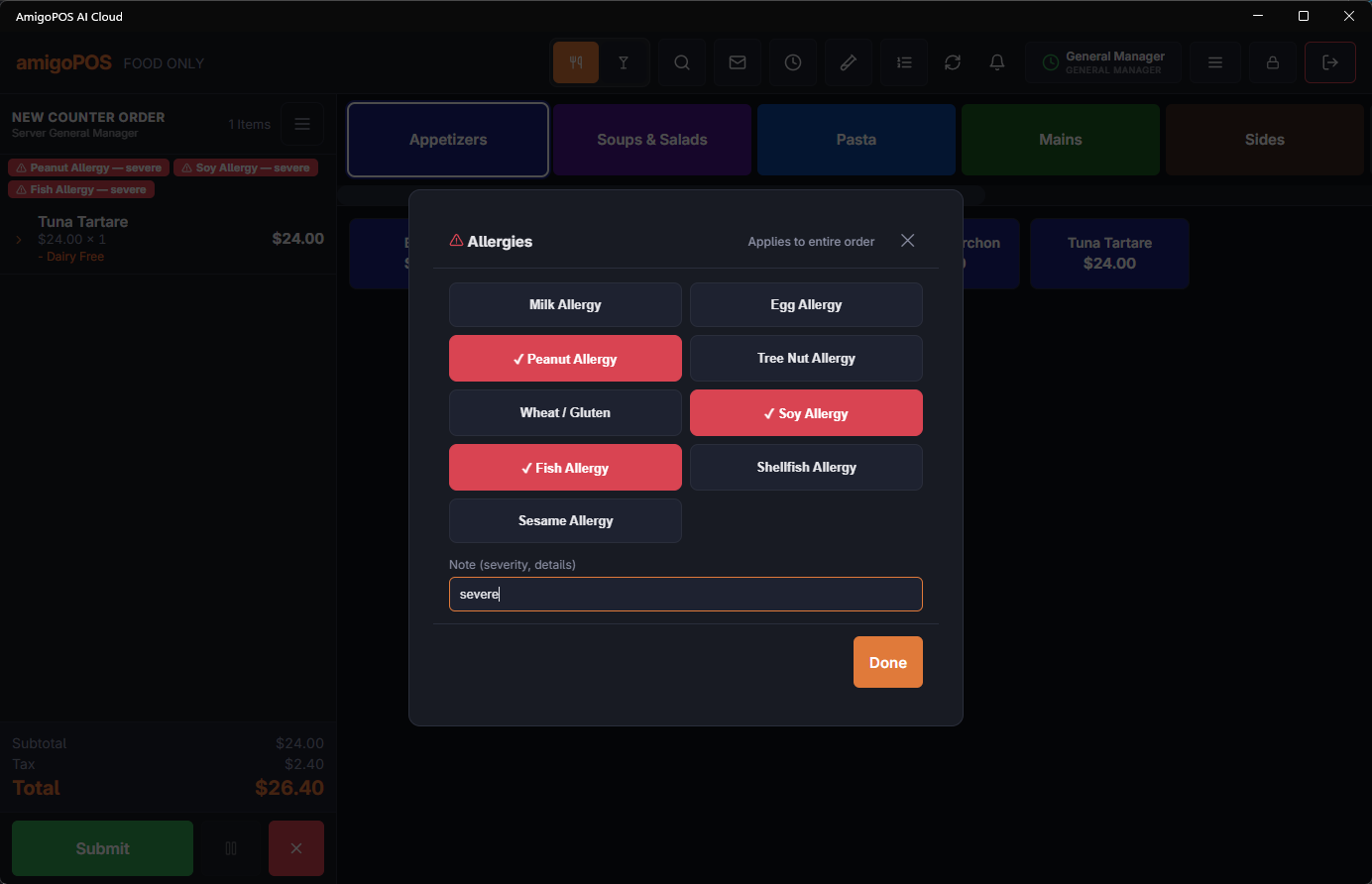
Each menu item can carry a list of allergens that a member of your staff has checked with the kitchen and your suppliers. The assistant uses these lists first when a guest asks about allergens.
Where
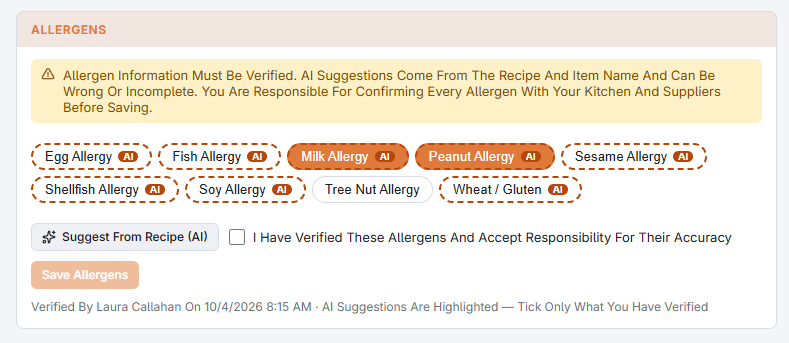
Open the item in the menu item editor (see Menu items). The Allergens section is at the end of the General tab. It shows every allergen in the store’s allergen list as a button; a highlighted button means the item contains it. A new item has to be saved once before its allergens can be set.
Suggestions from the recipe
Suggest From Recipe (AI) reads the item’s recipe ingredients (or only its name when it has no recipe) and marks the allergens it thinks the item probably contains: a dashed outline and an AI badge, with the reason when you hover — for example “flour tortilla” for wheat. It never selects anything for you. When unsure it includes an allergen rather than leaves it out, and it never says an item is free of anything.
Verifying and saving
- Check each allergen with the kitchen and your suppliers, including sauces and bought-in products.
- Select the ones the item contains. Selecting or clearing a button is always your decision — a suggestion is only a hint.
- Tick I Have Verified These Allergens And Accept Responsibility For Their Accuracy. Any change afterwards clears the tick.
- Choose Save Allergens. The line under the buttons then reads Verified By with your name and the time.
Saving an empty list means you checked and found none of the listed allergens — it is still not a guarantee against cross-contact. Review the list whenever the recipe or a supplier changes.
How the assistant answers guests: Allergen and price questions.
On the online menu
Once at least one item has a verified allergen list, the web ordering site uses the lists:
- The item window says what the item contains (Contains: …). For an item verified with an empty list it says the restaurant confirmed none of its listed allergens; for an item never verified, that the allergen information has not been confirmed.
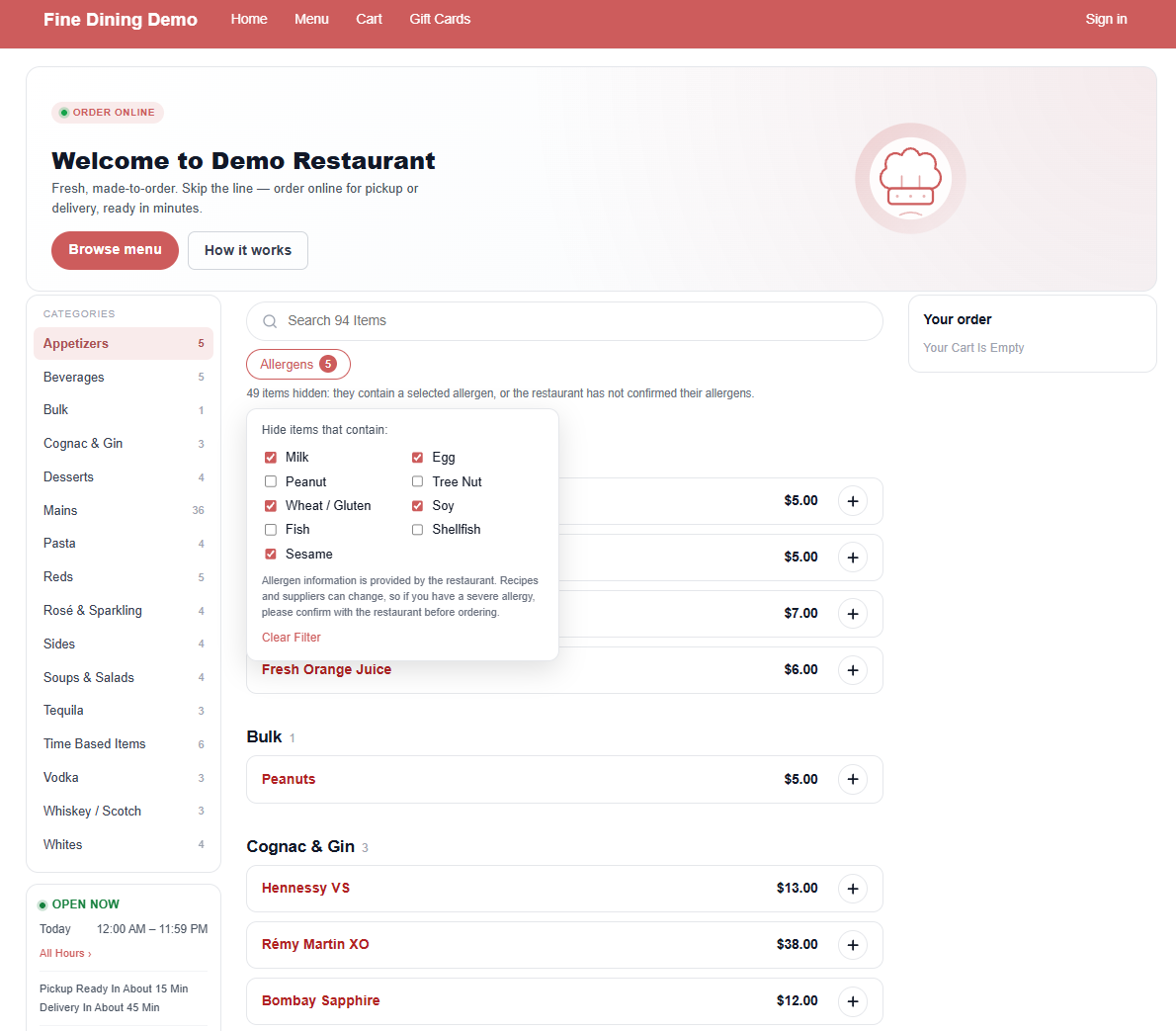
- The menu page gets an Allergens filter, Hide items that contain:, with the store’s allergen list. Ticking an allergen hides every item that contains it and every item whose allergens were never verified, so an unchecked item never passes for safe. A line says how many items are hidden.
- Both carry the reminder to confirm with the restaurant before ordering with a severe allergy.